End User 22
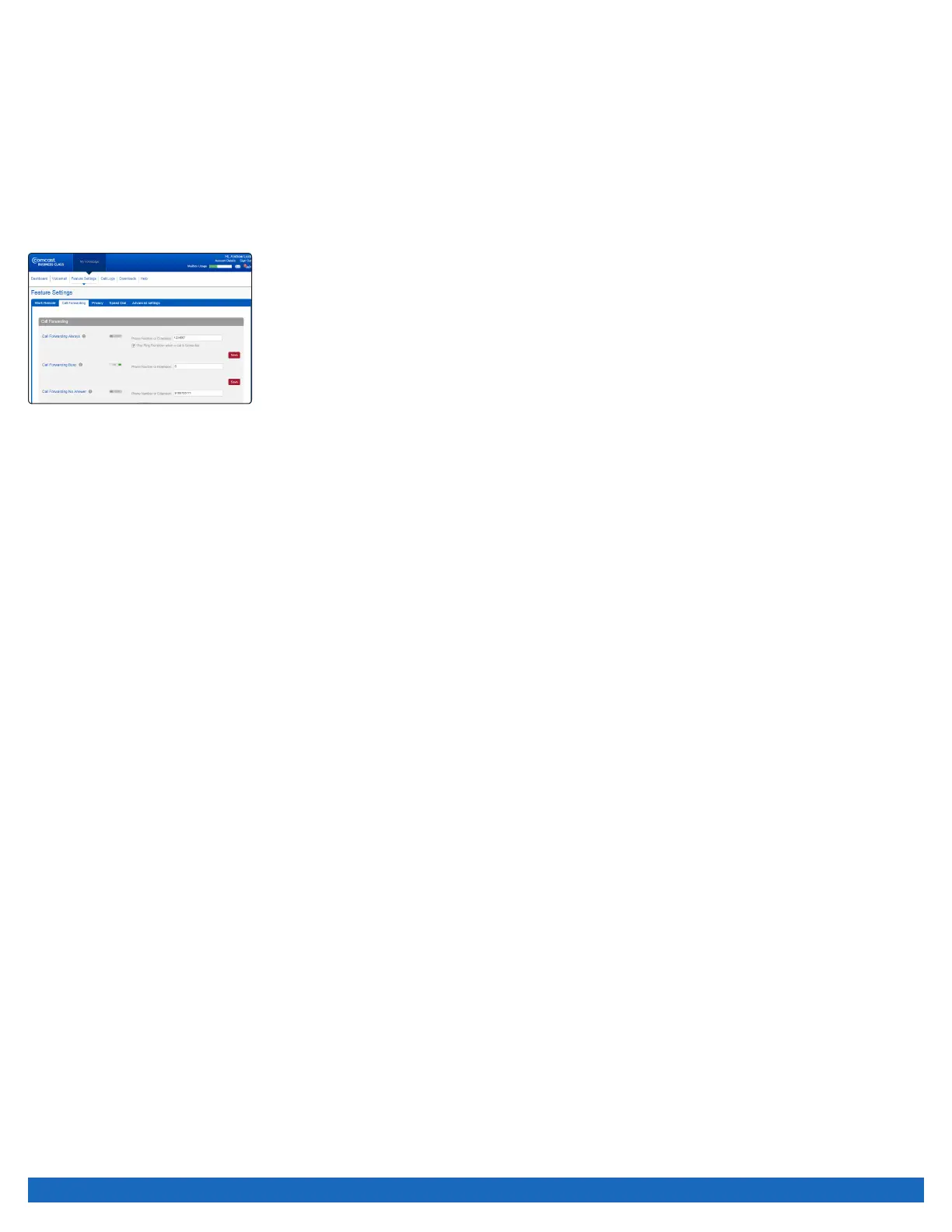
To activate/deactivate Call Forwarding No Answer online:
1. Log on to business.comcast.com/bveportal.
2. From the Main Navigation Page, select “Feature Settings”.
3. Click the “Call Forwarding” tab.
4. Next to Call Forwarding No Answer, enter the number to which incoming calls should go, click “On”,
then click “Save”.
Call Forwarding Selective
Forward only those calls you don’t want to miss. Call Forwarding Selective allows you to create a list of people whose calls will be
forwarded to a number you designate. When you activate this feature, only calls from the individuals on your list will be forwarded.
To activate/deactivate Call Forwarding Selective:
1. Log on to business.comcast.com/bveportal.
2. From the Main Navigation Page, select “Feature Settings”.
3. Click the “Call Forwarding” tab.
4. Scroll down to Call Forwarding Selective, and add the number to which you want to forward
calls.
5. Toggle the number “On” or “Off”, and click “Save”.
Sequential Ring
Sequential Ring enables you to define a “find me” list of phone numbers or URLs, which are alerted sequentially when you receive
an incoming call. If an incoming call to your line is not answered within a given number of rings, your calling party will hear an
announcement stating the system is attempting to locate you. If your last Sequential Ring number remains unanswered, your caller is
sent to your voicemail.
To set up Sequential Ring:
1. Log on to business.comcast.com/bveportal.
2. From the Main Navigation Page, select “Feature Settings”.
3. Click on “Advanced Settings”.
4. Next to “Sequential Ring”, click “Show More”. Check the “Ring Office Phone First” if that is your preference.
• If the check box is selected, your base location phone rings first in the ring sequence.
• If the check box is cleared, the first phone in the ring sequence rings first.
5. Select the number of rings before incoming calls are redirected to your “find me” phone numbers.
6. Enter your “find me” phone numbers in the order most likely to reach you first.
7. Enter the number of rings before your incoming call is redirected to the next line. Check “Answer Confirmation Required” if you want
to prevent a call from being dropped into voicemail. If you select this option, if a human does NOT verify the call, it will move to the
next number in the sequence.
8. Click “Save Changes”.
To deactivate Sequential Ring:
1. Uncheck the “Ring Office Phone First” and uncheck the “Continue search process if Office Phone is busy”.
2. Click “Save Changes”.


 To Next Page