End User 32
3. Queue panel
4. Contact Directory panel
5. Alphabetical Index filter
6. Options panel
7. Control panel
Receptionist Monitored Users
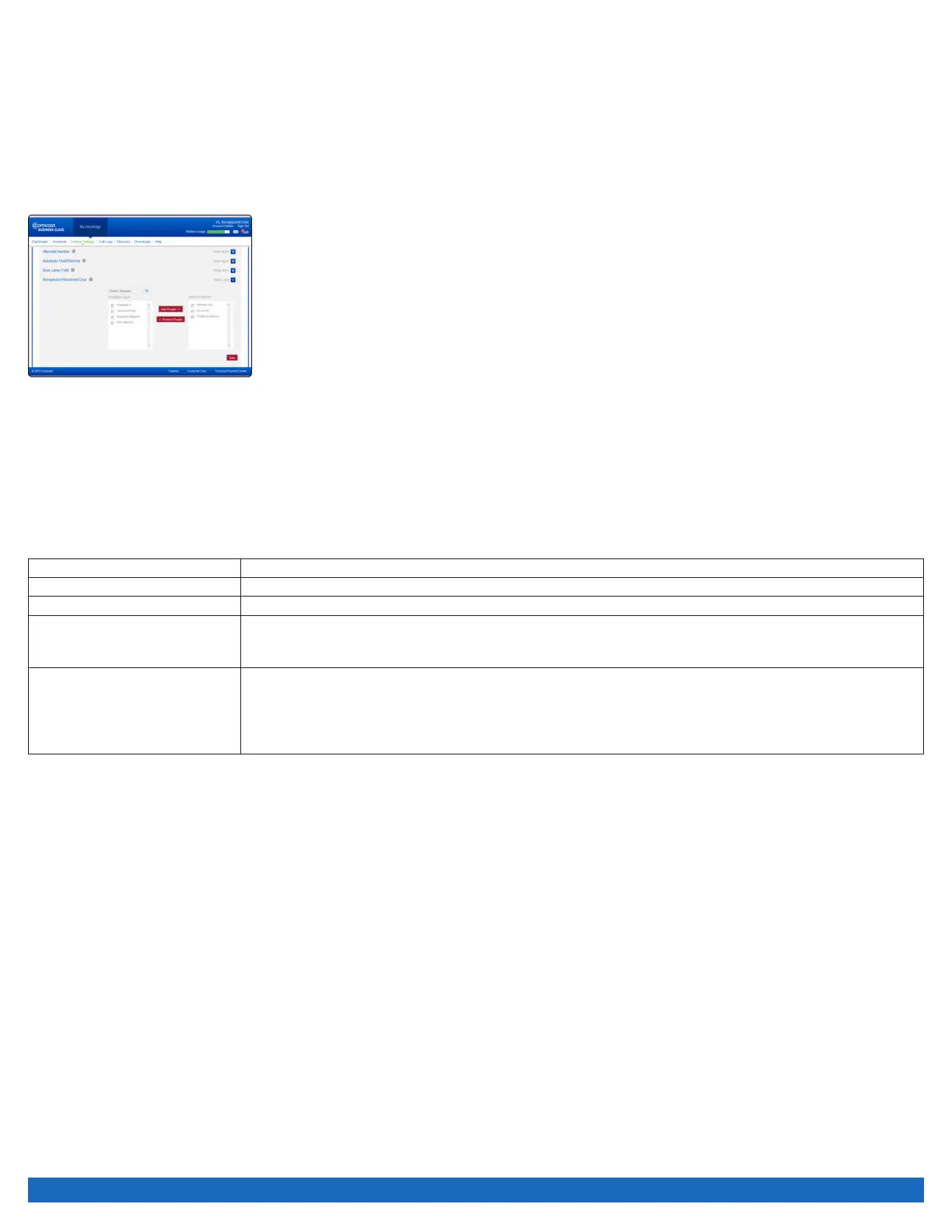
To select the users to monitor their phone status on the Reception Console, use the process below.
To set up Receptionist Monitored Users:
1. Log on to business.comcast.com/bveportal.
2. From the Main Navigation Page, select “Feature Settings”.
3. Click “Advanced Settings”.
4. Next to Receptionist Monitored Users, click “Show more”.
5. Check the box next to the users that you want to monitor their status.
6. Click on “Add People”.
7. Click “Save”.
Managing Calls with Reception Console
You manage calls using a combination of the panels in a top to bottom workflow style. You should be able to distribute calls using this
workflow for most of the common activities.
For more information about the user interface please see the full Reception Console user guide at business.comcast.com/getstarted.
System Requirements
Processor Minimum: Pentium 3® 1.2 GHz or higher or compatible CPU
Memory Minimum: 512 MB of RAM
Hard Disk Space 60MB
Additional Recommendations Video graphics card with minimum of 8 MB of RAM
Super VGA monitor (15 inches or larger)
800 x 600 screen resolution minimum
Software Requirements Windows 2000 with SP4 (or higher), Windows XP, or Windows Vista
Sun Microsystems 32-bit Java Runtime Edition, Version 6 Update 23, or later
Outlook 2000 SP3, 2002/XP SP2, 2003, 2007 (required for Outlook contact directory)
Microsoft Excel (Optional)
Flash Player 9 Runtime (ActiveX Control)
Note: Reception Console is compatible with Java version 6, and may have issues prior to Java version 7 update 11.
Additional Business Voice Continuity Features
In addition to Call Forwarding Not Reachable, there are several other features that help ensure your business voice continuity. Options
may include:
For Users with Voicemail:
• Voicemail to Email Integration: Receive voice messages in your email inbox on your computer or handheld device as a WAV file.
• Message Notification: Receive a short email message informing you that a message has been left, with the date and time the
message was sent.
For Unified Communications Seat Users:
• Call Forwarding Selective: Automatically forward calls based on incoming call number, time of day or day of the week.
• Call Notify: Send an email with the caller’s name and number to a specified email address when predefined criteria such as phone
number, time of day or day of the week are met.
• Be Anywhere: If your main line, hunt groups or first responders are not answered by a set number of rings, ring alternate numbers
simultaneously to ensure calls are not missed.
• Sequential Ring: If your main line, hunt groups or first responders are not answered by a set number of rings, ring alternate numbers
sequentially to ensure calls are not missed.
To manage these features through the VoiceEdge portal, log on to business.comcast.com/bveportal.


 To Next Page