Poseidon SE7EN+ User Manual Appendix 3 Page 110
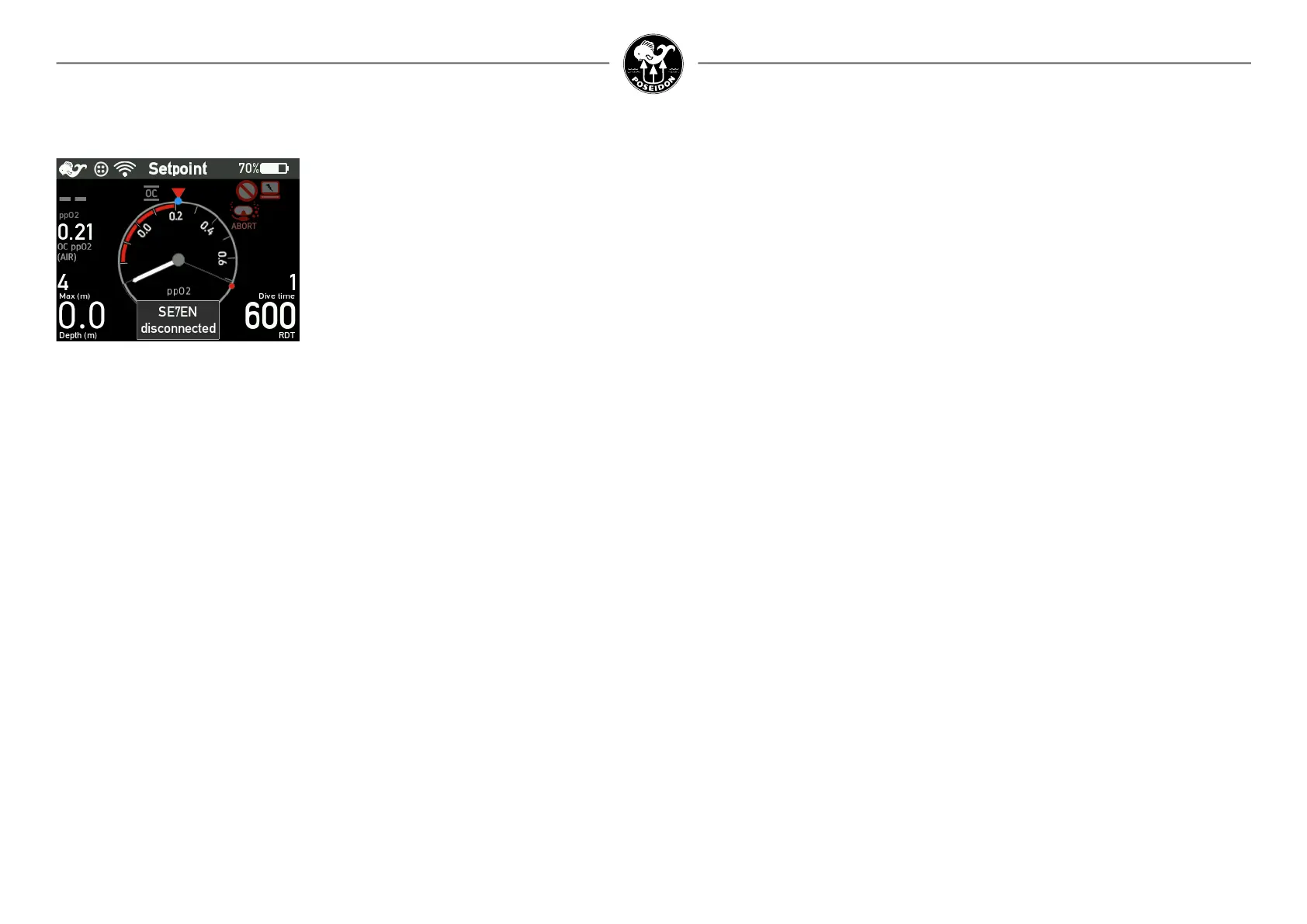
SE7EN disconnected alert
As soon as the M28 detects the SE7EN E-module or other devices on the CAN-bus, such as
the HUD or a CPOD, the M28 will begin to monitor their presence. If contact with a device is
lost a disconnection alarm is triggered and the vibrator and applicable alarm icons are acti-
vated together with an on-screen message telling which device that has been disconnected.
In case the M28 detects a previously disconnected device a reconnection alarm is triggered
with an on-screen message telling which device that has been reconnected. In case several
devices are disconnected or reconnected, messages for each device will alternate on screen.
The disconnection alarms may be triggered by cable failure or failure of the disconnected
device. A disconnection alarm may be followed by a reconnection alarm in case of an intermit-
tent cable failure or an intermittent device failure.
If SE7EN is disconnected, the M28 will enter Setpoint dive mode, see the M28 manual for
details. If SE7EN was congured for non-decompression diving (deco enable is OFF), the M28
will set Bailout ACTIVE when SE7EN disconnection alarm is activated. When SE7EN is cong-
ured for decompression diving (deco enable is ON), it is the responsibility of the diver to activate
Bailout mode on the M28 when appropriate.
The recommended action in case of a SE7EN disconnection alarm is to abort the dive in OC
bailout mode.
The recommended action in case of a HUD disconnection alarm is to abort the dive while care-
fully monitoring PO2 and alarms on the M28 display.
The recommended action in case of a CPOD disconnection alarm with a CPOD connected to
the same M28 as SE7EN is to abort the dive in OC bailout mode.
The recommended action in case of any reconnection alarm is to abort the dive.
Disconnection alarms can be acknowledged at any time. Acknowledging a disconnection
alarm means that the acoustic alarm signals are silenced, the disconnection message and the
alarm icons requesting actions are deactivated. A ashing Electronics alert icon will however
remain active to remind you that a disconnection problem still exists.
Disconnection alarms can be reset when not diving. Resetting a disconnection alarm will deac-
tivate the message together with all related alarm signals.
Reconnection alarms can be acknowledged at any time. Acknowledging a reconnection alarm
means that the associated message and alarm signals are deactivated.
Notice that it is your responsibility to take appropriate action before acknowledging or resetting
any disconnection or reconnection alarm.



 To Next Page