Poseidon SE7EN+ User Manual Appendix 3 Page 116
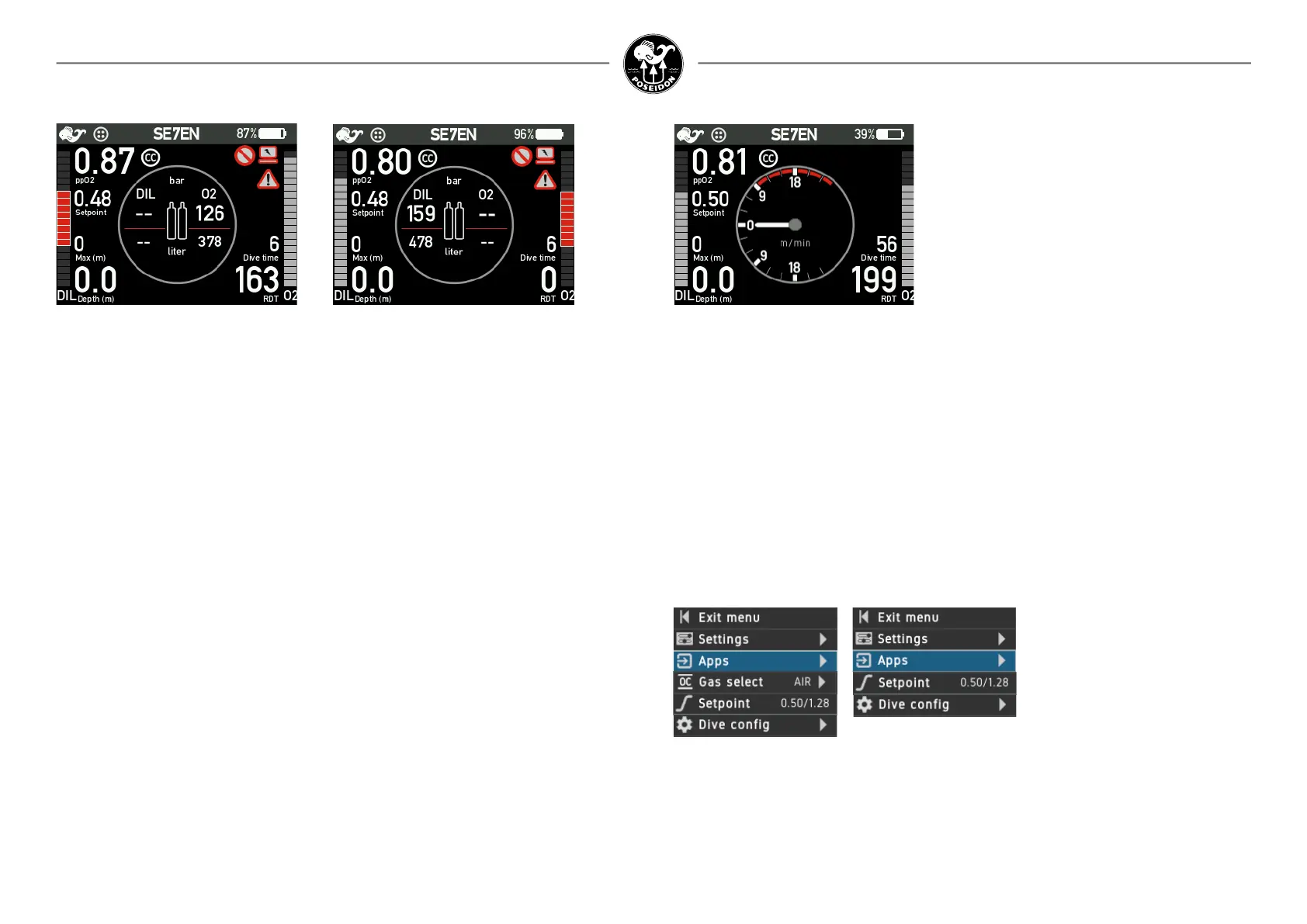
Ascent rate indicator
Figure 3-33. Ascent rate indicator.
By using the push buttons of the M28 the diver
can access the ascent rate indicator. The indica-
tor shows both ascent and descent values.
Notice: Normally both cylinder valves shall be opened during the the pre-dive test and remain
in open position throughout the dive until the dive is completed and the rig is powered off.
Closing a cylinder valve during a dive entails the risk of water ingress into the rst stage regula-
tor and from there into the solenoid valves inside the e-module. This might damage the solenoid
valves and require their replacement at Poseidon Head Quarters. Therefore closing the cylinder
valves during a dive is strongly discouraged unless necessary in an emergency situation.
During training of emergency procedures, lower the setpoint to simulate a closed oxygen
cylinder valve. You shall never leave the valves closed after pre-dive test or while diving,
whatever the reason!
Closing a cylinder valve and later opening it can trigger detection of an invalid sensor signal if
the pressure has rst decreased after the valve was closed and then the pressure increased
when the valve was opened. If zero pressure is reached, the invalid sensor status will however
be reset. Remember that the alarm for low cylinder pressure will be active when pressure is
close to zero.
The measured cylinder pressure is still presented in the M28 onboard gas supply center view
when increasing cylinder pressure has been detected, but don’t trust the presented numbers
unless you are absolutely sure that the alarm has been triggered by cylinder valve
manipulation.
Managing open circuit bail out with M28
In case your M28 shows an ABORT to Open Circuit you are mandated to follow the instruction
and warning and go to OC by changing your mouthpeice position. The M28 will then automati-
clly change the decrompression calculation to OC.
The Dive Menu
During normal conditions diving in Closed circuit the menu in M28 SE7EN+ mode will only
show a menu structure that consists of Settings, Apps, Setpoint and Dive cong. When
aborting to OC the menu content will change and also contain a new item “Gas Select”.
Figure 3-34. OC and CC mode menu
Figure 3-32b. Invalid DIL indicator. Figure 3-32c. Invalid O2 indicator.



 To Next Page