■ 4 Modes of operation and operating
28
For an illustration of the method of operation see Chapter 10 “Practi-
cal examples”.
4.6.3 Display
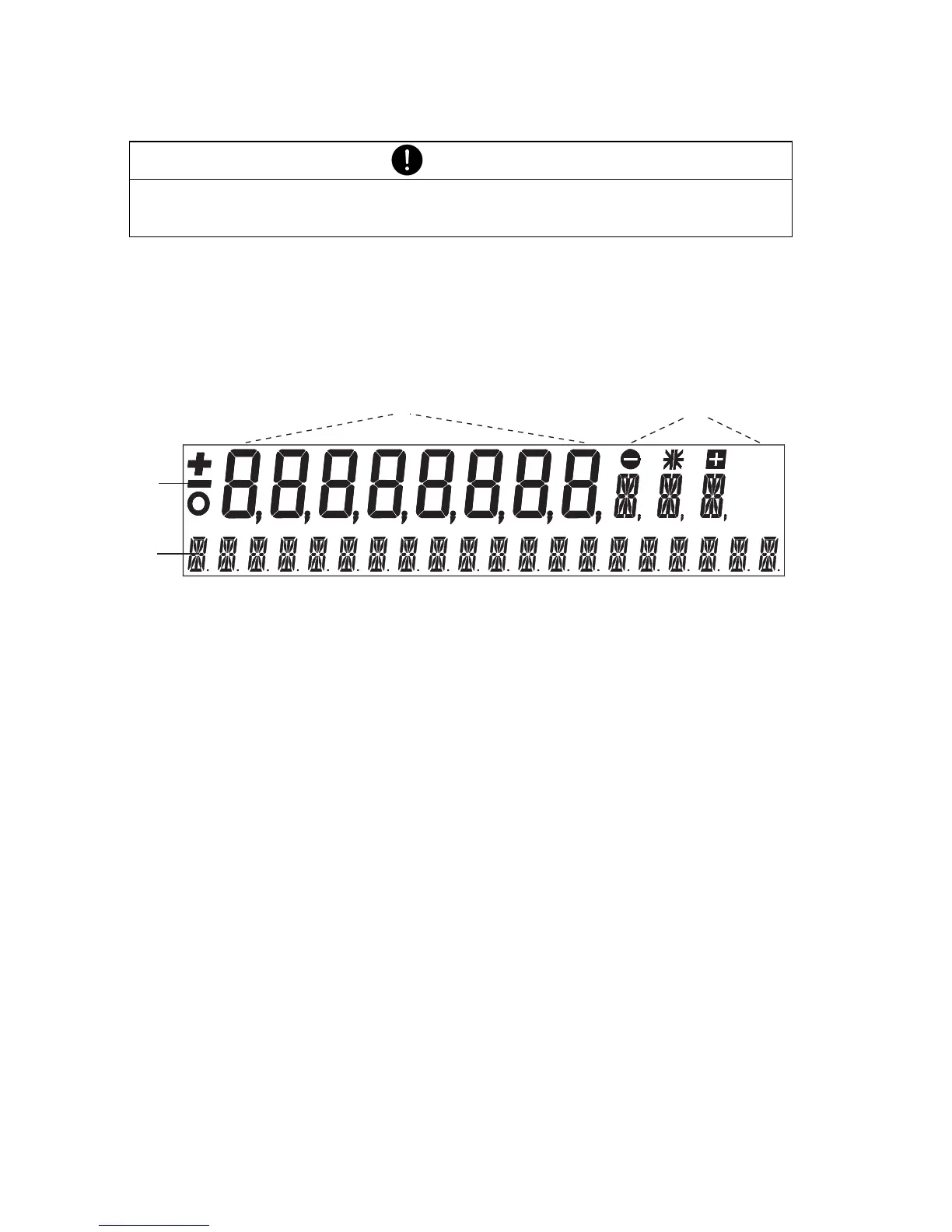
The balance display has two lines (1 and 2).
Fig. 4.2 Display
The upper display-line (1) includes the 8-figure measurement display
(3) as well as various symbols (4).
The lower line (2) serves as a 20-character info-line in connection with
the cursor keys for controlling the working programs.
4.7 Password protection of the menus
The two main menus of the balance can be protected by a freely
selectable, four-figure password against unintentional changes.
• With password protection deactivated, any operator can change the
balance configuration and application menus.
• With “standard” password protection activated, only the configura-
tion menu is protected against unintentional changes.
• With “high” password protection activated, both the configuration
menu and the application menu are protected against unintentional
changes. Only after entering the correct, four-figure password can
changes be made to the configuration menu and the application
menu.
NOTE
For the operation of the «T» and «PRINT» see Chapter 7 “Special
operating keys”.
B/G
PT
NET
2
34
1













 To Next Page