11
4.4 How To Login
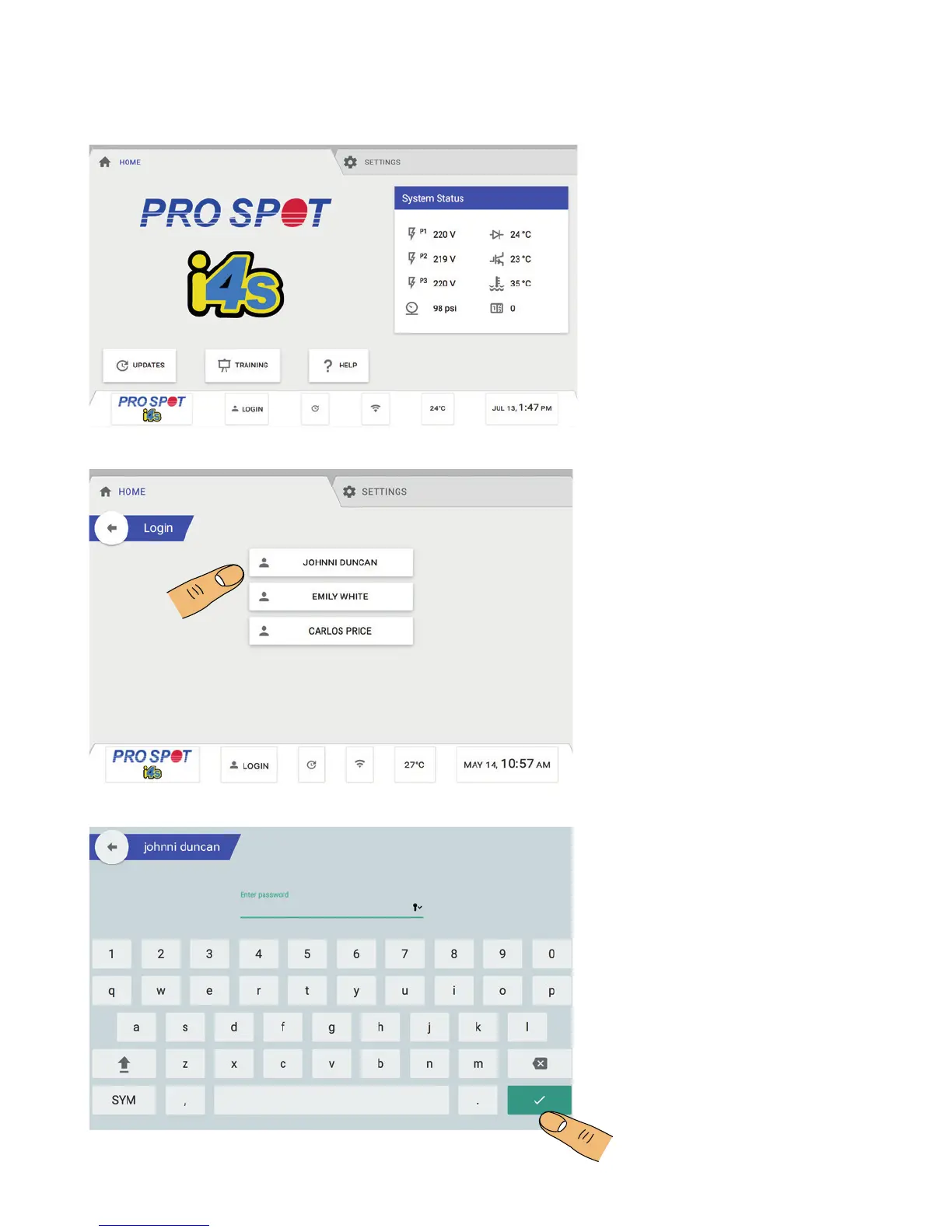
From the Home Screen, touch the
Login button to login (Figure 4.5).
From the Login Menu, select the
user account you wish to login into
(Figure 4.6).
Enter the user password, then
press the green check mark to
continue to the i4s Home Screen
(Figure 4.7).
NOTE: Default user password is -
1234
How To Login
4.4 How To Login
Figure 4.5
Figure 4.6
Figure 4.7



 To Next Page