33
5.7 Manual Mode Welding: Pulse Weld Settings
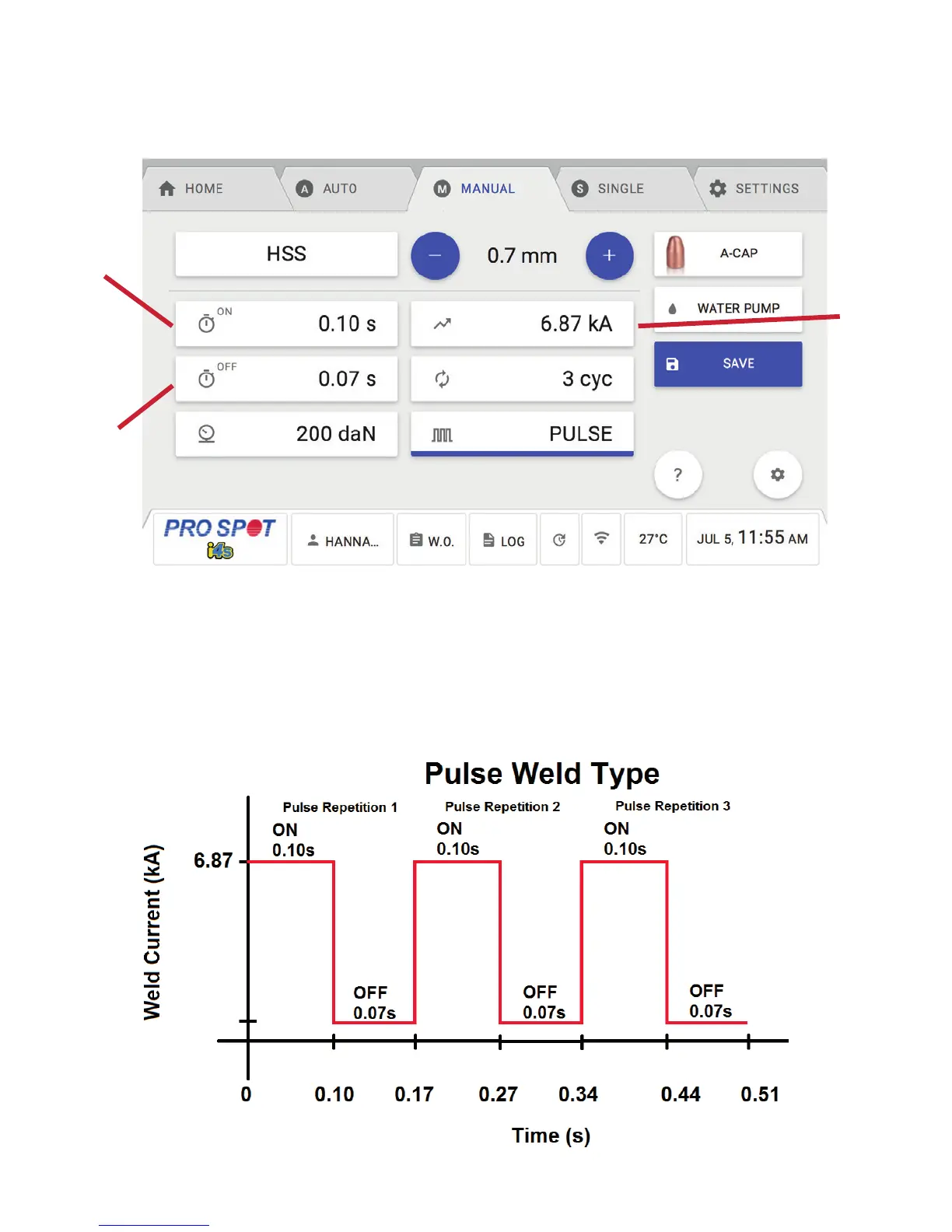
When you change the Weld Type from Dual to Pulse, there are additional parameters available to adjust the
weld as shown below.
1. On Time - This button allows the user to adjust the amount of time the Weld Current is applied during each
pulse repetition.
2. Off Time - This button allows the user to adjust the amount of time the Weld Current drops to a low level
during each pulse repetition.
3. Pulse Count - This button allows the user to adjust the number of repetitions for the whole weld cycle.
Using the example above, below describes what the welder would do:
1
3
2
5.7 Manual Mode Welding: Pulse Weld Settings
Figure 5.12
Figure 5.13



 To Next Page