13
4.6 i4s General Settings Menus
WIFI Menu
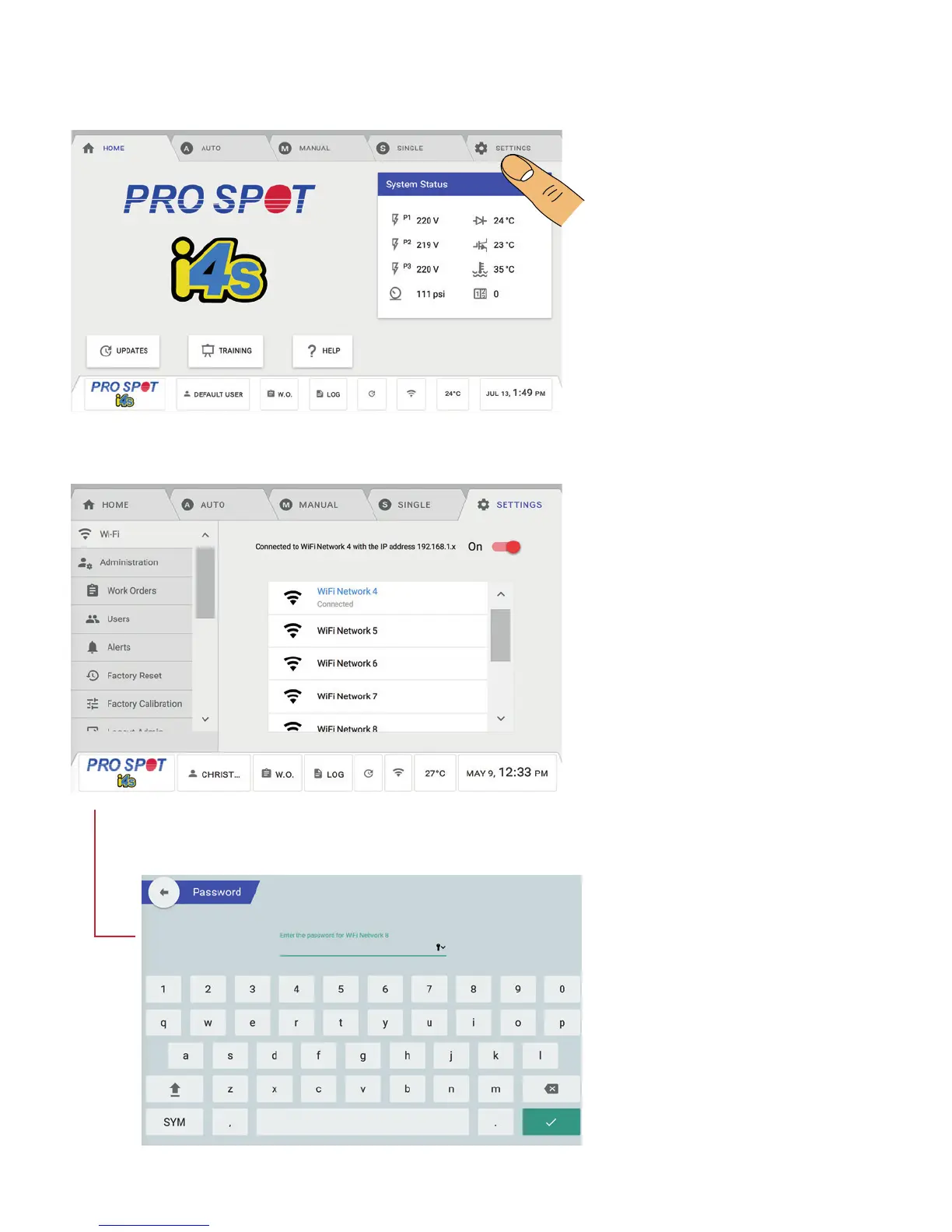
To access the i4s System Settings
Menu, select the Settings tab on
the top right of the screen (Figure
4.10).
The WIFI Menu will let you connect
to any wireless network available in
your area. Select the network you
wish to connect (Figure 4.11).
After selecting your network, you
will prompted to enter the network
password (Figure 4.12).
4.6 i4s General Settings Menus
Figure 4.10
Figure 4.11
Figure 4.12



 To Next Page