14
Cooling Menu
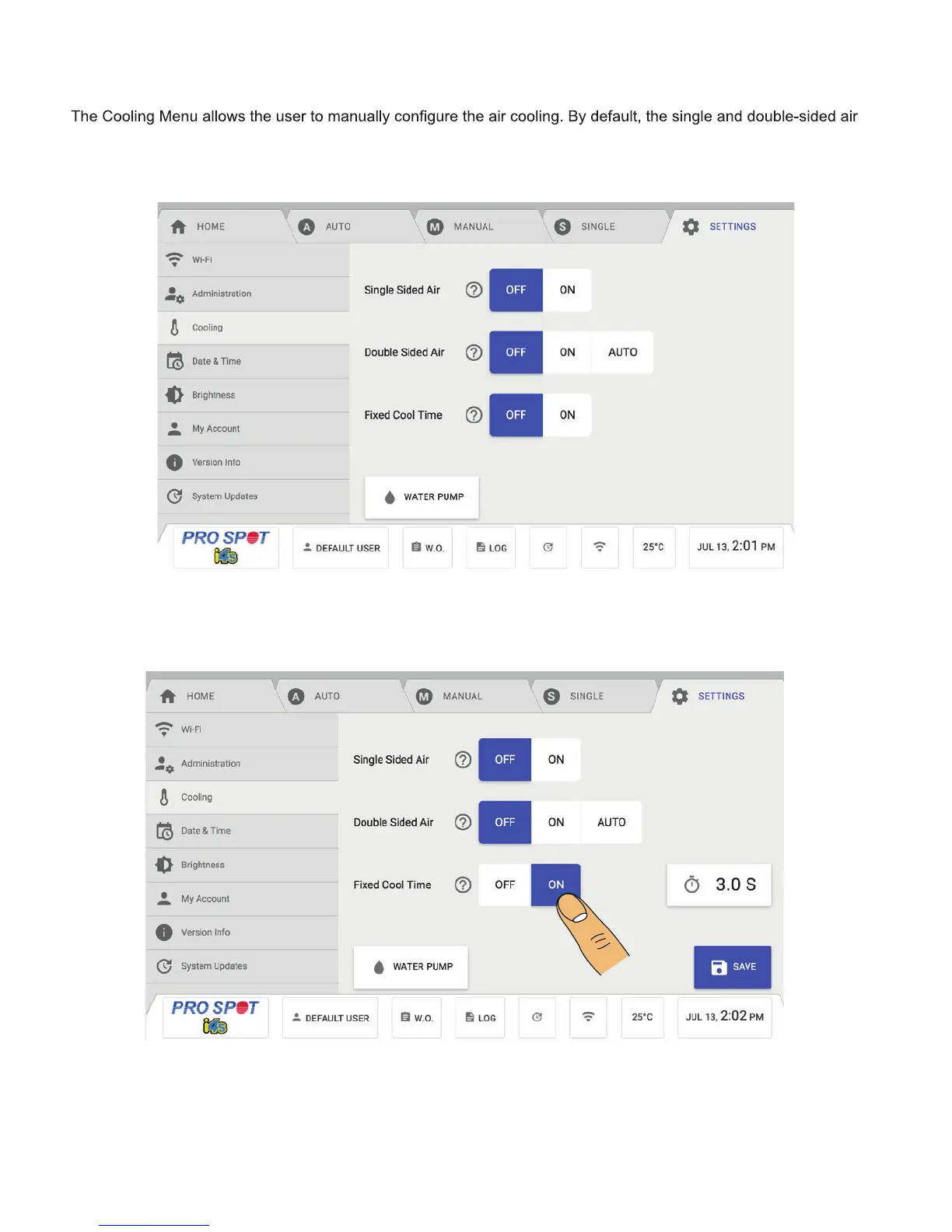
The Single Sided Air and Double Sided Air Cooling are switched on/off by sliding the toggle buttons
(Figure 4.13).
By default, the slider is set to the left which mean Optimized Cool Time is active. With Optimized Cool
Time enabled, the machine will set the cool time automatically based on several performance-related
parameters in order to optimize the duty cycle. When the slider is set to the right, Fixed Cool Time
(Figure 14) is enabled and there is a cool time parameter you can set. If the time is set to 3.0s, that
means you will need to wait 3 seconds after a weld has been completed before you can weld again.
will turn on automatically once the machine reaches a certain temperature. The Single Sided Air slider turns the air for
single sided welding on or off. The Double Sided Air slider turns the air for double sided welding on or off. The Water
Pump button turns the water pump on or off.
Figure 4.14
Figure 4.13



 To Next Page