34
5.8 Creating a Custom Weld
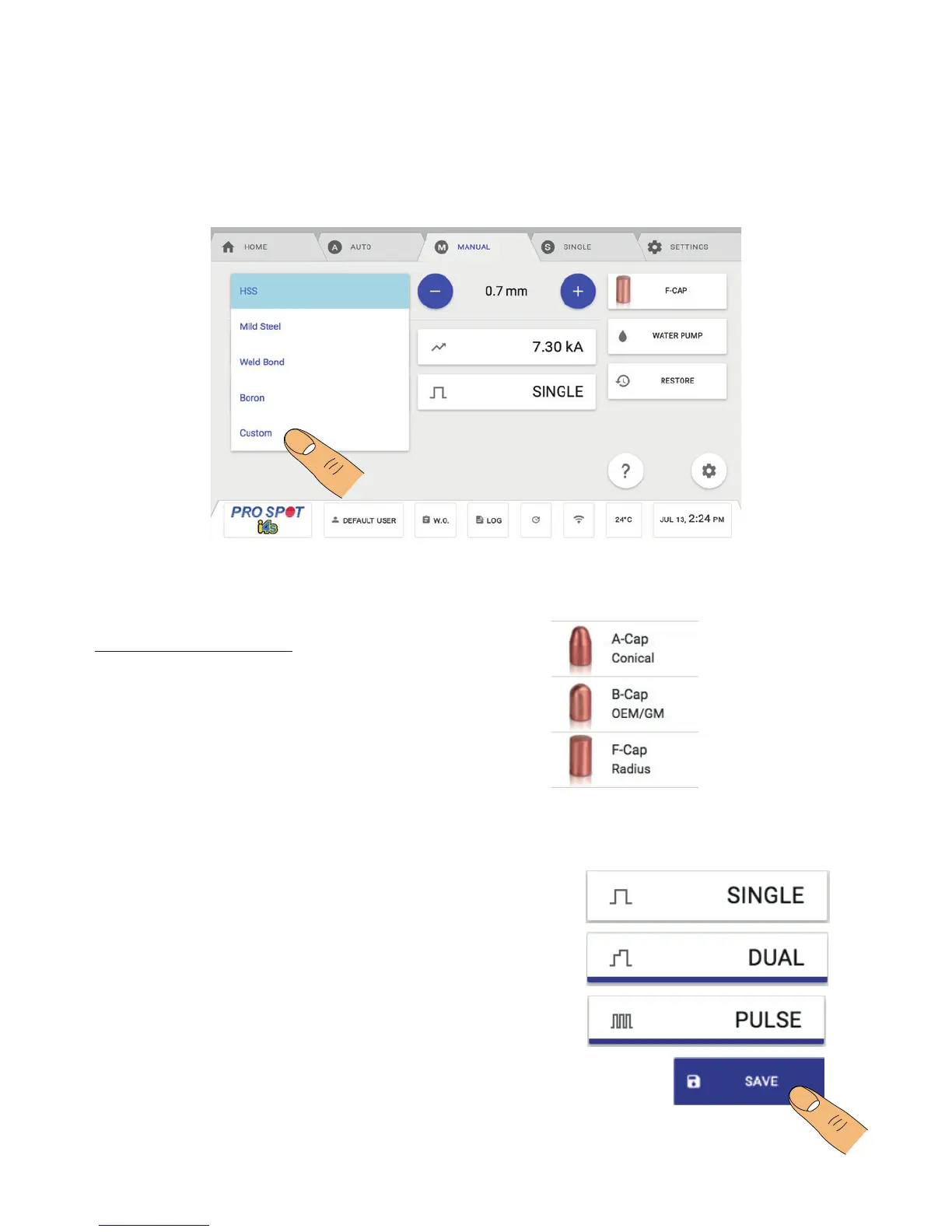
3. Select one of the 3 weld types in the Main Manual Mode Screen:
• Single Weld: A single weld.
• Dual Weld: Two consecutive current pulses.
• Pulse Weld: 3-9 consecutive current pulses.
Save new selection to overwrite the current program
(Figure 5.17).
1. From the Weld Material screen, select Custom. Weld Material button gives several different options for pre-
sets including an option called Custom which is used to store user presets. Start by selecting Custom for Weld
Material.
2. Select the the appropriate weld cap by pressing the
Weld Cap Button (Figure 15).
How To Create A Custom Weld:
PS-025
PS-027
PS-026
5.8 Creating A Custom Weld
Figure 5.14
Figure 5.15
Figure 5.16



 To Next Page