35
Weld
Time
Amount of time current is applied
during the weld.
Weld
Current
How much current is applied during
the weld.
Weld
Force
How much pressure is applied
during the weld.
4. Choose The Settings.
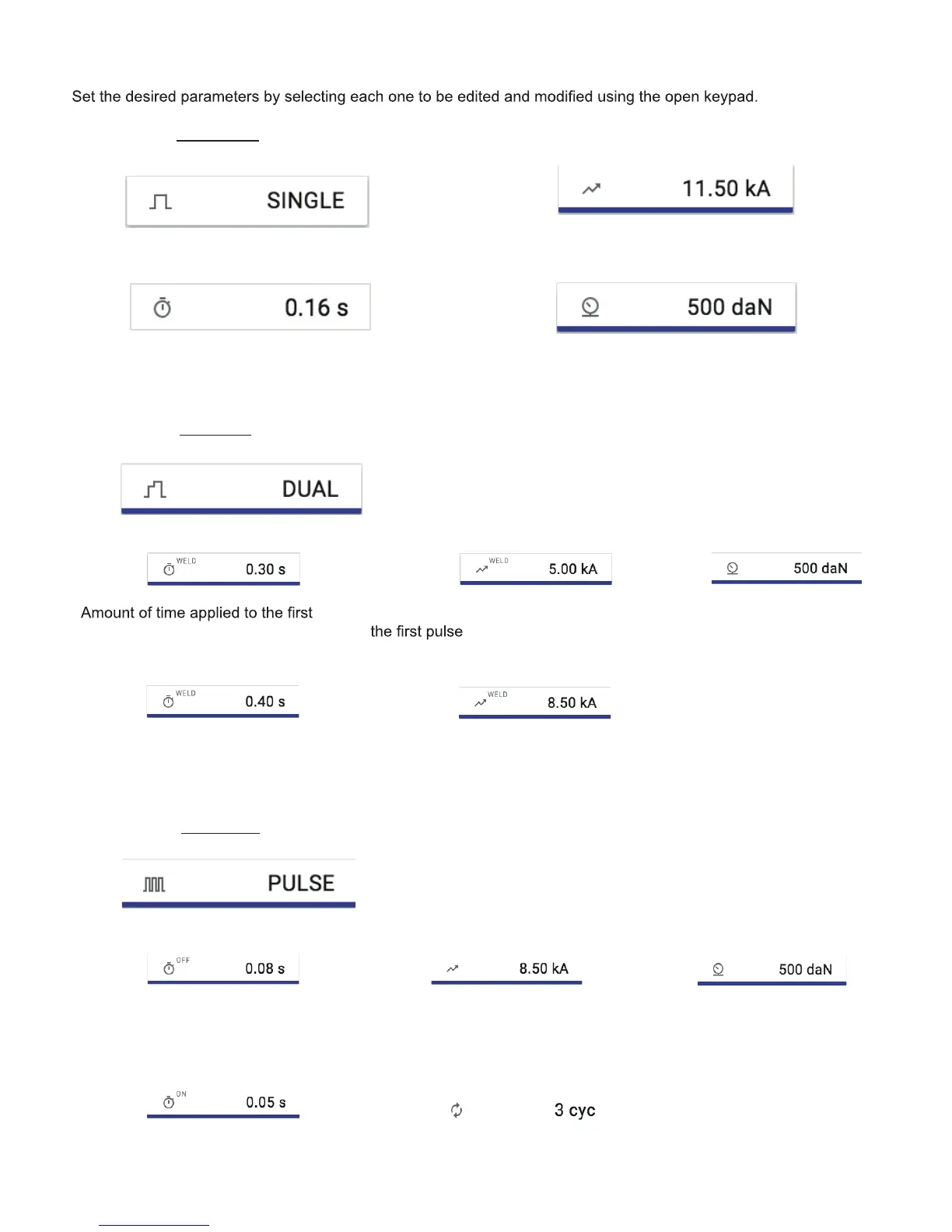
If you selected Single Weld, you will see the following options:
If you selected Dual Weld, you will see the following options:
Weld
Time (1)
pulse
Weld
Time (2)
Amount of time applied to the
second pulse.
Weld
Current (1)
How much current is applied to
Weld
Current (2)
How much current is applied to
the second pulse.
If you selected Pulse Weld, you will see the following options:
Pulse On
Time
Amount of time each pulse
is applied.
Pulse Off
Delay
Amount of time between
each pulse.
Weld
Current
Weld
Force
How much pressure is applied
to the weld.
How much pressure is applied
to the weld.
Weld
Force
Number of pulses that are applied
(between 3 and 9).
How much current is applied
during each pulse during the weld.
Pulse
Count



 To Next Page