27
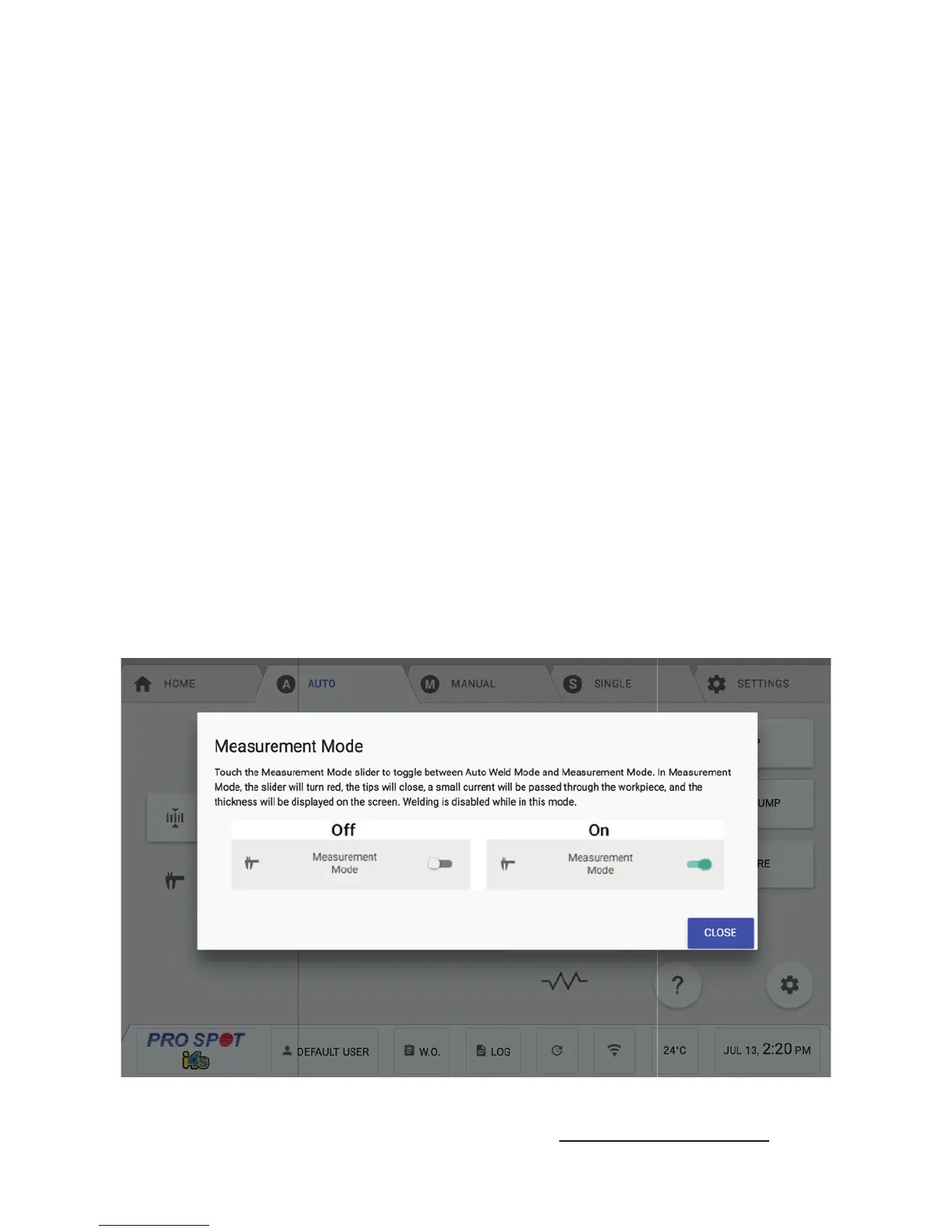
The user can also access the Auto Mode screen to select Measurement Only Mode, which
measures the steel thickness and resistance without welding (Figure 5.2).
5.2 Auto Mode - Measurement Only Mode
3. Calibrate - This button starts the calibration process which is necessary in order to use Auto Mode. Follow the
on-screen instructions to calibrate. You will need to do this in the following scenarios:
a. every time you enter Auto Mode
b. when a weld cap is changed and the weld cap setting is changed
c. when an arm is changed
d. periodically as your weld caps get more worn
e. every 100 welds
f. any time you notice the thickness measurement is not accurate
4. Water Pump Shutoff - This button allows the user to temporarily disable the water pump so that an arm or
weld caps can be changed on the PS-700W weld gun. Refer to section 7.2 for changing arms and section 8.1for
changing weld caps before doing so. The screen will prompt a countdown for you to wait, after it expires, you can
make your necessary changes to the Weld Gun. After the change is complete, you can press DONE to continue
and the water pump will turn back on.
5. Measurement Mode - This slider toggles the welder between Auto Weld Mode and Measurement Mode. The
slider in the Figure 2 is in Auto Weld Mode. When pressed, it will slide to the right and turn red. A message will
show up on the screen notifying the user that they are now in Measurement Mode. Measurement mode applies
a small current through the workpiece allowing the machine to measure the thickness without welding. To return
to Auto Weld Mode, simply press the slider again.
6. Restore Button - This button will restore your weld settings.
7. Auto Weld Advanced Settings - This button allows the user to change the parameters that affect Auto Mode.
You will need the admin password in order to access these settings. WARNING: Contact Pro Spot technical
support before modifying any of these settings.
8. Auto Weld Help - This button shows the user help information that applies to the Auto Weld screen.
5.2 Auto Mode - Measurement Only Mode
Figure 5.2



 To Next Page