31
5.5 Double Sided Welding Manual Mode
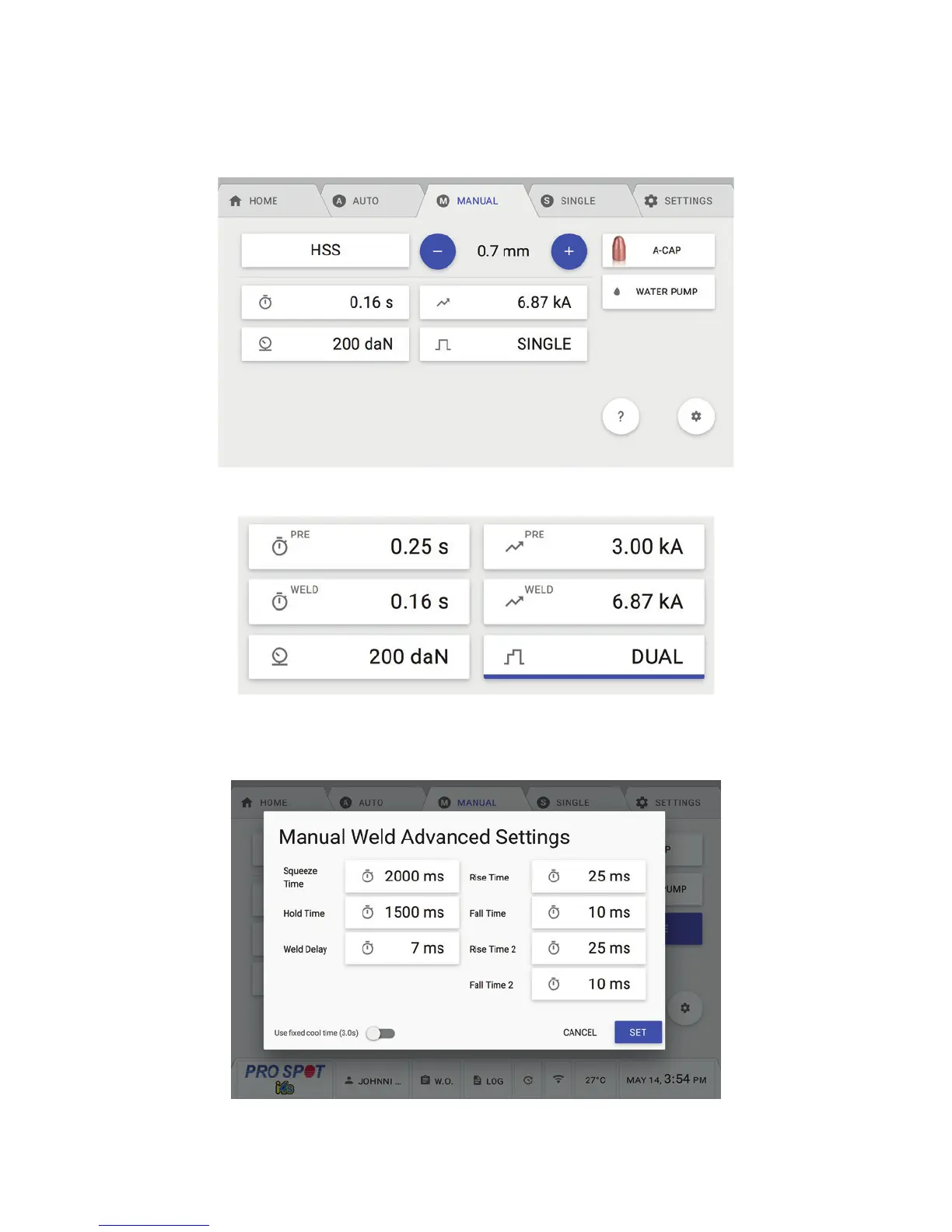
Manual Mode is for users that want complete control over their weld settings. Manual Mode comes with 16 pre-
loaded common weld programs that can be over written by the user and can be reset in the global settings if
necessary (Figure 5.7).
Available settings depend on which weld type is selected (Figure 5.8).
To change Advanced Settings touch the Settings Button in the lower right-hand side of the screen. A Manual
Weld Advanced Settings Menu will pop with more settings (Figure 5.9).
5.5 Double Sided Welding Manual Mode
Figure 5.7
Figure 5.8
Figure 5.9



 To Next Page