64
8.4.6. System
★ Very Important ★
If you want to use PVR function (Direct Record TV channels, Time-Shift, EPG), you have to do a HDD format
in the Probox PBR-500 (Not at a PC).
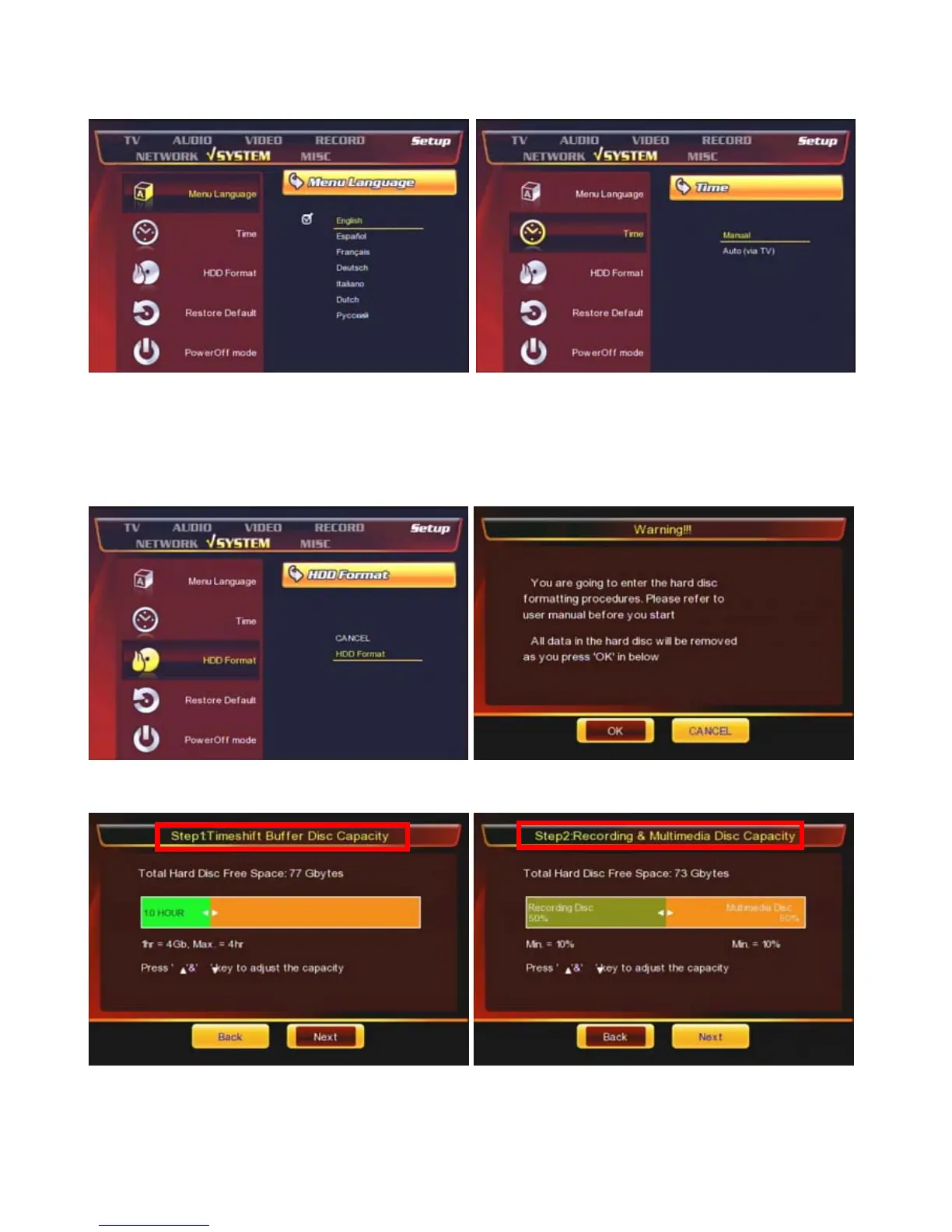
① [Menu Language] : Select a language
② [Time] : Set the time of the unit. This affects on the
time-schedule record, EPG.
③ [HDD Format] : Do a HDD format for using PVR
function.
④ Press [OK] to start a HDD format.
⑤ Set up the capacity for [TimeShift] function.
⑥ Set up the capacity for [Direct Record, EPG] and
Multimedia (FAT / NTFS).



 To Next Page