65
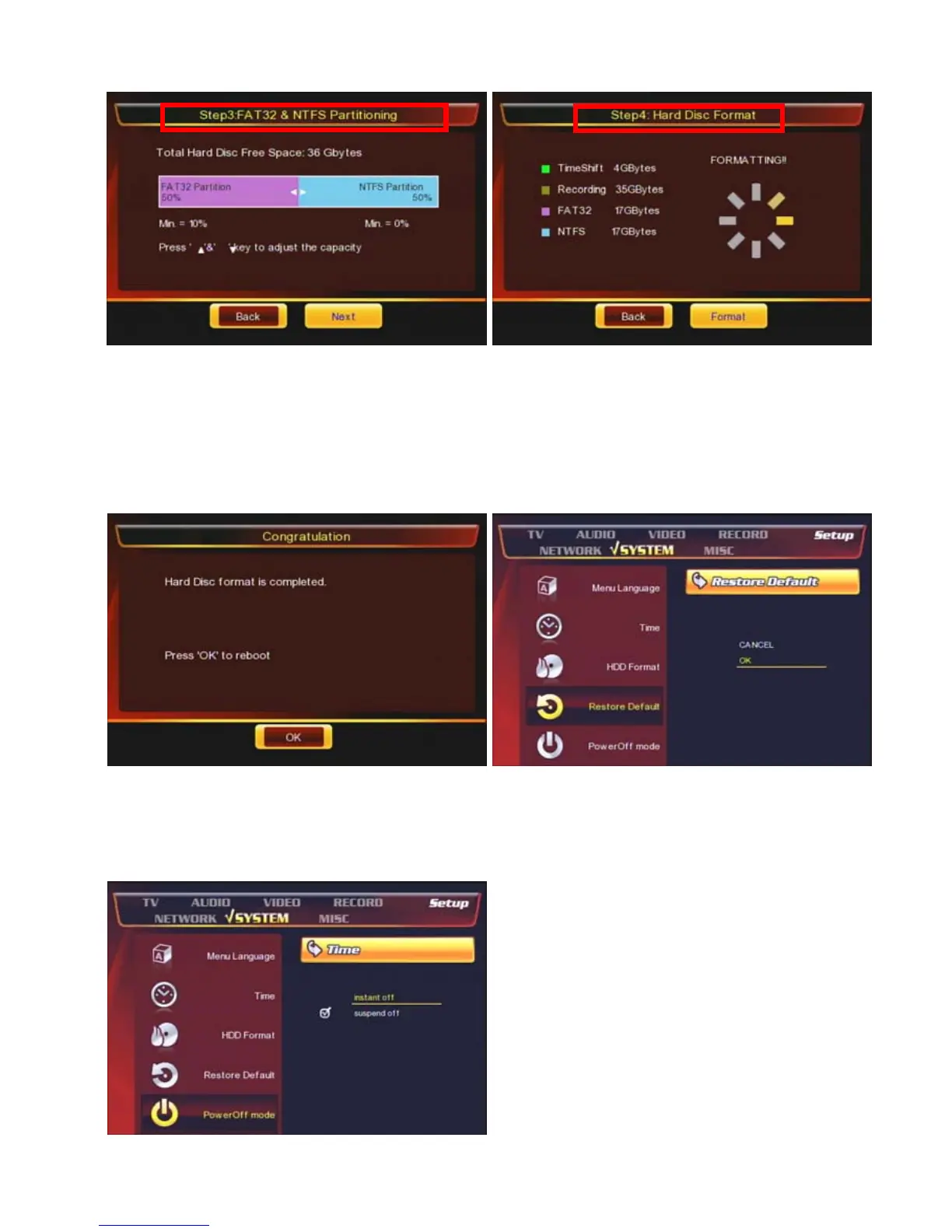
⑦ Multimedia has tow partitions; FAT / NTFS.
-. FAT : Read & Write
-. NTFS : Read only.
If you want to move files from a folder to Multimedia
folder or use [Remote Web-Access], then you can only
move or copy & paste the files to [FAT] partition.
⑧ Now, the HDD is formatting. Any key on the remote
or front panel is not working at this moment.
⑨ Now, the HDD format is completed and has four
partitions.
-. Time-Shift partition /-. Record partition / -. FAT partition
-. NTFS partition.
⑩ [Restore Default] : Make the unit to factory reset. You
need to set up all configurations again after do this
menu.
⑪ [Power Off mode]
-. Instant Off : Turn off the unit now.
-. Suspend Off : the unit goes to [sleep] mode.
For the Remote Web-Access / Bittorrent
Download, you should select this mode.



 To Next Page