ProtaSteel 2021 - Quick Start Guide 19
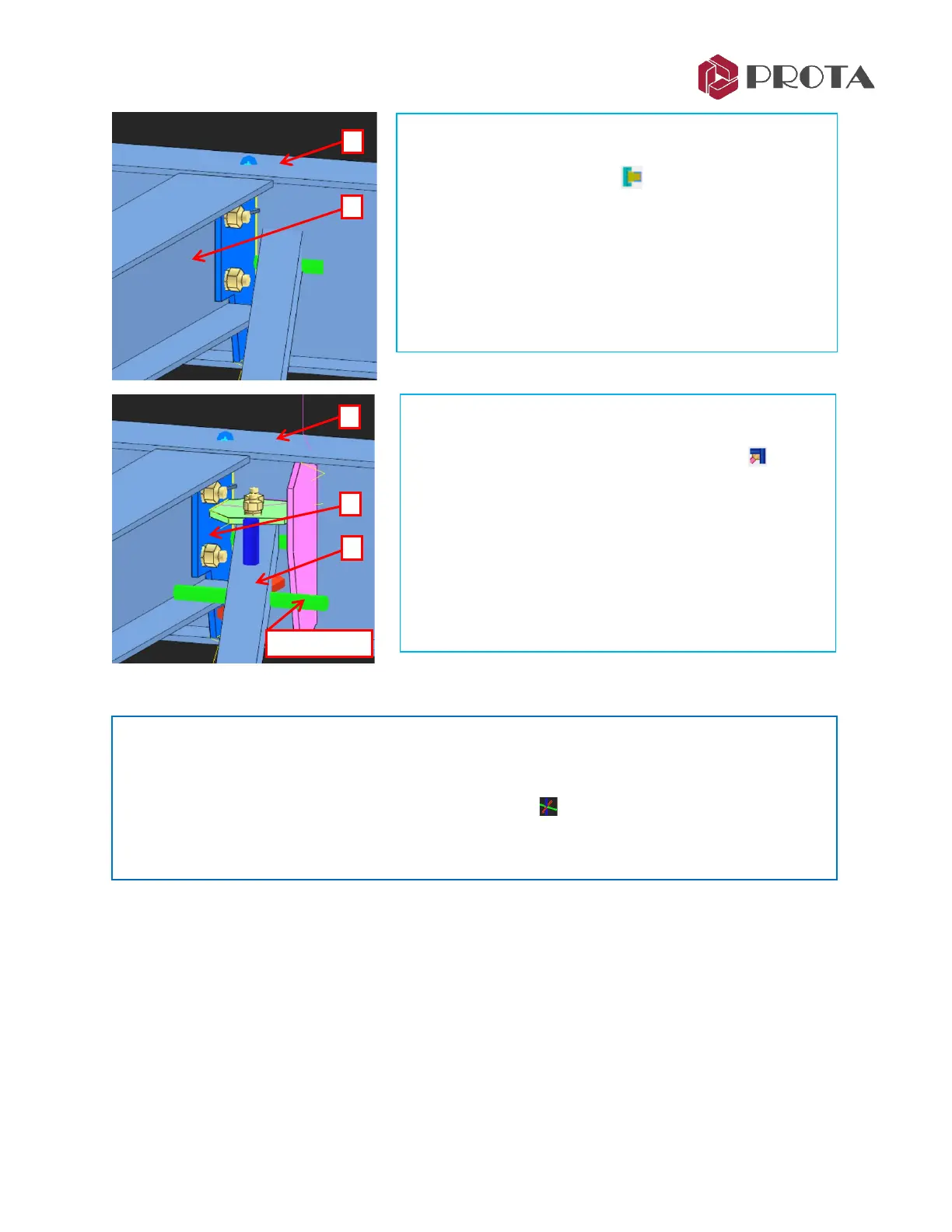
We will now insert a fin plate connection at the primary &
secondary beam joint.
➢ Pick Fin Plate Connection
➢ 1 – Pick the main beam
➢ 2 – Pick the secondary beam
➢ Right-click 3 times
A fin plate connection will be created.
We will now insert corner bolted gusset plate for the L
brace that uses the beam fin plate as boundary.
➢ Pick Corner Bolted Gusset Plate Connection
➢ 1 – Pick the main beam
➢ 2 – Pick the brace
➢ 3 – Pick the blue fin plate
The connection is created. Repeat the same for the other
brace.
Tip :
❖ The connection consists of plates, bolts & welds. Each element has its individual properties &
can be selected, deleted or changed. Double-clicking it will reveal the element properties.
❖ The entire connection is represented by the macro sign . Double-clicking on it will bring out
the Macro dialog box where the entire connection can be changed.
❖ It is highly recommended you review settings of the connection macro before executing it.



 To Next Page