ProtaSteel 2021 - Quick Start Guide 20
16. Stiffened End Plate Connection
We will create Beam to Beam End Plate Connection between the main & secondary beam.
➢ Zoom to the adjacent joint GL 2/B-C where the secondary & main beam meet
17. Haunch Connection
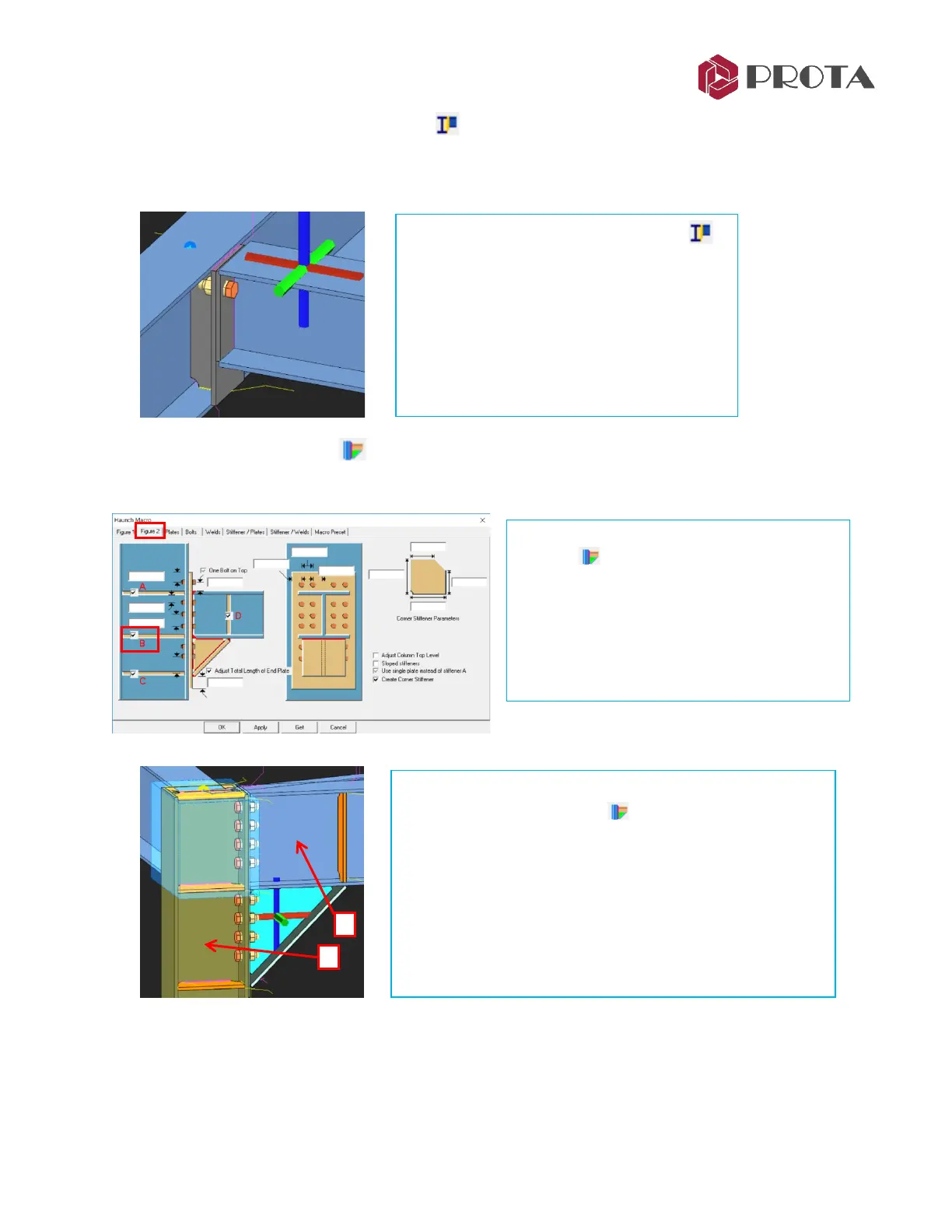
We will create a haunch connection between the column and beam at GL B/2.
We will now insert the haunch connection.
➢ Pick Haunch Connection
➢ 1 – Pick the column
➢ 2 – Pick the beam
The connection is created. The blue transparent box is the
cut object. This can be turn on/off in Visibility dialog.
➢ Repeat the same for the other end of beam to column
joint
➢ Pick Stiffened End Plate Connection
➢ 1 – Pick the main beam
➢ 2 – Pick the secondary beam
The connection is created. This maybe a more
preferable in terms of load transfer & ease of
assembly & construction.
➢ Right click on the Haunch Connection
icon
➢ In Haunch Macro, go to Figure 2 tab
➢ Ensure that all the end plates A,B,C & D is
checked
➢ Apply
→
OK to exit



 To Next Page