ProtaSteel 2021 - Quick Start Guide 48
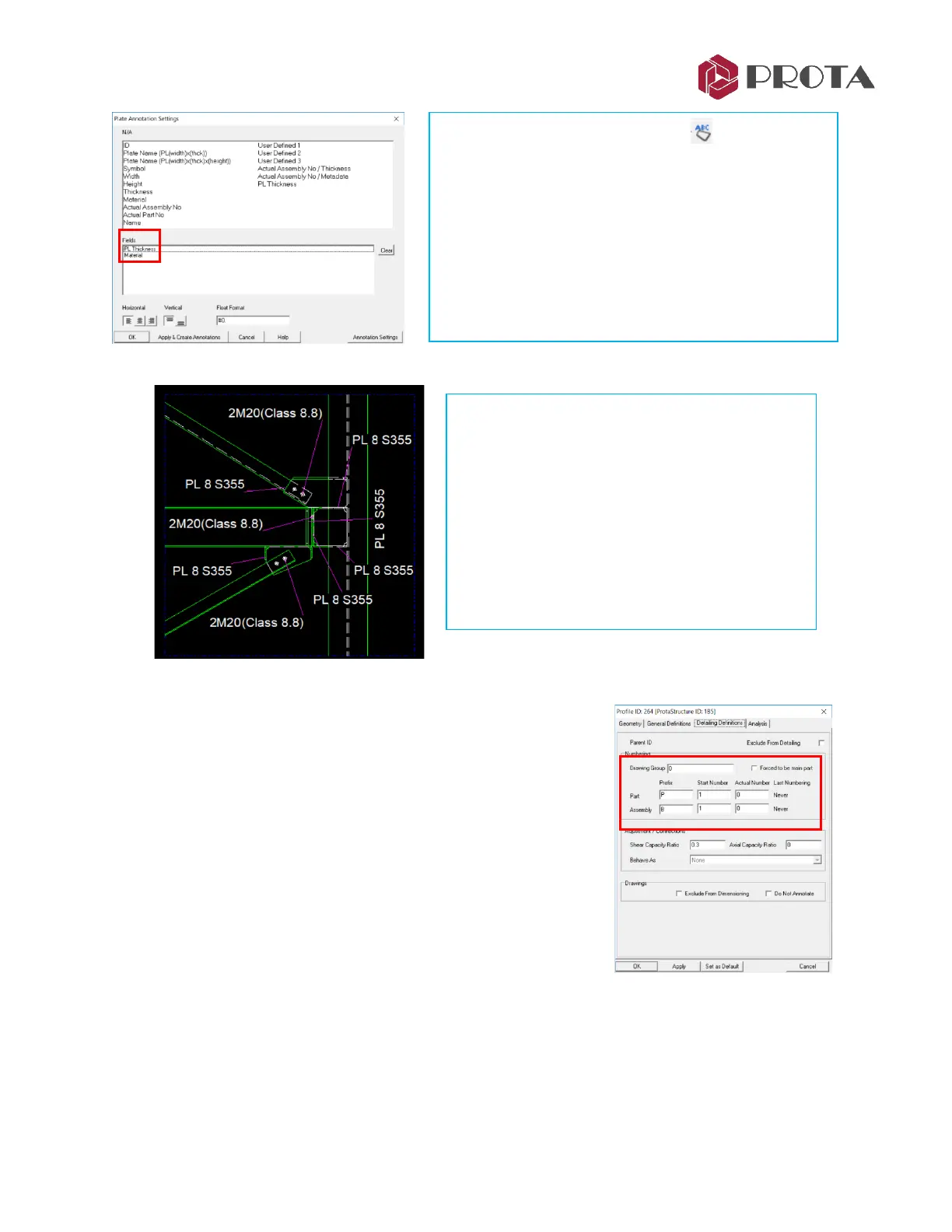
You should get details which are similar to figure shown below (depending on your preference).
37. Numbering Objects
Before parts and assembly views & drawings can be created, the
objects must be numbered. By default, all objects are included in the
same numbering group. To assign objects to different groups:
➢ Double-click on object to open the Profile dialog
➢ In the Detailing Definitions tab, input Drawing Group number
This feature was developed to number the different parts of the
structure separately.
For each group of objects, the Prefix & Start Number can be specified.
After numbering process, the actual part and assembly number will
be shown under “Actual Number”.
➢ Go to Drawings & Reports (top menu)
→
Numbering
→
Perform Numbering
The Numbering Options dialog will appear.
➢ Right-click on Plate Annotation access the
Settings
➢ Pick Clear to remove existing settings
➢ Click & Drag PL Thickness, & Material to the
bottom Fields
➢ Pick Annotation Settings to view/change font type,
color, etc
→
OK
➢ Pick “Apply & Create Annotations”
The drawing can be further improved by :
➢ Go to Viewport Properties Editor and change
the Scale
➢ Change Offset (X,Y) to reposition the
connection
➢ Delete any annotations that you think is not
required
➢ Click & drag the annotation to reposition it



 To Next Page