ProtaSteel 2021 - Quick Start Guide 49
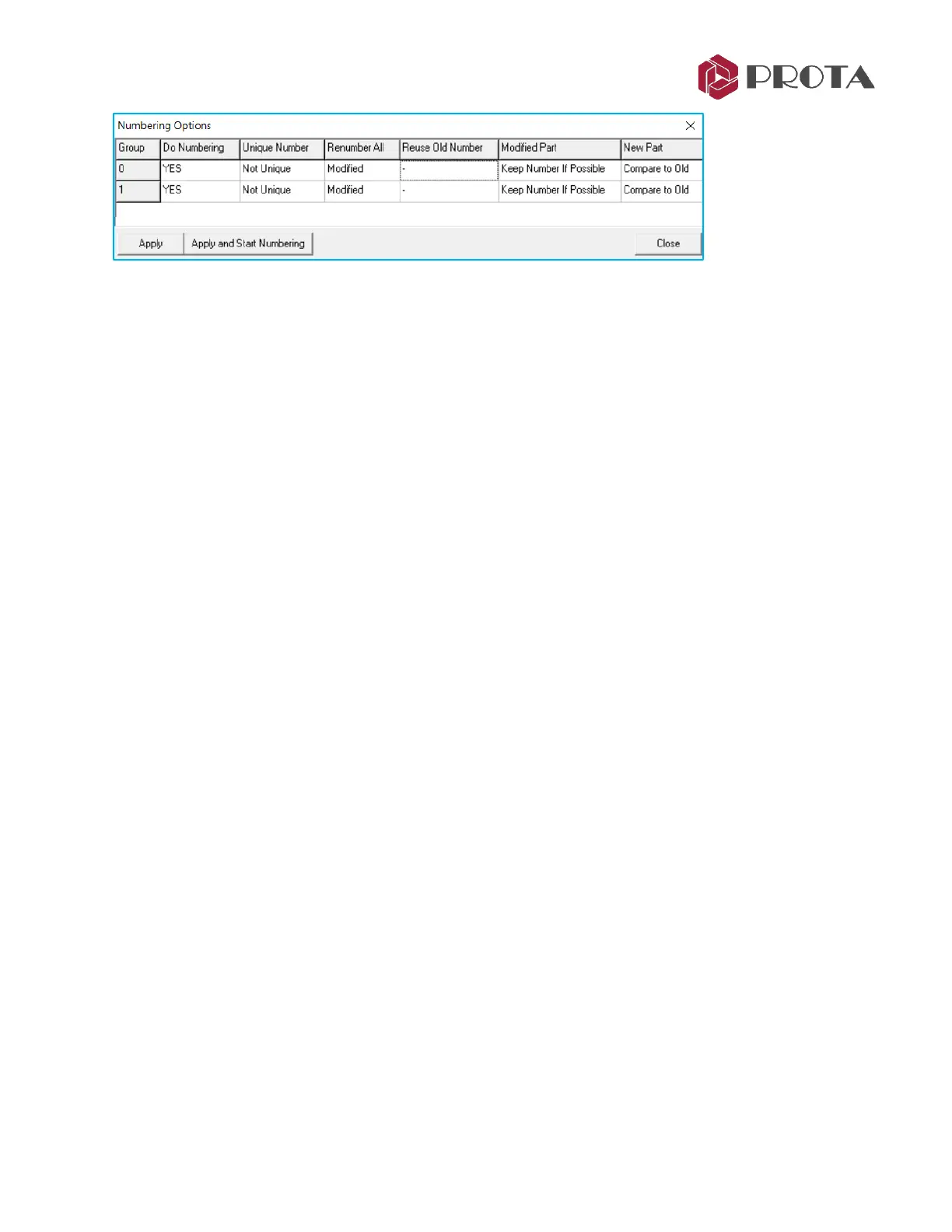
As the model is continuously being revised, the numbering process need to be repeated. ProtaSteel has
extensive options for re-numbering. Numbering Options can also be configured according to the
preferences of the manufacturer. For example, there is option to force geometrically identical part to
have the same number.
Do Numbering
❖ Specifies whether to number the selected group
Unique Number
❖ Unique: Can be selected for reinforced concrete elements. Objects are given a different number
regardless of its geometric properties (beyond the scope of ProtaSteel)
❖ Not Unique: Should be used for steel model. Makes numbering by looking at geometry and material
properties.
❖ Spatial Sort: Can be selected for reinforced concrete model. Performs numbering according to the
object’s position. The Object's reference point is sorted first by X and then by Y. Different groups
should be made for different levels. Consecutive numbered column and beam applications can be an
example.
Renumber All
❖ Modified: Number only the modified objects. Ignores objects that have not changed.
❖ Renumber: Number all objects.
Reuse Old Numbers
❖ Reuse: Uses old numbers.
❖ : Don’t use old numbers. After the changes, there may be no elements belonging to a number.
Specifies whether to use this number for a new element.
Modified Part
As an example, we have 3 nos of P5, 2 nos of P7; then 3 nos of P5 have the same change and have
become the same as the P7.
❖ Keep Number If Possible: Retains the numbers if possible after the change. If setting is used, the
result is still 3 nos of P5, 2 nos of P7.
❖ Compare to Old : Compares and assigns the part-marks from previous numbering if possible. If this
option is used, the result is 5 nos of P7.
❖ Take New Number: Assigns new part-marks. This option will lead to 2 nos of P7 and 3 nos of P8.



 To Next Page