28
countersunk head holes must be upturned, they are the mounting holes of the host).
3) Use the M4 cross screw plus washer to fix the humidifier bracket ②.
4) Use the
M4 hexagon screws to fix the hooks⑥.
2. Disassembling:
1) Use a cross screwdriver to demount the screws that fixed the humidifier bracket, then
disassembly the humidifier bracket.
2) Use a hexagonal wrench to demount the 12 hexagonal screws, then disassembly the
pole, trolley base, the trolley platform and hooks.
3.2 Display system
1. Assembling:
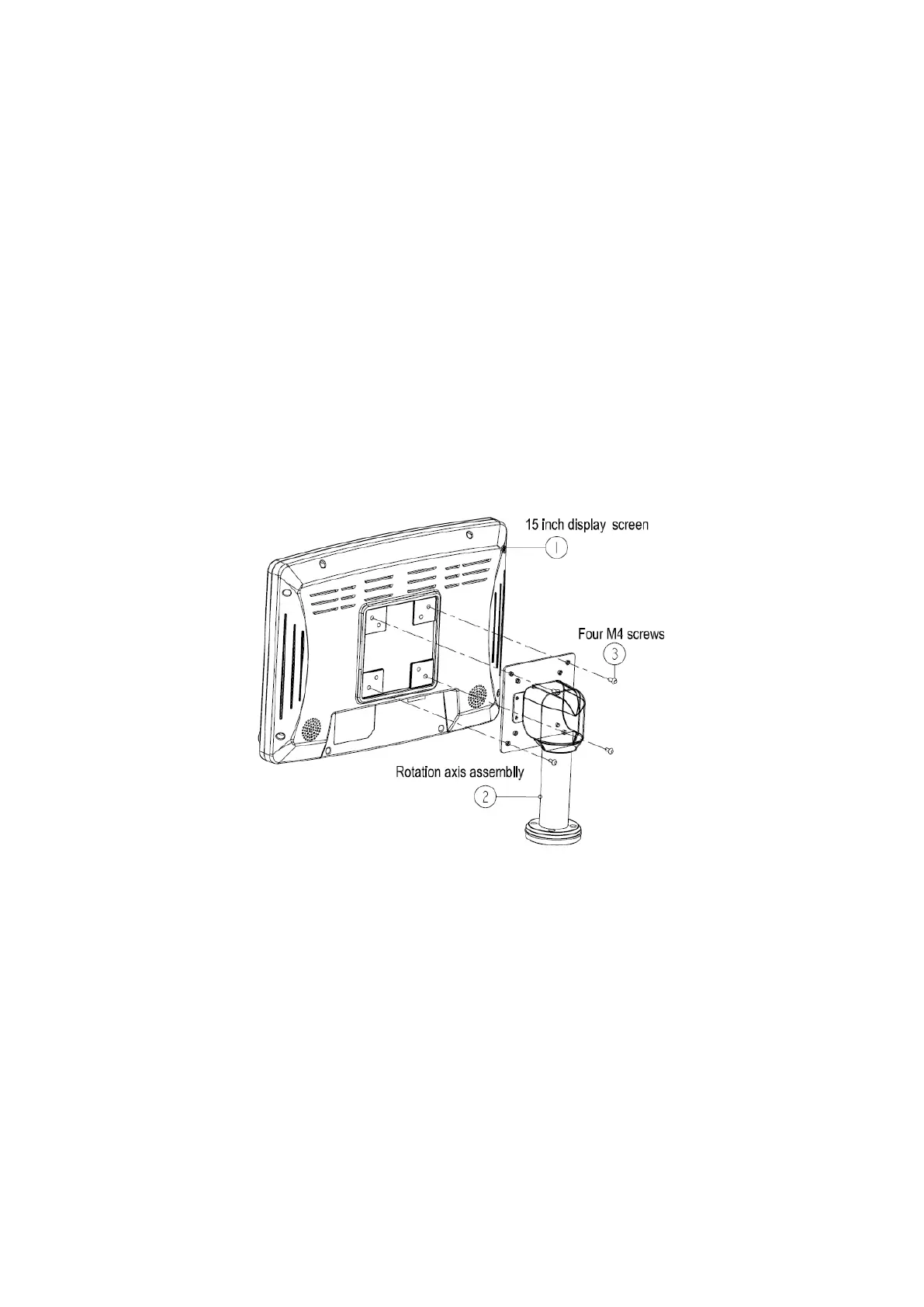
Figure 3-2 Display screen installation view
Assembling procedure:
1) Prepare the 15 inch display screen①, the rotation axis assembly ② and the M4
screws③ in the package.
2) As the above graphic shows, put the 15 inch display screen on the worktable
(attention to protect the LCD), install the rotation axis assembly to the fixed hole on
the rear of the display screen, aim at the screws and tighten the screws.
2. Disassembling:
Demount the M4 screws ③ to disassembly the display.



 To Next Page