48
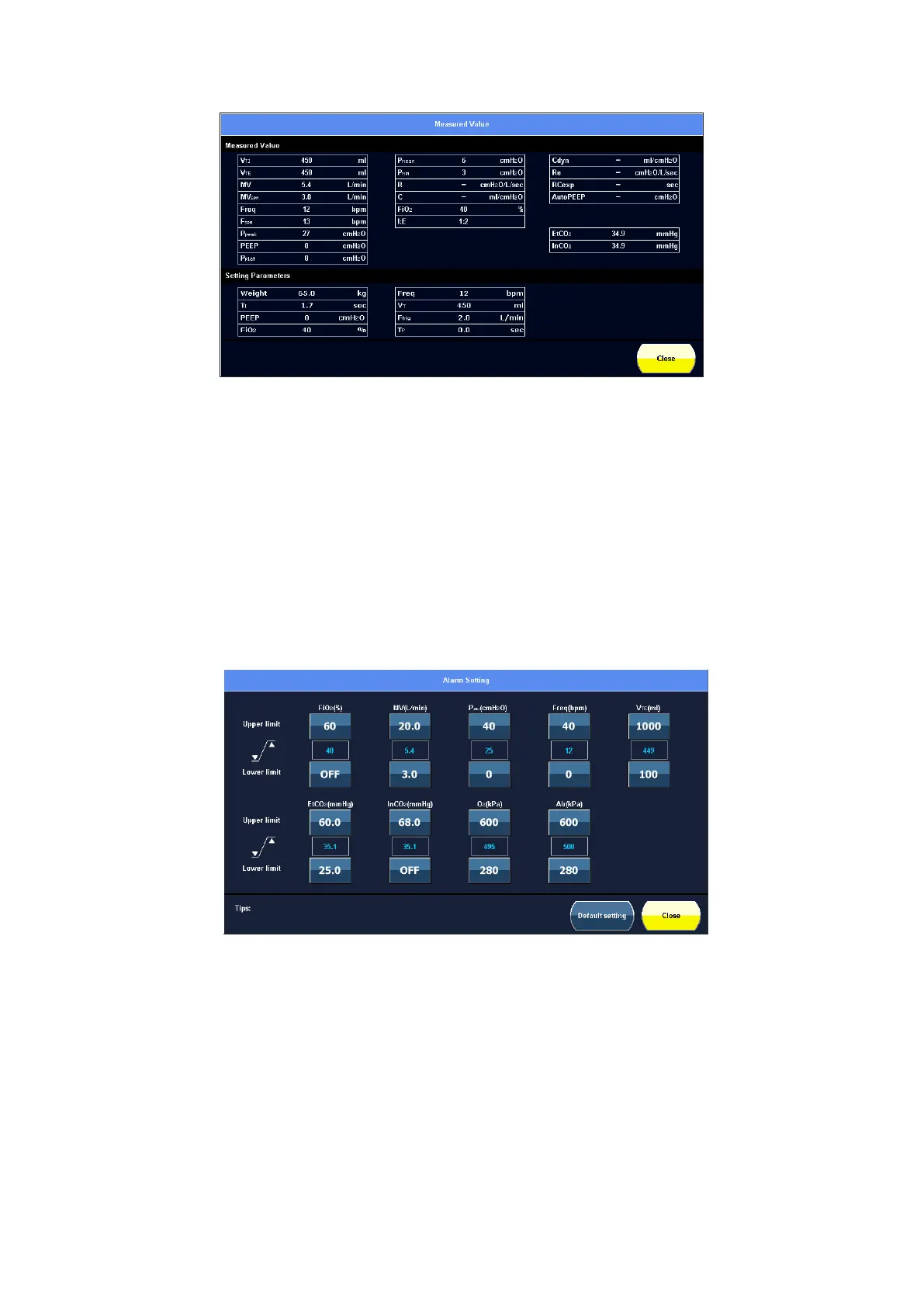
Figure 5-5 Measured value screen view
Touch 【Close】to return to the main screen.
5.9 Alarm settings
In this screen, users can adjust the alarm upper and lower limit parameters.
The parameters between the upper limits and the lower limits are the current monitored
parameters.
The alarm setting screen is shown as below.
Figure 5-6 Alarm setting screen view
Adjust the alarm upper and lower limits as per the following procedures:
1) Touch or rotate the navigation wheel to select the parameter until it is highlighted.
2) Confirm by pressing the dial, and rotate the navigation wheel to adjust the parameter.
3) Then confirm the setting by pressing the navigation wheel.
Select 【Default setting】 to restore the default values, it will restores the upper and lower
limit values to the default values.



 To Next Page