45
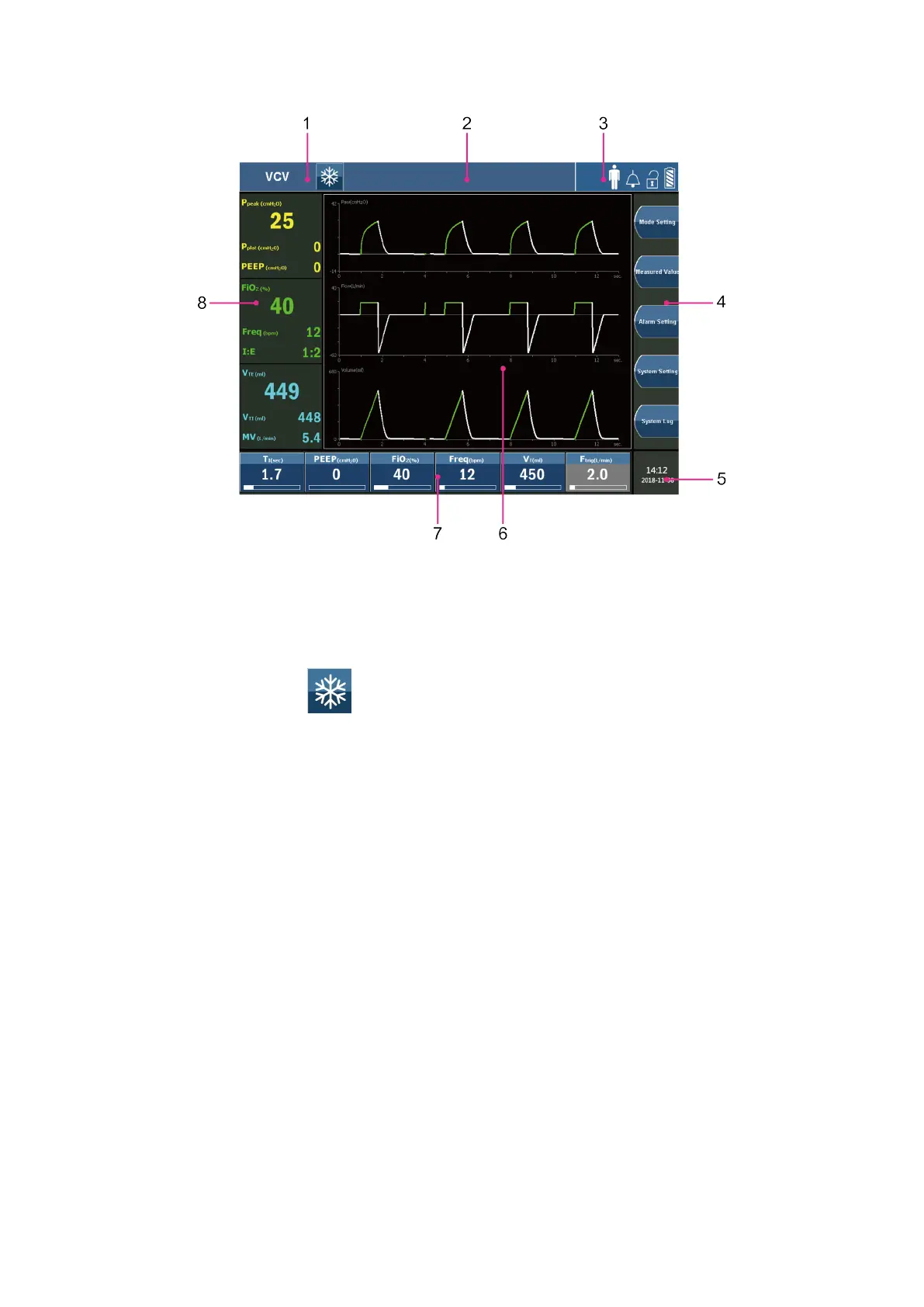
Figure 5-3 Main screen view
1. Mode information display area:
1) Displays the current ventilation mode.
2) Displays freeze 【
】 touch button.
2. Alarm information display area:
Displays the current alarm information.
3. Status information display area:
1) Displays the spontaneous breathing icon.
2) Displays the patient category.
3) Displays the screen lock / unlock icon.
4) Display the battery status icon.
5) Display the alarm silence icon.
4. Function screens buttons area:
There are 5 buttons:
1) Mode Setting
2) Measured value



 To Next Page