Read this First
10
1
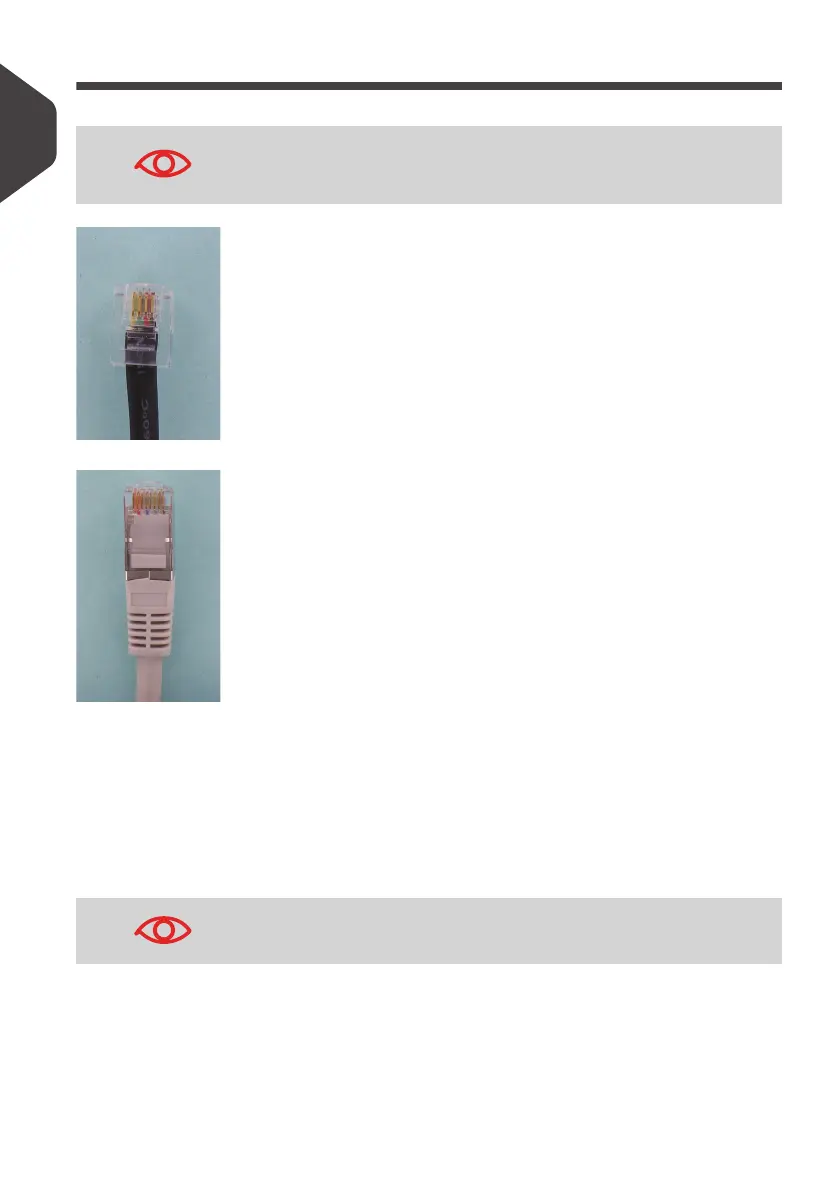
Telephone and LAN Connections
Analog phone (4 wires)
Network/PC LAN or Weighing Platform (8 wires)
Follow the additional precautions below:
• Avoid using equipment during an electrical storm; there may be a risk of electrical
shock from lightning.
• Do not install telephone jacks or LAN connectors in a wet location.
• Disconnect the telephone or LAN cable from the wall before removing equipment.
To prevent damage to equipment, do not mistake telephone jacks
that connect to the modem (optional) for LAN connectors that are
bigger.
To reduce the risk of fire, only connect the modem to the tele-
phone line using supplied cable (See
Specifications
p.177 ).
ALPHA1_UK.book Page 10 Jeudi, 6. septembre 2012 4:08 16



 To Next Page