Processing Mail
43
3
Printing [Received] for Incoming Mail
In this Section
This section describes how to use the [RCVD ] type of imprint, to:
• Print the date on incoming mail, and/or
• Print 'Received' on incoming mail.
See also
• To choose the type of imprint to use for each type of mail process, see
The dif-
ferent Types of Imprint
p.25).
How to Process Incoming Mail (Settings)
How to Process
Incoming Mail
(Settings)
Required settings:
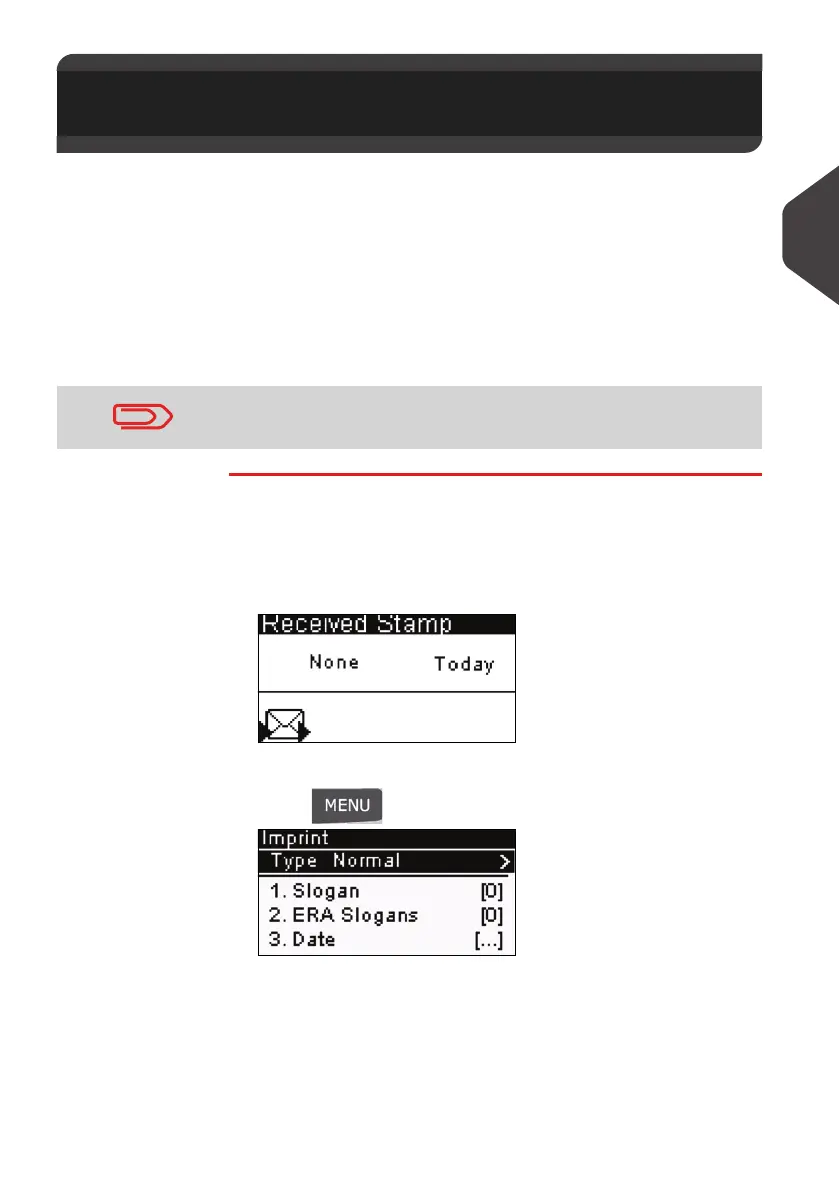
1 Make sure you are on the Home Screen of the [RCVD] type
of imprint.
The type of imprint is indicated at the top of the home screen
as illustrated.
2 To check or change the type of imprint.
Press and type > 1 to access the
Imprint
screen:
The type of imprint is indicated on line 2 of the screen.
1Press [OK]
2 Select [RCVD] from the
Type of imprint
screen.
3Press [OK] to confirm.
3.4 Printing [Received] for Incoming
Mail
Make sure you have completed the preparation steps mentioned
in
Preparing and Starting your Work Session
p.27
ALPHA1_UK.book Page 43 Jeudi, 6. septembre 2012 4:08 16



 To Next Page