Meet Your Mailing System
16
2
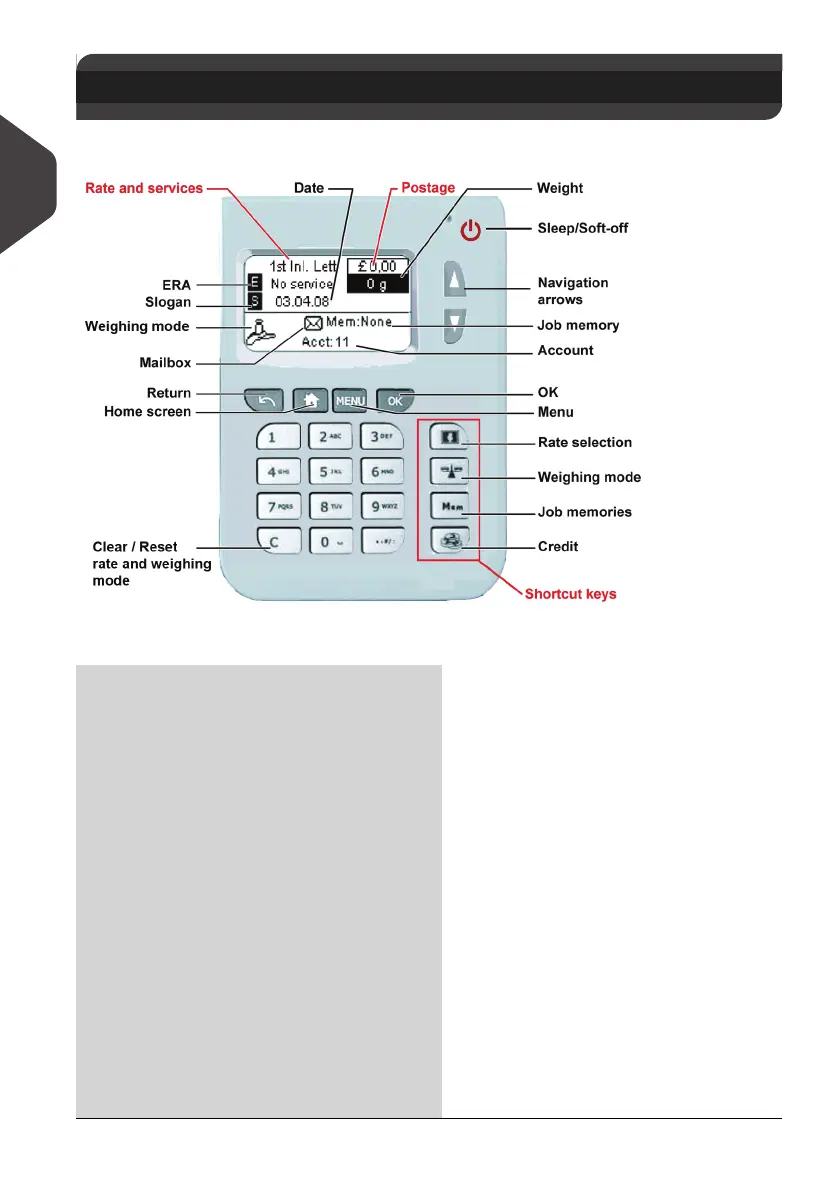
Control Panel Features
Control panel
Display Areas
2.2 Control Panel Features
Account Displays account currently selected.
Date Displays the date that will be printed.
ERA
Indicates that an ERA will be printed
when present.
Job memory
Displays selected job memory when
applicable.
Mailbox
Indicates unread messages in message
box.
Postage
Indicates the amount to be printed on
the imprint.
Rate and services
Indicates the current rate and services
selected.
Slogan Indicates that a slogan will be printed.
Weighing mode Current weighing method.
Weight
Current weight used to calculate post-
age.
ALPHA1_UK.book Page 16 Jeudi, 6. septembre 2012 4:08 16



 To Next Page