Managing Accounts and Access Rights
74
5
Selecting an 'Account Mode'
See also
•
Guidelines to Setup Account Modes
p.70 .
How to Display and Ch ange the 'Account Mode'
How to Display
and Change the
'Account Mode'
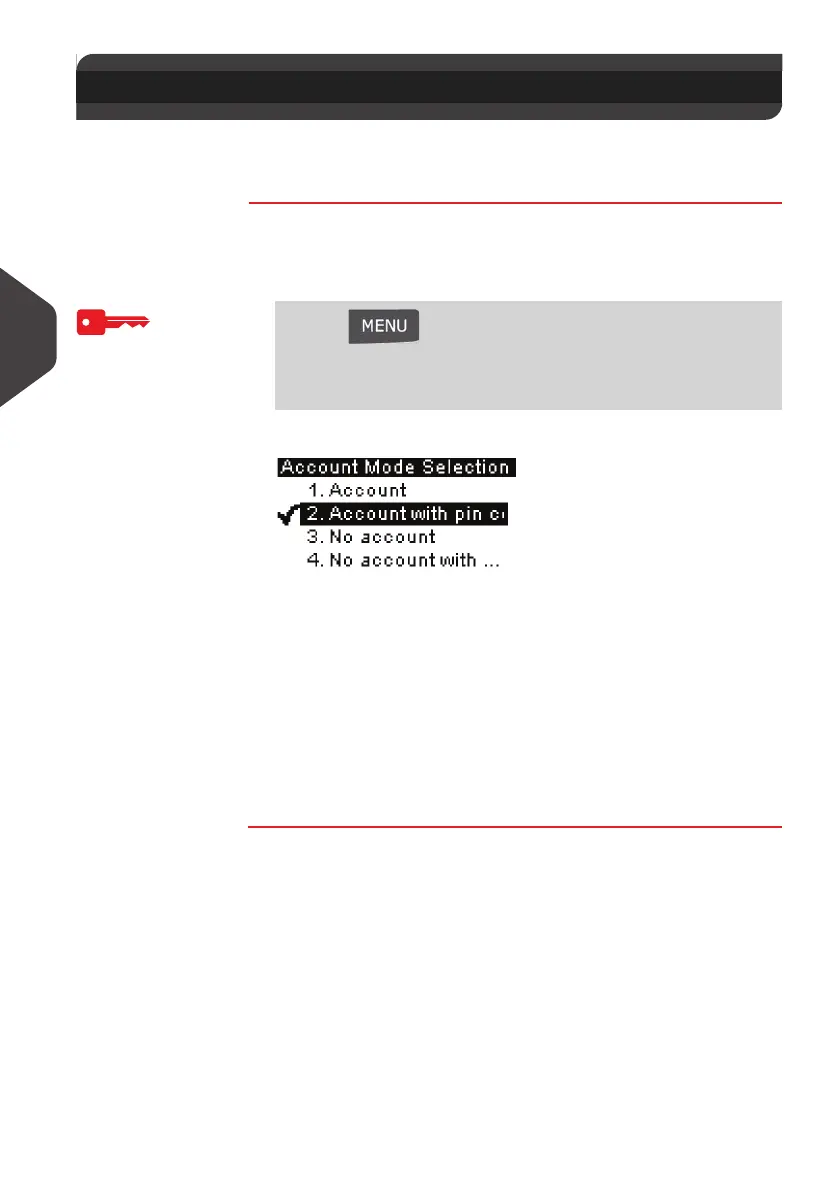
To display and change the “Account mode” as Supervisor
(See
How to Log in as Supervisor
p.120):
1 Either:
The
Account Mode Selection
screen is displayed.
In the screen, the current “Account mode” is selected.
2 Select another “Account mode”.
The system asks for a confirmation.
3 Press [OK] to confirm.
4 If required, enter the PIN code and press [OK] .
The Mailing System confirms that the “Account mode” has
been changed.
5.5 Selecting an 'Account Mode'
Press and type 5.1
Or
Select the path:
> Account management > Account Mode Selection
ALPHA1_UK.book Page 74 Jeudi, 6. septembre 2012 4:08 16



 To Next Page