Processing Mail
38
3
How to Apply Postage (Running Mail)
How to Apply
Postage
(Running Mail)
In Manual weight entry mode
1 Press .
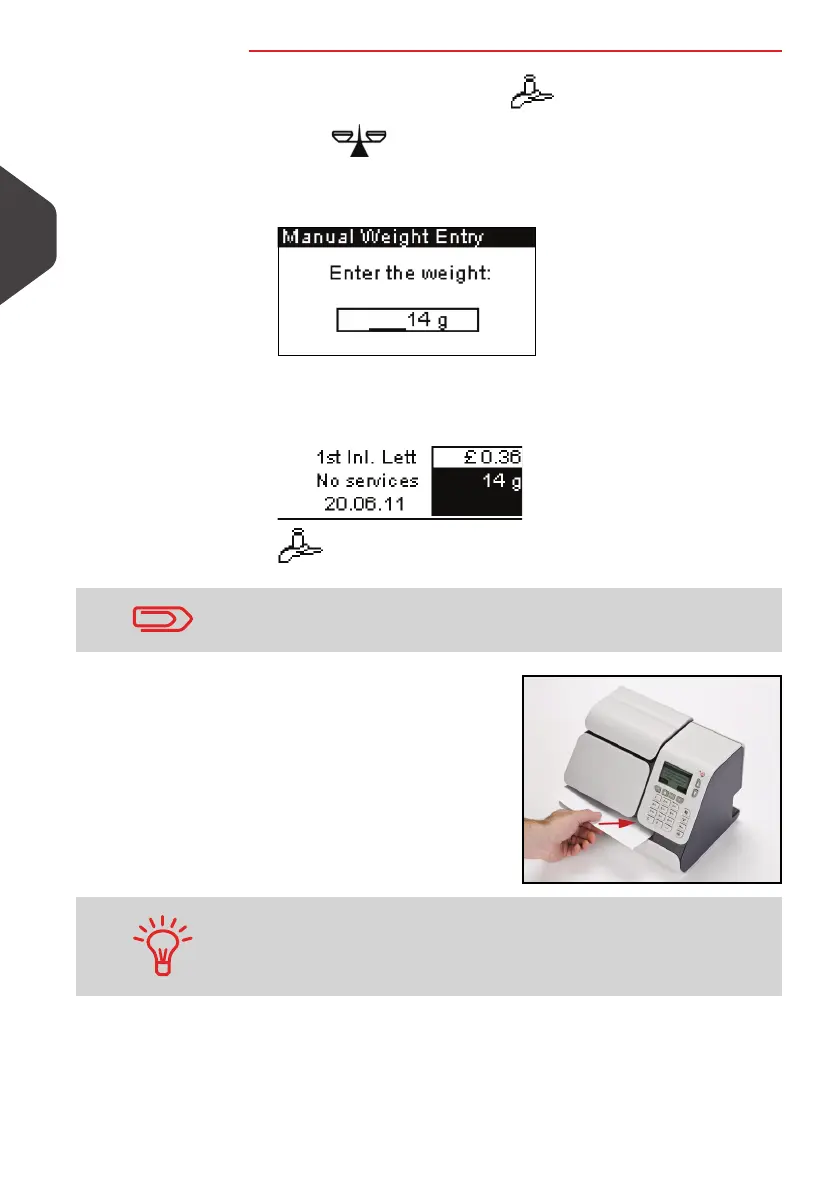
2 Select > Manual Weight Entry and press [OK].
The following screen is displayed.
3 Enter the weight and press [OK].
The weight of the mail piece is displayed in the
Weight
area
of the home screen and the postage amount is updated.
4 Insert the mail piece or a
label into the system, with
the side to be printed facing
upwards.
The Mailing System applies the imprint on the mail piece.
This is for example only: price shown will be different to the cur-
rent Post Office rated price.
If a mail piece is bigger than mail path maximum thickness (see
Mail Specifications
p.179), you can print on a label instead. These
are supplied by your local dealer.
ALPHA1_UK.book Page 38 Jeudi, 6. septembre 2012 4:08 16



 To Next Page