980 DP Video Generator - User Guide Rev. A4
Page 137 July 14, 2014
Selecting the General tab opens up an application screen that enables you to define the sync, level, pixel
depth, gamma and pedestal parameters for a custom format or modify these parameters of an existing
format.
Selecting the Digital Video tab opens up an application screen that enables you to define the digital video
parameters for a custom format or modify these parameters of an existing format.
Selecting the Digital Audio tab opens up an application screen that enables you to define the digital audio
parameters for a custom format or modify these parameters of an existing format.
Selecting the AFD tab opens up an application screen that enables you to define the AFD parameters for a
custom format or modify these parameters of an existing format.
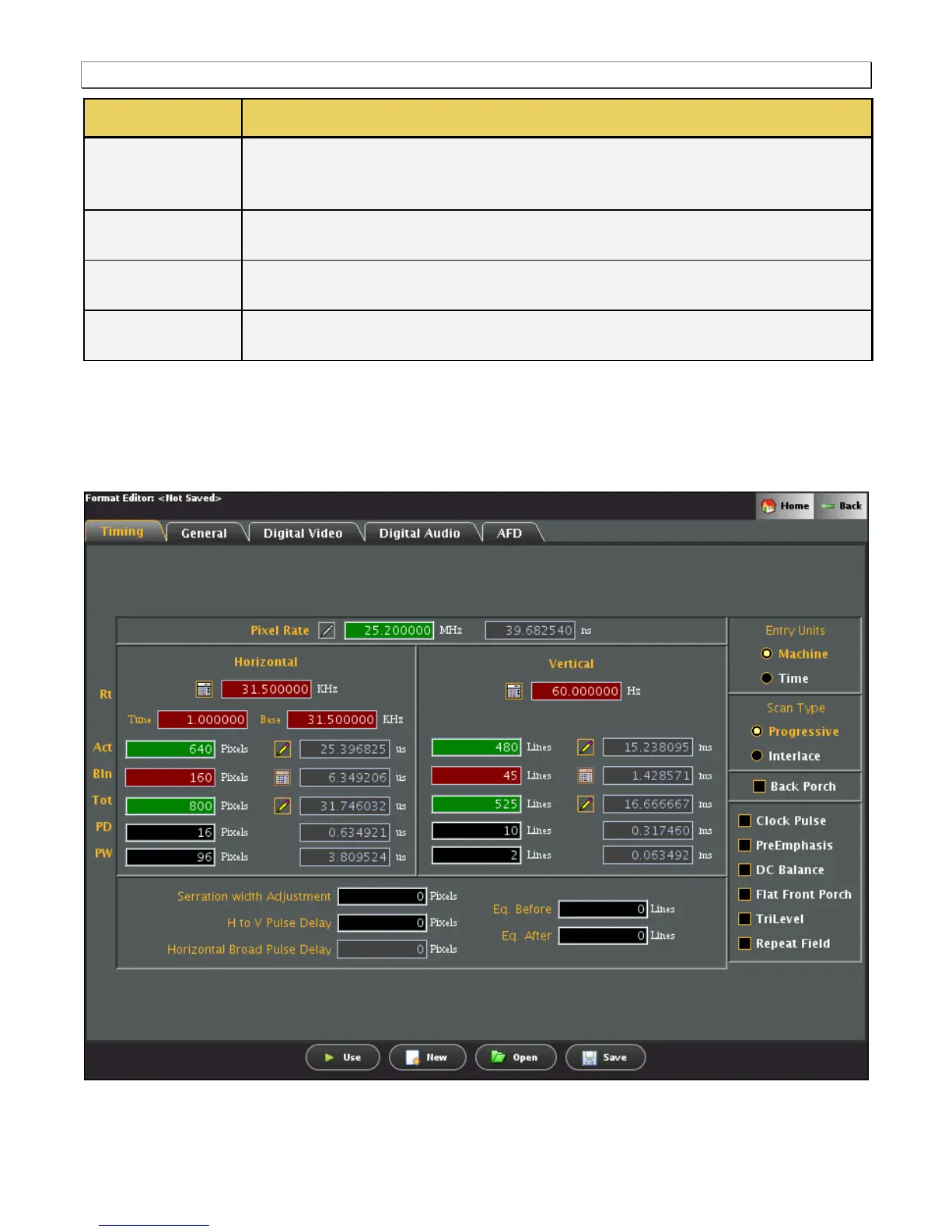
7.3 Format Editor – New Format
This subsection defines the tabs and status panels available with Format Editor shown below.
Important Note: Many of the settings and parameters in the Format Editor screens apply only to HDMI or analog
and do not apply to DisplayPort.



 To Next Page