980 DP Video Generator - User Guide Rev. A4
Page 167 July 14, 2014
8.4 Connecting a DisplayPort source to the Rx Analyzer port
This subsection provides procedures on how to connect to the DP Rx Analyzer.
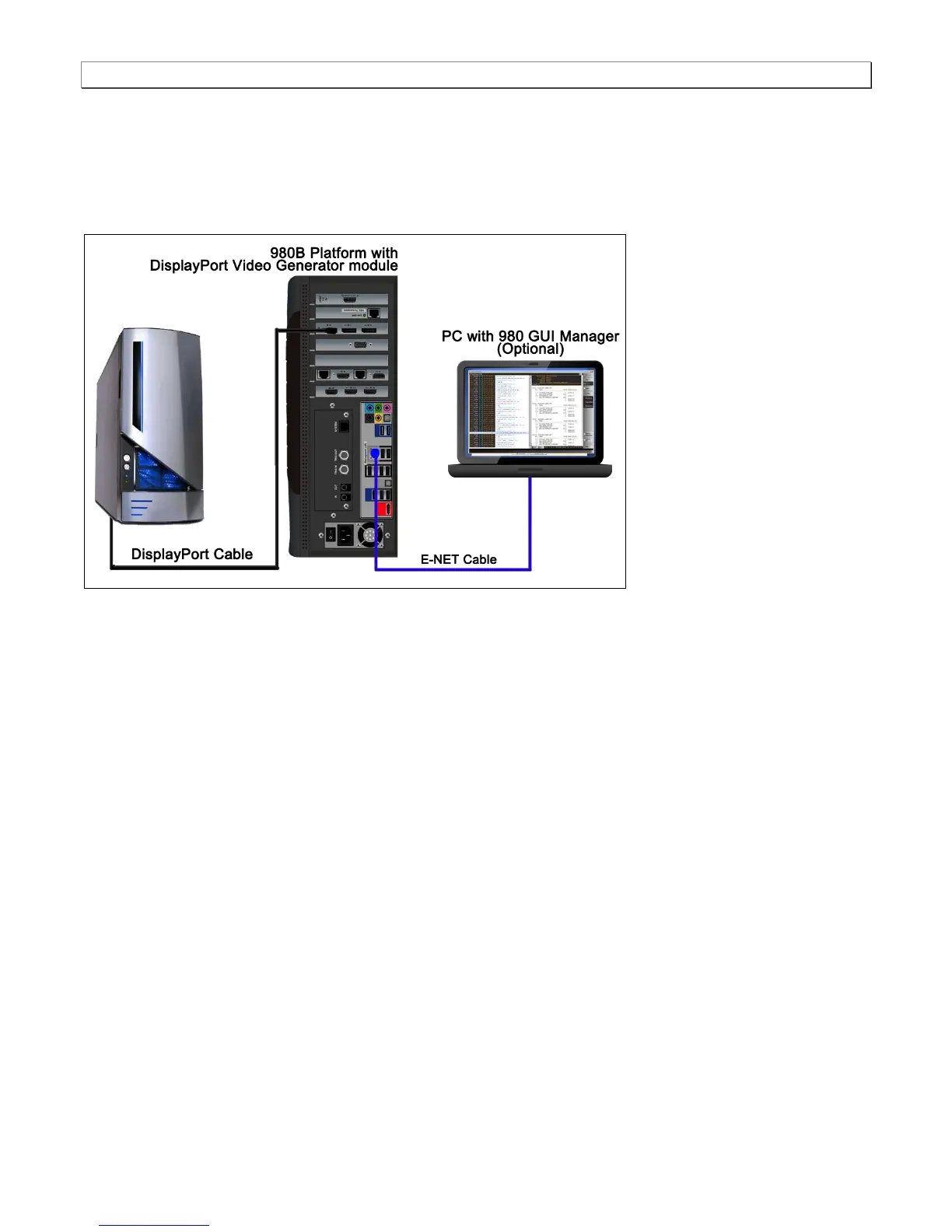
1. Connect the DP source device to the DP module’s Rx Analyzer port as shown below.
Note the second PC shown is used for the 980 GUI Manager application.
Connection for DP sink emulation – 980B
8.5 Controlling the Network Analyzer
This subsection provides procedures on how to control the Network Analyzer features.
8.5.1 Viewing the Link Training status
The 980 DP Video Analyzer enables you to view the link training status with a DP 1.2 source.
1. Access the Rx Control and Configuration dialog box from the Tools menu on the main Rx screen.



 To Next Page