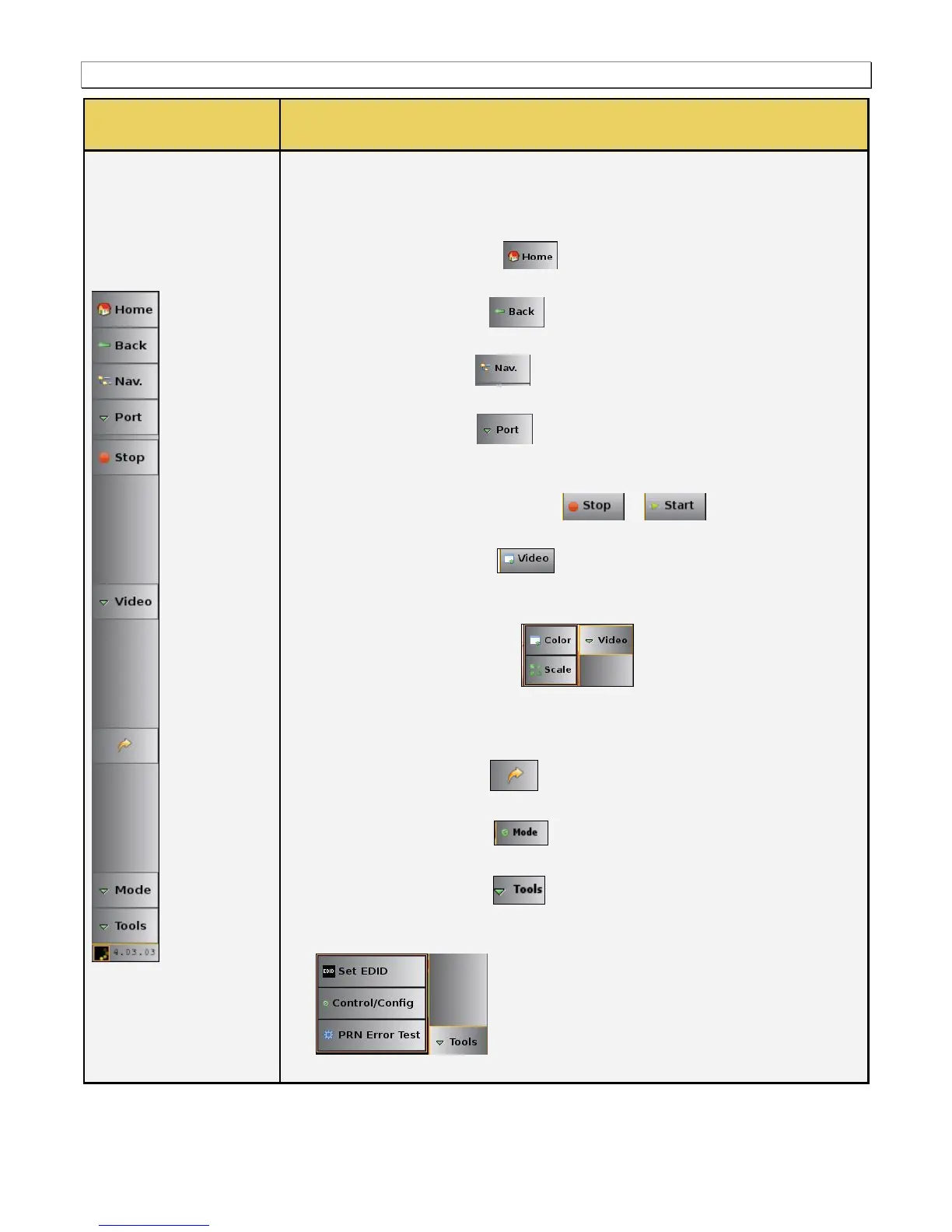
The following controls are provided in the main control panel on the right edge of
the Real Time mode interface. Each of the buttons have a pull-down menu
associated with them. The purpose of each button and their basic control functions
are described below:
Home – The Home button is a navigation button that when pressed
takes you back to the home screen Apps Panel.
Back – The Back button is a navigation button that when pressed
takes you back to the previously viewed screen.
Nav – The Nav button when pressed takes you to the navigation
panel where you can access various data files.
Port – The Port button enables you to toggle back and forth between
the Rx Network Analyzer function of the 980 HDMI Video Generator module
and the Rx Real Time view of the 980 HDMI Protocol Analyzer module.
Start/Stop –The Start / Stop button / is used to enable and
disable the showing of the incoming video image.
Video – The video button and associated pull-down menu (not
shown) is used to display the Video Info panel which provides timing, resolution
and other basic information about the incoming video.
o Color – The Color button and associated dialog box
enables you to identify the color of any particular pixel.
o Scale – The Scale button and associated dialog box enables you to set the
size, quality and aspect ratio of the incoming video image.
Back - The arrow button enables you to toggle between the current
view and the previous view.
Mode - The Mode button enables you to toggle HDCP on or off on the
980 HDMI Video Generator’s Rx port.
Tools - The Tools button enables you to set the EDID, configure the
Tx and Rx ports, view link training status, generate a hot plug with the
associated flyout controls and run a pseudo-random noise test on a cable:



 To Next Page