980 DP Video Generator - User Guide Rev. A4
Page 34 July 14, 2014
3.6.2 Selecting formats using the CEA smart filtering button
Use the following procedures to select a video resolution (format) using the CEA smart filtering button. The
procedure assumes that you have already selected the DP interface.
To select a format from the CEA smart filtering button:
1. From the main window of the 980 DP Video Generator module, click the Format tab.
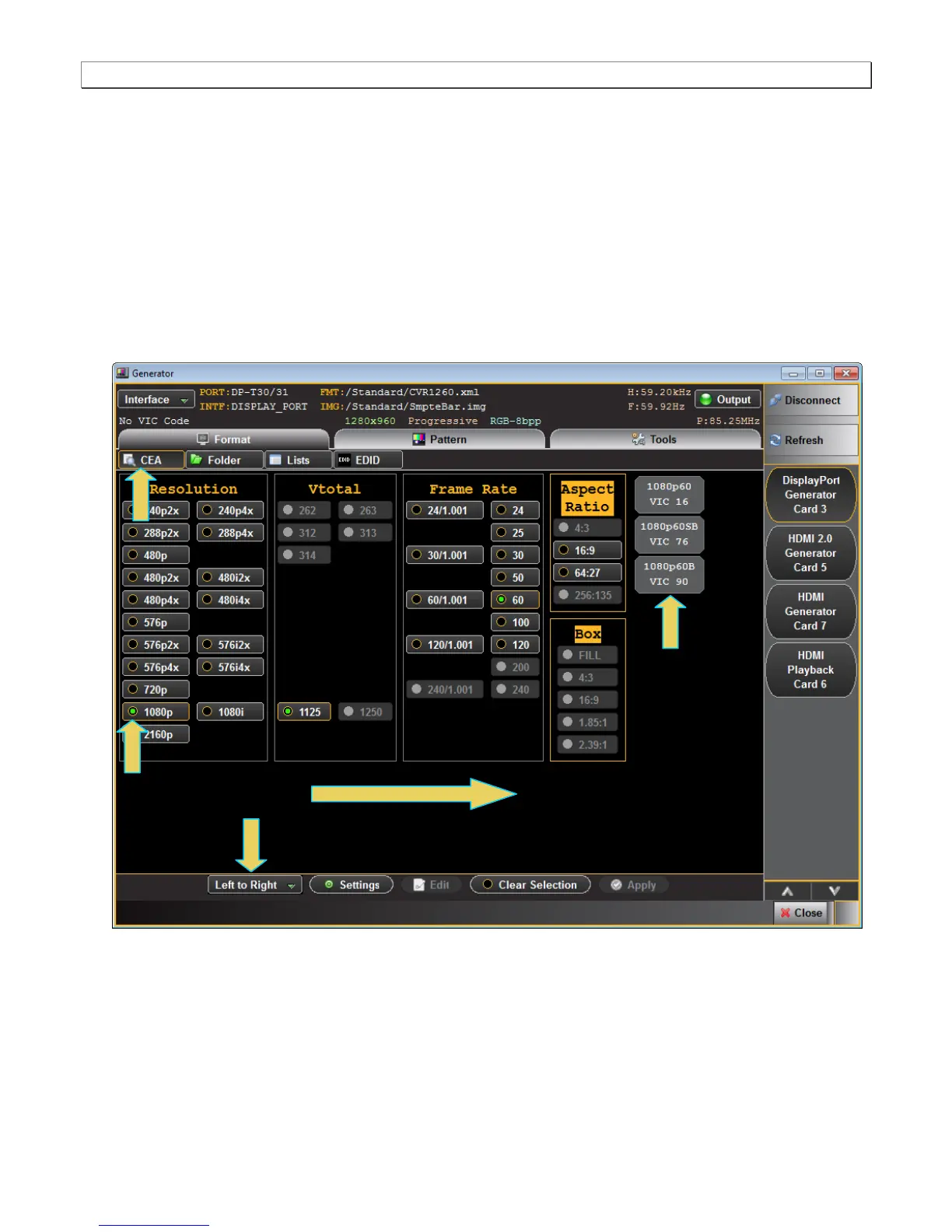
If the CEA button is not active, simply click on the CEA button on the upper left of the top panel (indicted in the
screen shot below). The CEA smart filtering screen enables you to select CEA formats through filtering of
various vide parameters such as Resolution, Vtotal, Frame Rate and Aspect Ratio. As you optionally move
from left to right on the screen the list of available formats that meet the filtering criteria is shown on the right.
Enter attributes from left to right



 To Next Page