980 DP Video Generator - User Guide Rev. A4
Page 36 July 14, 2014
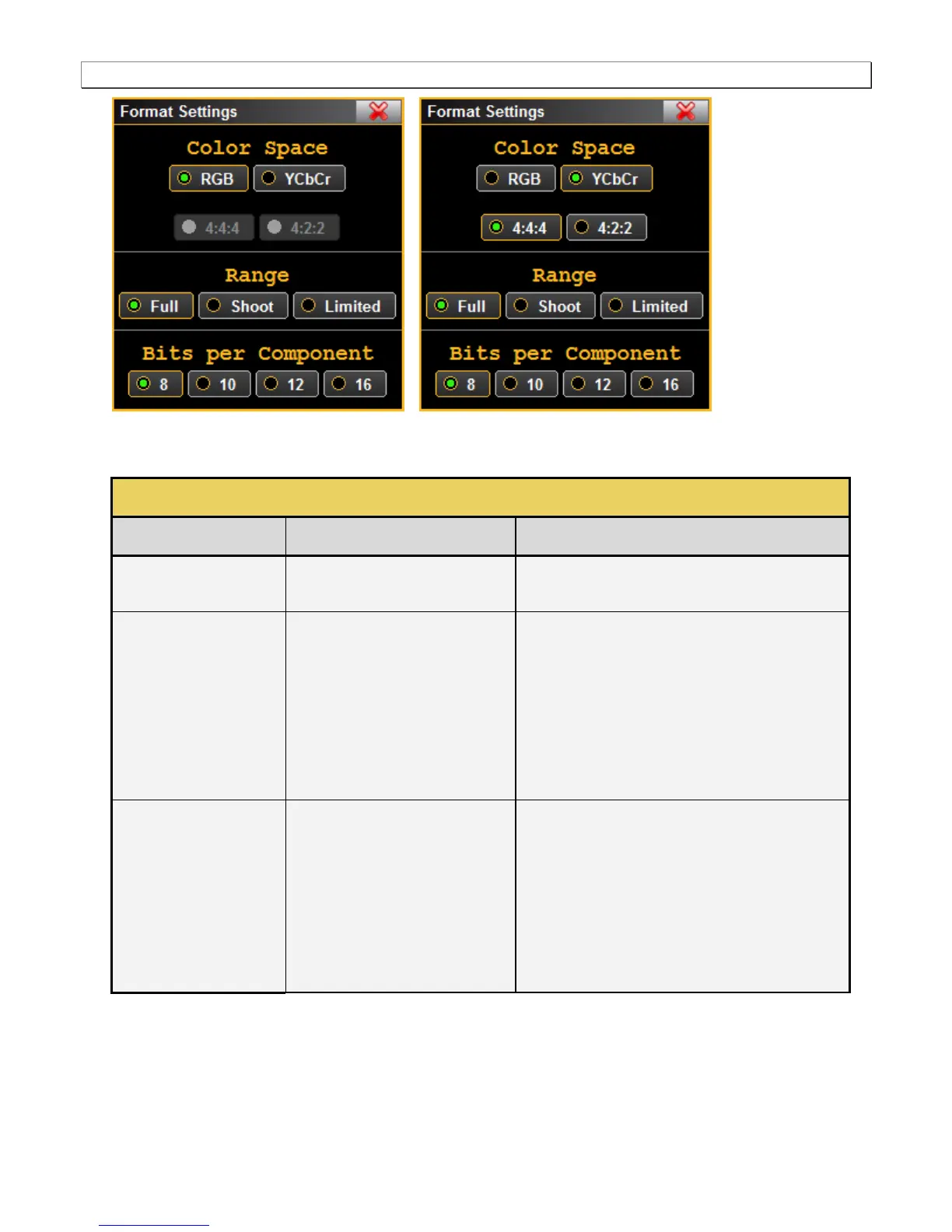
2. Select the Color Space, Range and Bits per Component from the Format Settings dialog box in accordance
with your requirements.
Colorimetry and video pixel encoding
settings.
RGB – Uses 4:4:4 sampling.
YCbCr – Uses either 4:4:4, 4:2:2 sampling.
These values are described in
CEA-861E. They pertain to the
number of levels for RGB and YCbCr
mode.
Limited – Use for CEA formats. Please refer to the
specification section on Video Quantization Ranges
for more details.
Shoot – for testing the undershoot/overshoot signal
code margins.
Full - Use for PC formats. Please refer to the
specification section on Video Quantization Ranges
for more details.
Color depth per component.
8 – Eight (8) bit per component (24 bit per pixel) color
depth.
10 – Ten (10) bit per component (30 bit per pixel)
color depth; deep color.
12 – Twelve (12) bit per component (36 bit per pixel)
color depth; deep color.
16 – Sixteen (16) bit per component (48 bit per pixel)
color depth; deep color.



 To Next Page