EasyManua.ls Logo

Raddy RF919 - Secondary Screen Details

Default Icon
63 pages
Print Icon
To Next Page IconTo Next Page
To Previous Page IconTo Previous Page
Loading...
Extended Manual for RF919 v2.1
© 2024 page 24 of 63
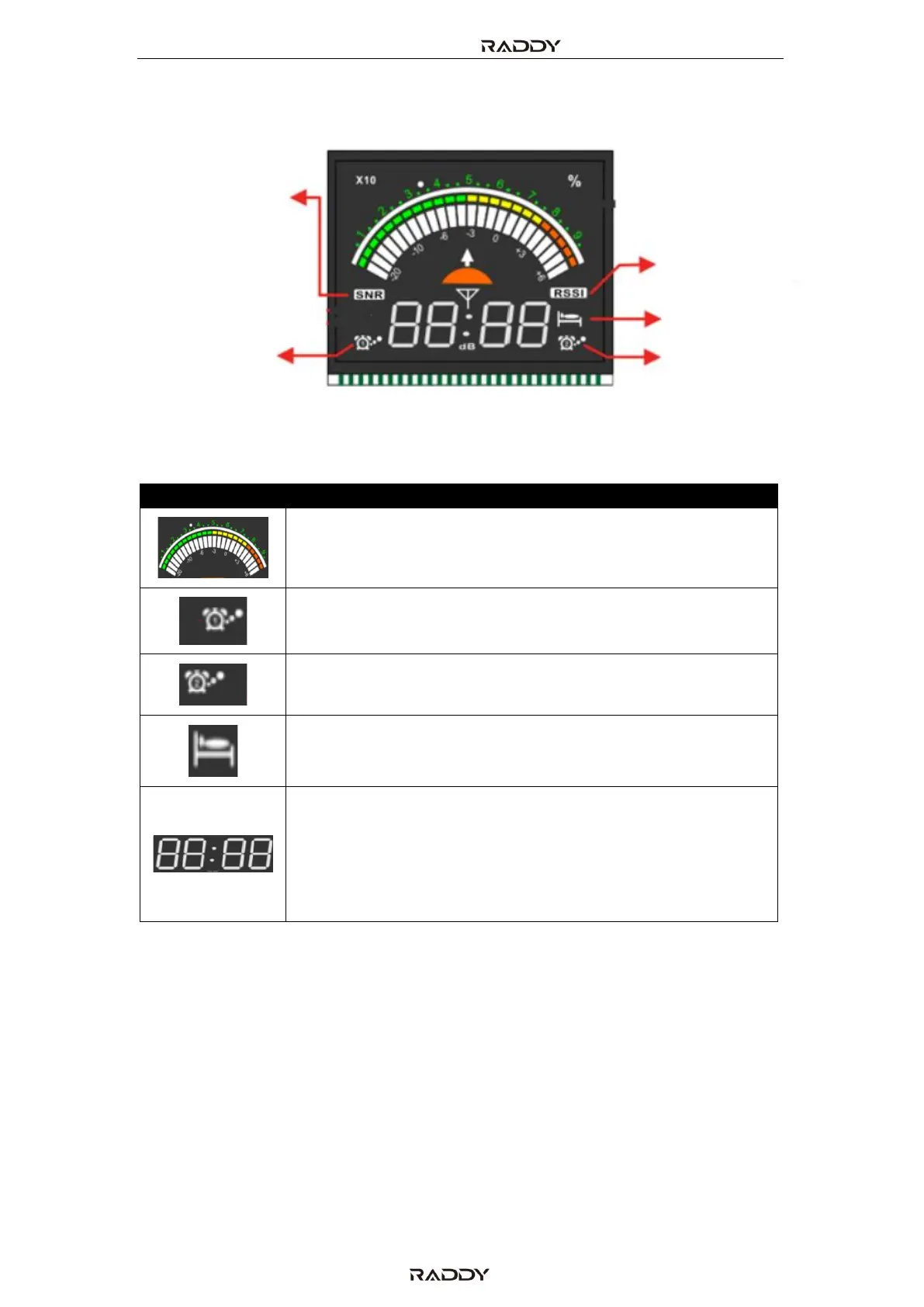
6.4 The secondary screen
Most of the working parameters are displayed on the primary screen. However,
some parameters are visualized on the secondary screen. Those are:
Icon
Description
Audio level indicator
Alarm clock 1 activated
Alarm clock 2 activated
Sleep timer has been activated
When radio turned off (“:” shown):
Display of current time (same as on primary screen)
When radio operating (“:” not shown):
Left two digits: Signal Noise Ratio (SNR)
Right two digits: Received Signal Strength Indicator (RSSI)
Signal to
Noise ratio
Status Alarm 1
Received
Signal
Strength
Indication
Sleep active
Status Alarm 2

Table of Contents

Related product manuals