Extended Manual for RF919 v2.1
© 2024 page 56 of 63
20.1 Built-in magnetic antenna
The RF919 uses a built-in magnetic antenna to
receive medium wave MW and long wave LW. This magnetic
antenna has a certain direction when receiving signals. So,
when listening to medium wave & long wave, rotate the body
direction of the radio appropriately, to find the best position to
receive the signal.
20.2 Receiving operating mode
When in radio receive mode, short press [DISPLAY] to turn the signal-to-noise
ratio (SNR) and Received Signal Strength Indicator (RSSI) on the secondary screen
on or off.
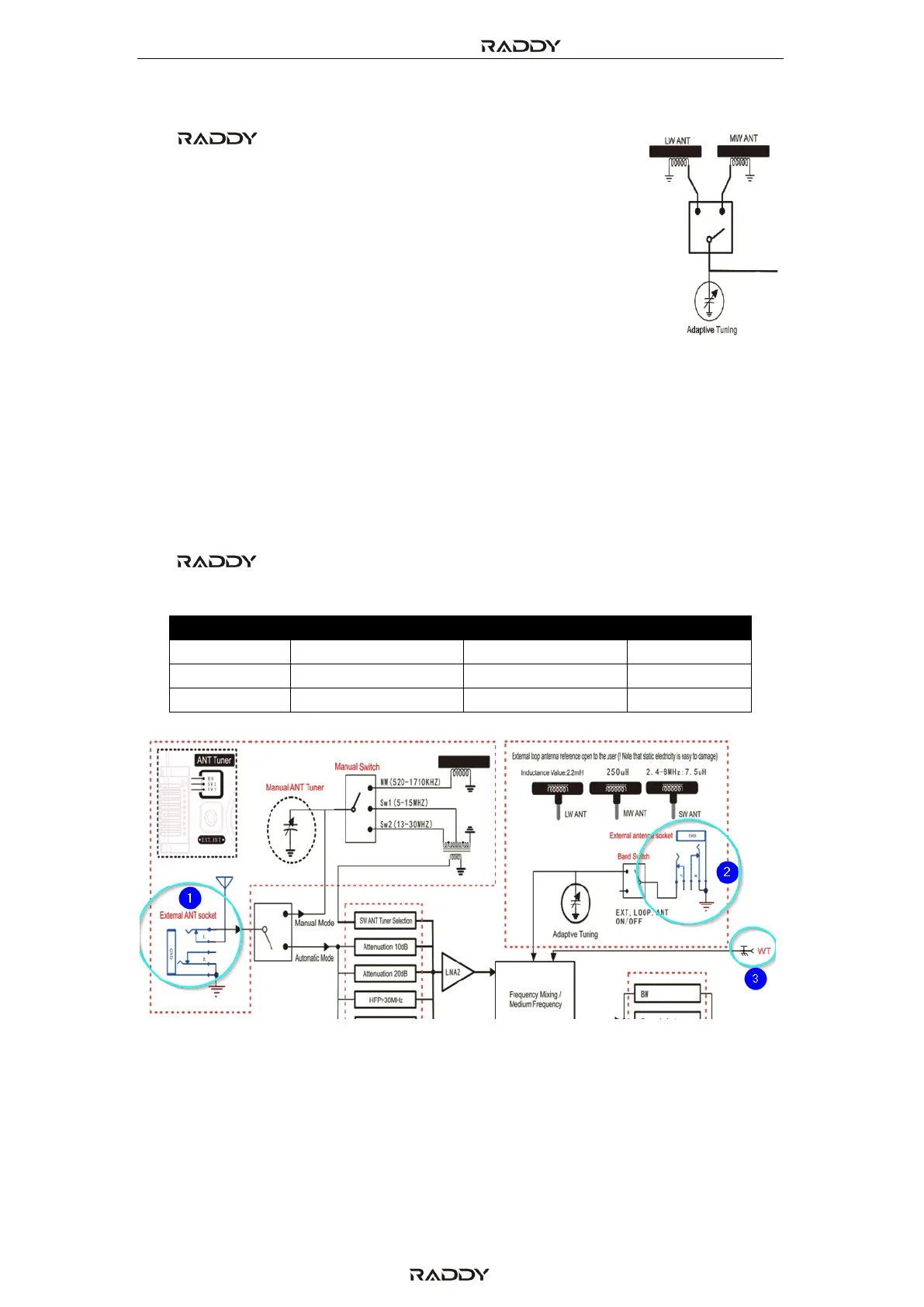
20.2.1 External antenna sockets
The RF919 has a total of three external antenna connectors. The
following table provides their details:
More on those antenna connectors is to be found in the corresponding chapters
5.6 “Switch and socket on the back side of the radio” on page 18 and 5.7 “Buttons
and sockets on the top side of the radio” on page 19. The sockets need to be
selected via the reception settings. See chapter 7.3.10 “Reception settings” on page
31 for details on those.



 To Next Page