Extended Manual for RF919 v2.1
© 2024 page 43 of 63
If you To disconnect the APP, long press [ ] to turn off the radio and display
the clock. Then long press [ ] for 2 seconds to exit the APP after the APP
connection symbol [ ] disappears on the primary screen. You can also exit the
APP in the system menu. For details, please see chapter 15 “System settings” on
page 52 about how to disable the App).
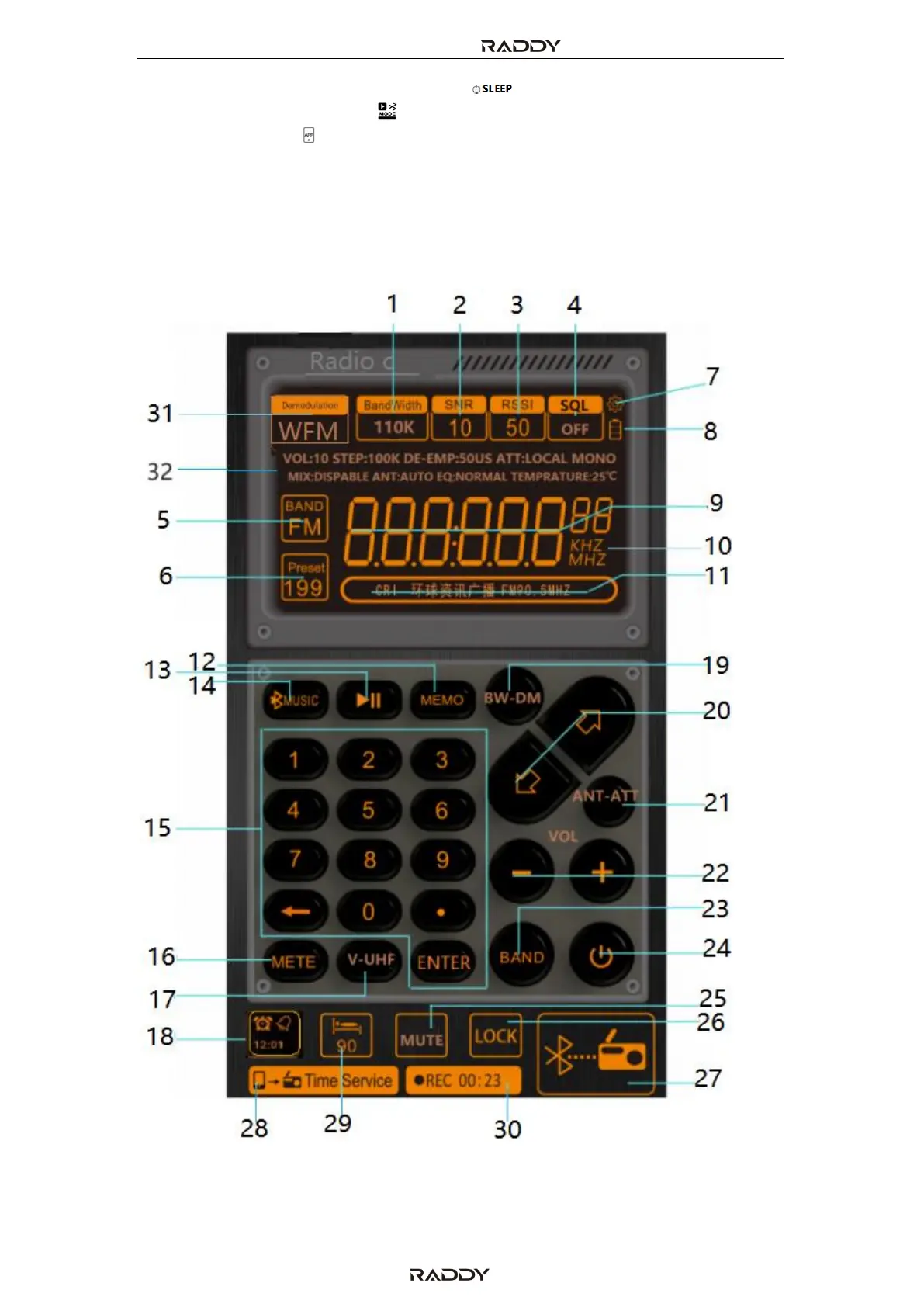
11.1 The APP interface
The following pages describe each field and button. Further details on the
functionality are to be found starting with chapter 5 “Buttons and their functions”
on page 13.



 To Next Page