Extended Manual for RF919 v2.1
© 2024 page 49 of 63
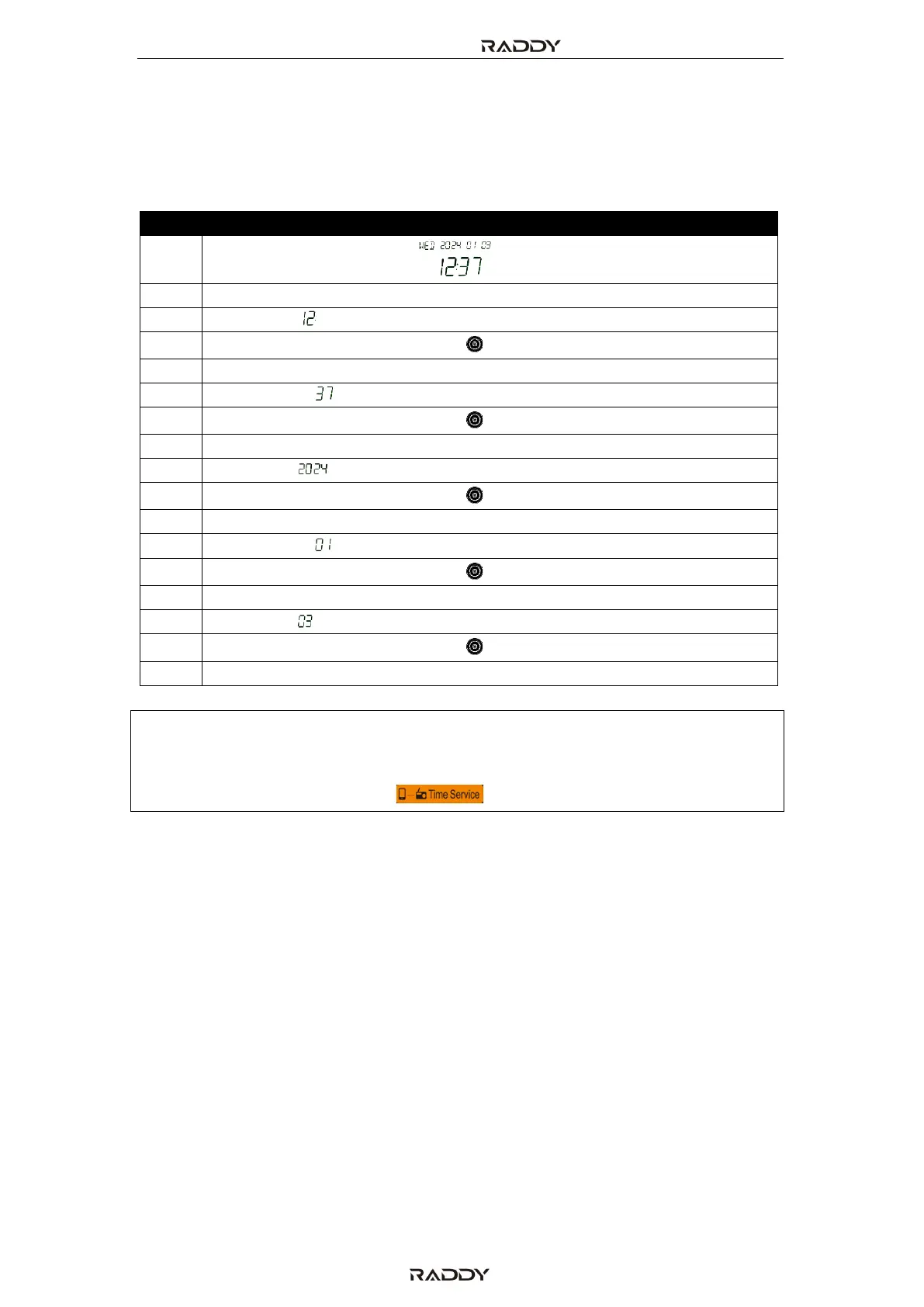
13 Set current date and time
In time display mode, long press [TIME/SET] for 2 seconds to set the current
time/date as follows:
On the time display state.
Long press the [TIME/SET] button
Hour digit [ ] is flashing
Turn the big/small tuning knob [ ] to adjust the hour
Short press [TIME/SET] button
Minute digit [ ] is flashing
Turn the big/small tuning knob [ ] to adjust the Minute
Short press [TIME/SET] button
Year digit [ ] is flashing
Turn the big/small tuning knob [ ] to adjust the Year
Short press [TIME/SET] button
Month digit [ ] is flashing
Turn the big/small tuning knob [ ] to adjust the Month
Short press [TIME/SET] button
Date digit [ ] is flashing
Turn the big/small tuning knob [ ] to adjust the Date
Short press [TIME/SET] button to confirm the settings
Note: The day of the week (MON, TUE, WED, THU, FRI, SAT and SUN) will be updated
automatically according to the set date.
The easiest way to set the date and time of the radio is by using the APP with
its Time Service function [ ] .



 To Next Page