Extended Manual for RF919 v2.1
© 2024 page 50 of 63
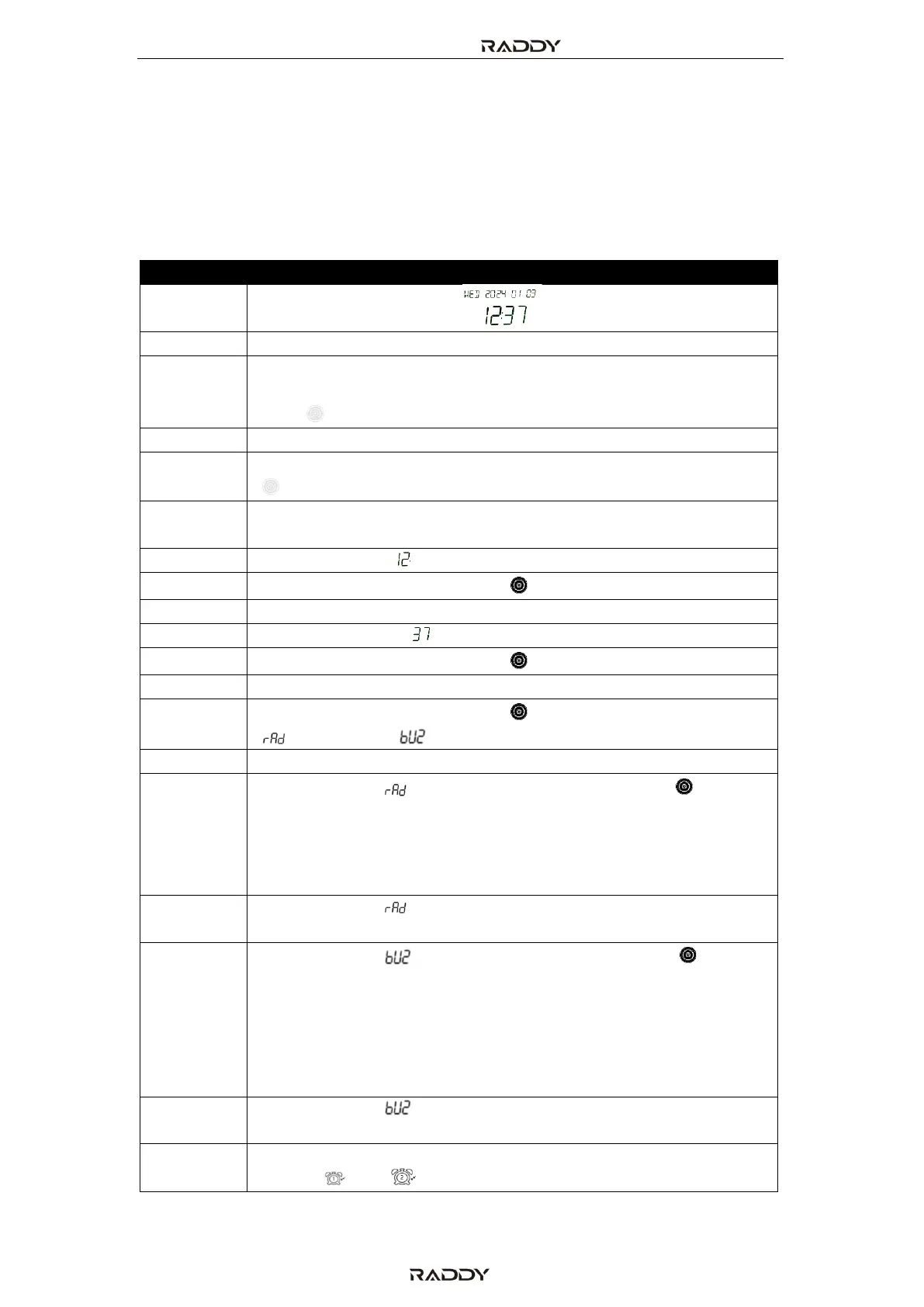
14 Set alarm time
After setting the current time as described in the previous chapter 13 “Set current
date and time” on page 49, long press the [Alarm] key for 2 seconds to set the
alarm time for ringing or automatic power on Two different sets of alarm time can
be set as follows:
On the time display state.
Long press [ALARM] button to enter alarm setting mode
“Alarm 1/2 ON/OFF” will be displayed with the number
indicating the alarm channel, flashing. Turn the big/small tuning
knob [ ] to select the wanted alarm channel.
Short press [ALARM] button to confirm the selection
When “ON” / ”OFF” is flashing, turn the big/small tuning knob
[ ] to either to turn the alarm “ON” or “OFF”.
Short press [Alarm] button to confirm alarm
activation/deactivation
Alarm hour digit [ ] is flashing
Turn the big/small tuning knob [ ] to adjust alarm hour
Short press [Alarm] button to confirm alarm hour
Alarm Minute digit [ ] is flashing
Turn the big/small tuning knob [ ] to adjust alarm minute.
Short press [Alarm] button to confirm alarm minute
Turn the big/small tuning knob [ ] to select either the radio
“ ” or a buzzer “ ” as alarm type
Short press [Alarm] button to confirm alarm type
If alarm type is “ ”, turn the big/small tuning knob [ ] to
select the duration of power-on time after timed power-on.
Possible values: 10-20-30-40-50-60-70-80-90-
FULL (Unit: minutes). “FULL” means the radio will not
automatically shut down after automatic power on.
If alarm type is “ ”, short press [Alarm] button to confirm
power-on time
If alarm type is “ ”, turn the big/small tuning knob [ ] to
select one of the four ring melodies:
• “M1” Bells
• “M2” Nature melody
• “M3” Telephone ring
• “M4” Telegraph ring
If alarm type is “ ”, short press [Alarm] button to confirm ring
melody
After setting the alarm clock, the corresponding alarm clock
symbol " " or " " appears on the secondary display.



 To Next Page