www.raisecom.com User Manual
49
Appendix A How to use Hyper Terminal to configure RC3000
A.1 Enter
Use the affixed CONSOLE cable to connect CONSOLE interface (RJ45) of RC3000 with PC serial
interface (DB9), before connecting make sure that both RC3000 and PC have grounding protection;
and you should connect the cable to CONSOLE interface of RC3000 first and then the PC serial
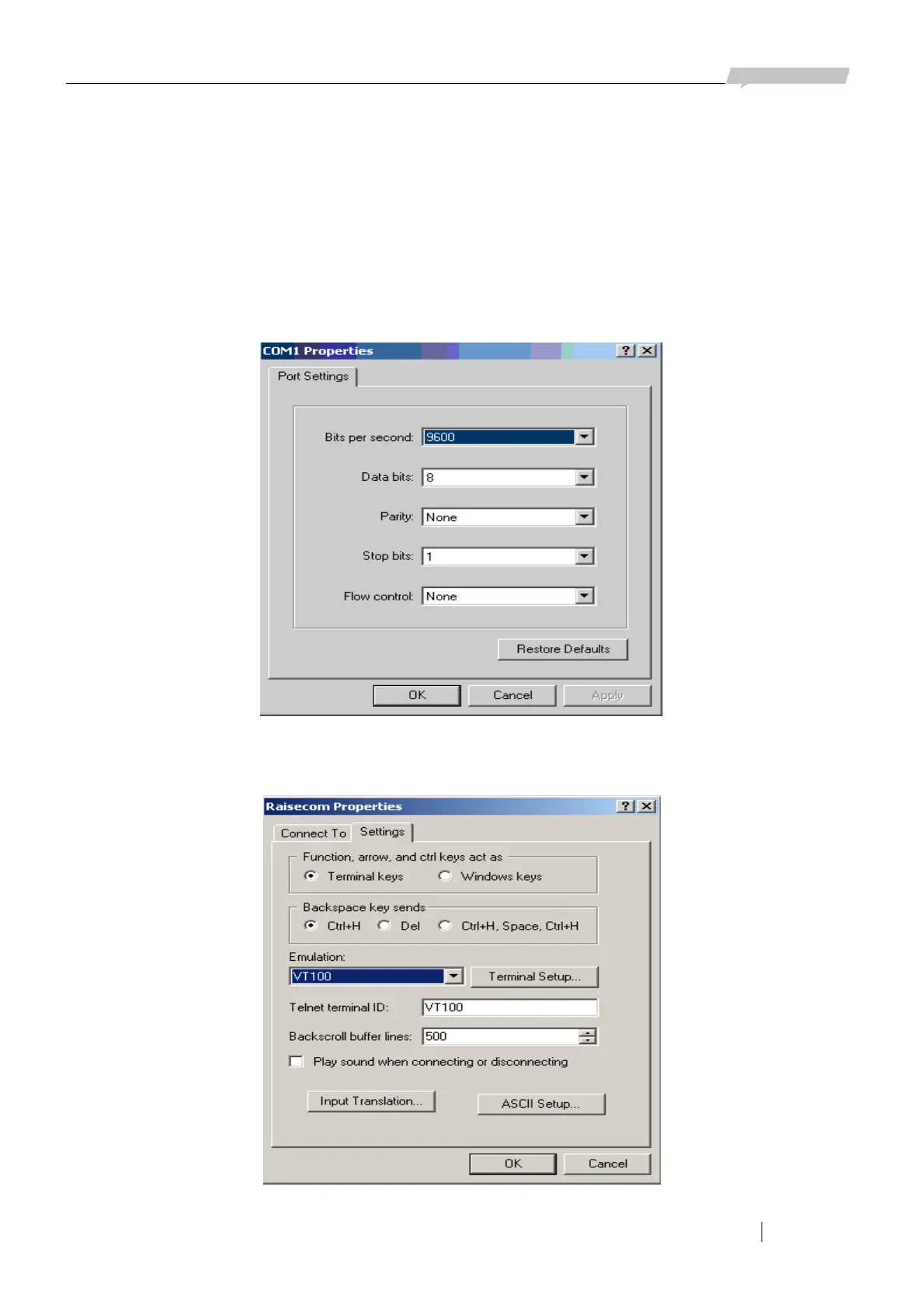
interface. Set bit 1 of DIP-switches ON, start Hyper Terminal program and configure COM interface
as Figure A-1:
Figure A-1
In the Properties menu, choose VT100 for emulation as in Figure A-2 done:
Figure A-2



 To Next Page