3. Rand Navigation 2.0
Rand Tablet User Manual 10
Rand Navigation
1
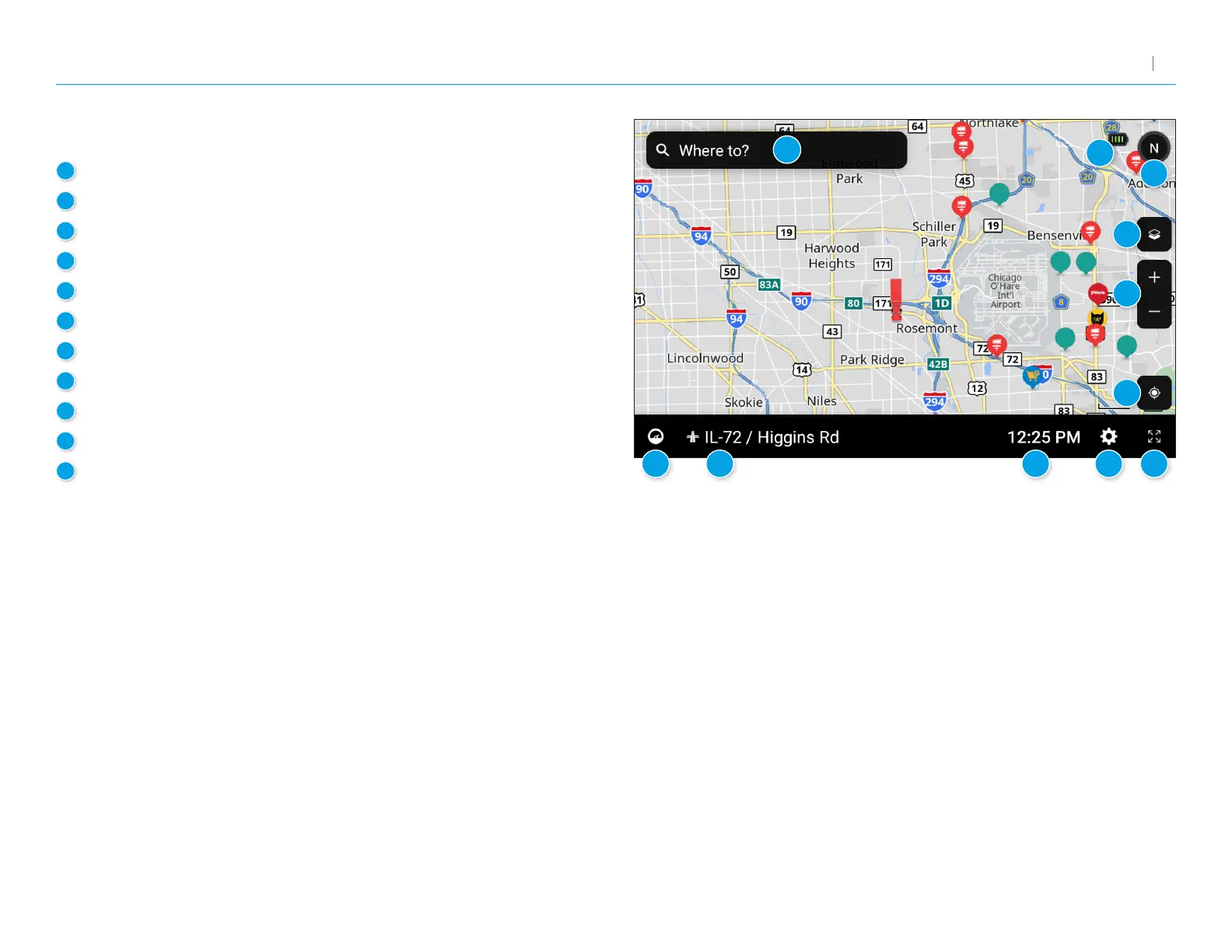
Route to a location
2
Battery power status and charging indicator
3
Select map view mode: Heading up, North up or 3D view
4
Wi-Fi connected services
5
Zoom in/out
6
Return to current location
7
Virtual dashboard
8
Current street name, upcoming intersection, or current location
9
Local time and Elevation
10
Navigation Settings: General, Truck Info, Route, Map and Warnings
11
Hide/display screen information and controls
1
2
3
4
5
6
7 8
9 10 11



 To Next Page