Rand Tablet User Manual 21
3. Rand Navigation 2.0
1
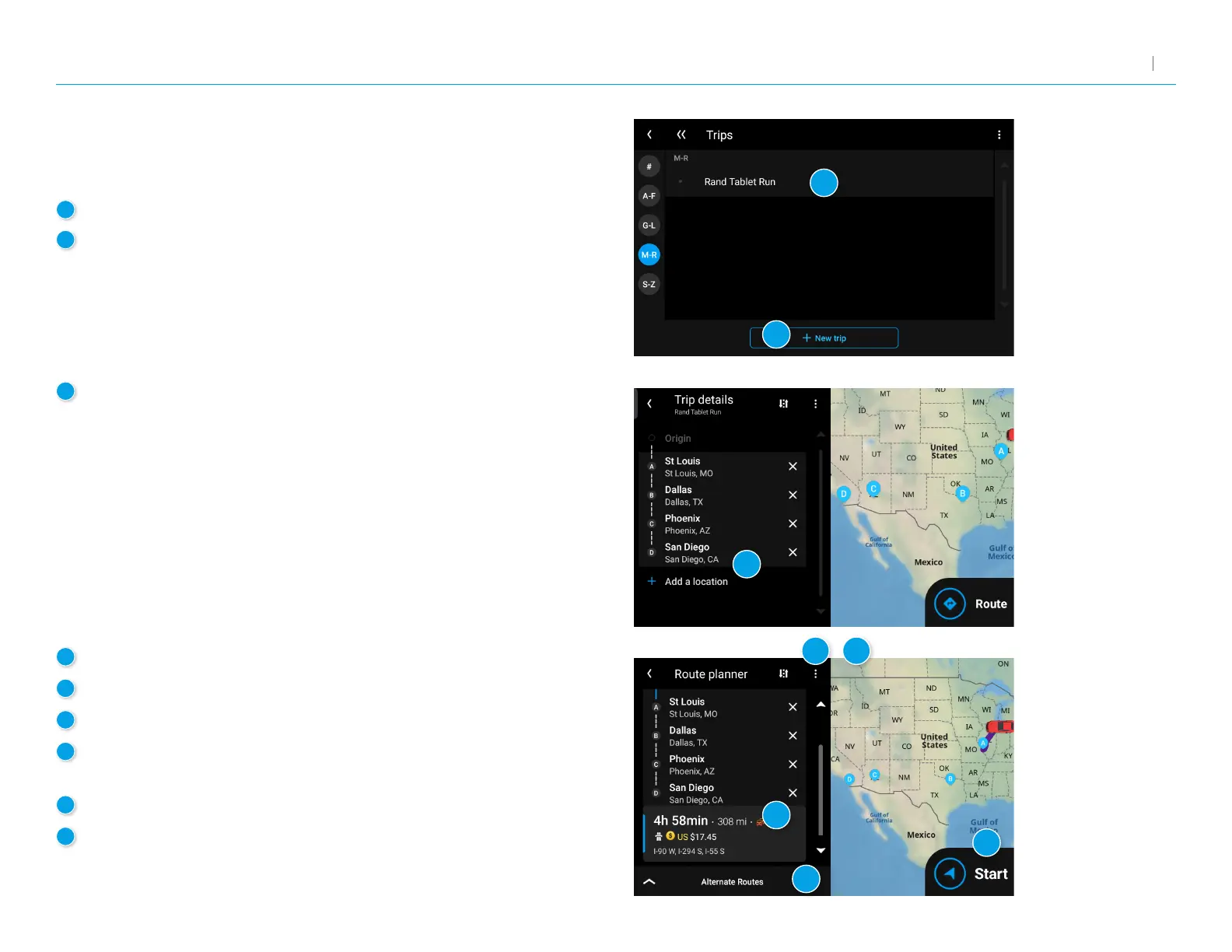
Tap to review and edit a saved trip.
2
Tap + NEW TRIP to create a new multi-stop trip.
3
Trip details:
Displays the stops along your trip.
Tap the X to remove a stop.
Tap + Add a Location to add a new stop.
4
Tap to view Route avoids, Route details, and Overview.
5
Also tap to Save to My trips.
6
Tap to Reverse or Reorder your stops (manually or automatically).
7
Displays the travel time, trafc delays (if any), and estimated toll
costs for the rst leg of your trip.
8
Tap to compare and select alternate routes.
9
Tap to begin navigation.
Multi-Stop Trips
Displays a list of recent destinations.
1
2
3
4
5
6
7
8



 To Next Page