3. Rand Navigation 2.0
Rand Tablet User Manual 38
Weather
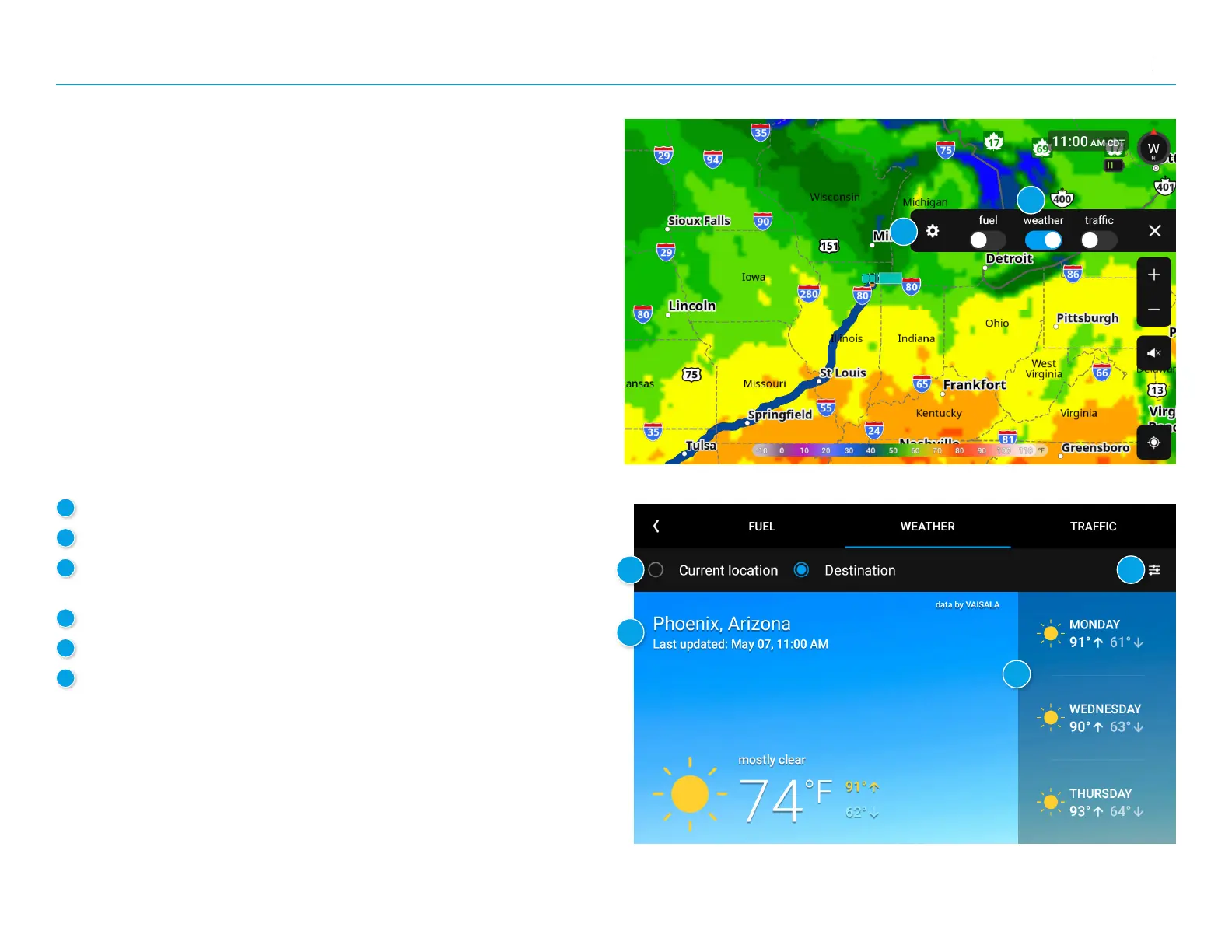
When enabled, Weather displays current weather condition
overlays on the map.
Notes:
• RequiresaWi-Ficonnection.
• The refresh speed of the weather display is dependent on your connection
speed. Weather information is updated every few minutes when a Wi-Fi
connection is active.
• Weather display depends on active weather patterns and map zoom level.
To view current weather information and the three-day forecast
for your location, tap the gear icon on the map screen and tap the
Weather slider.
1
Tap to enable weather.
2
Tap to view details and enter settings.
3
Select to view weather at your current location or
at your destination.
4
Current weather conditions at the selected location.
5
Three-day forecast for the selected location.
6
Tap to view and change weather overlay preferences
such as layer opacity and weather type.
1
2
3
4
5
6



 To Next Page