Rand Tablet User Manual 22
3. Rand Navigation 2.0
1
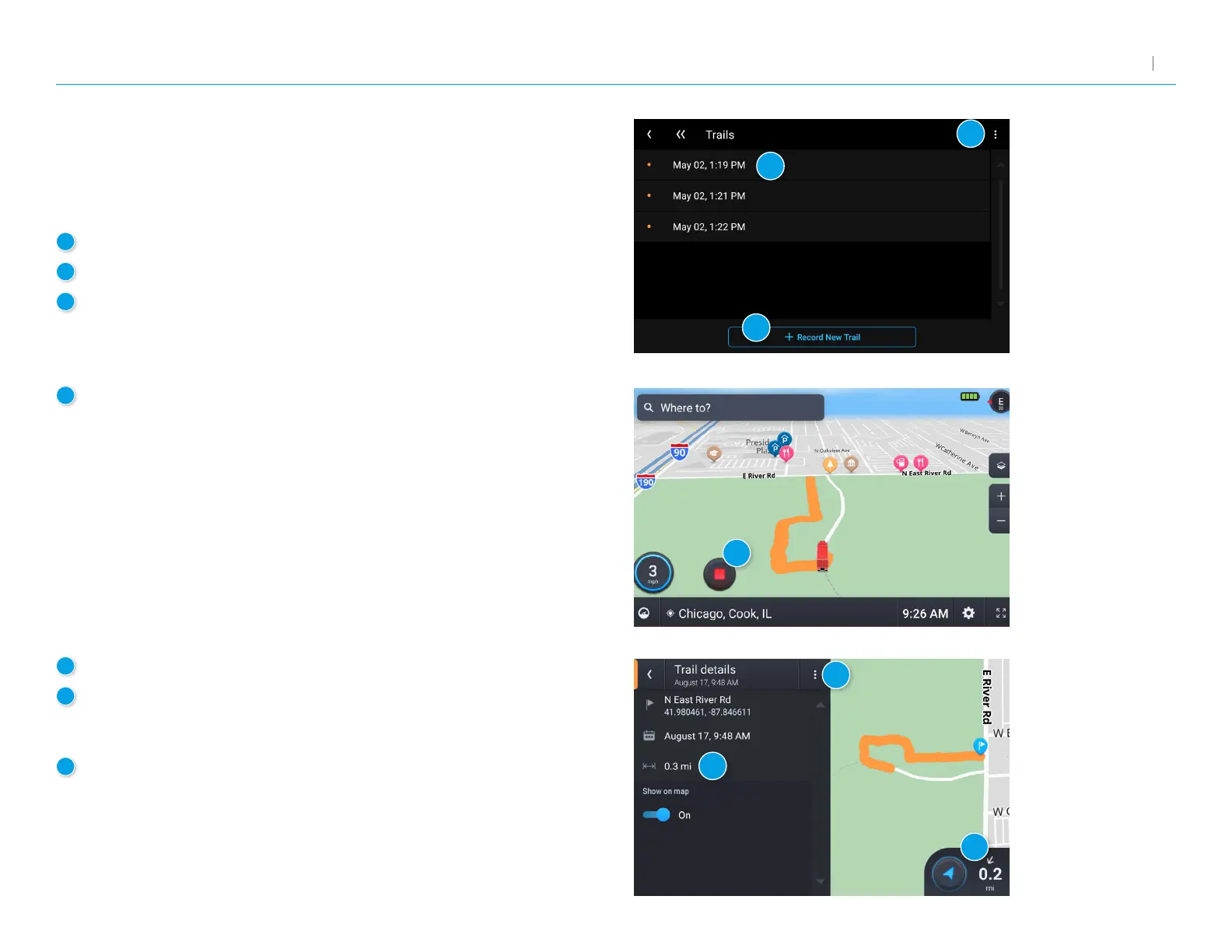
Tap to open an existing trail.
2
Tap to record a new trail.
3
Tap to edit or delete a trail.
5
View details about the trail.
6
Tap to begin navigation. Routing to an existing trail will take you
to the start of the trail. You can then follow the rest of the trail to
your destination.
7
Tap to edit or delete the trail.
4
Tap to stop recording.
Trails
Use Trails to record a “bread-crumb” path where your truck travels.
The Trails feature is benecial when traveling in areas where there is
no marked road network.
1
2
3
4
5
6
7



 To Next Page