Rand Tablet User Manual 17
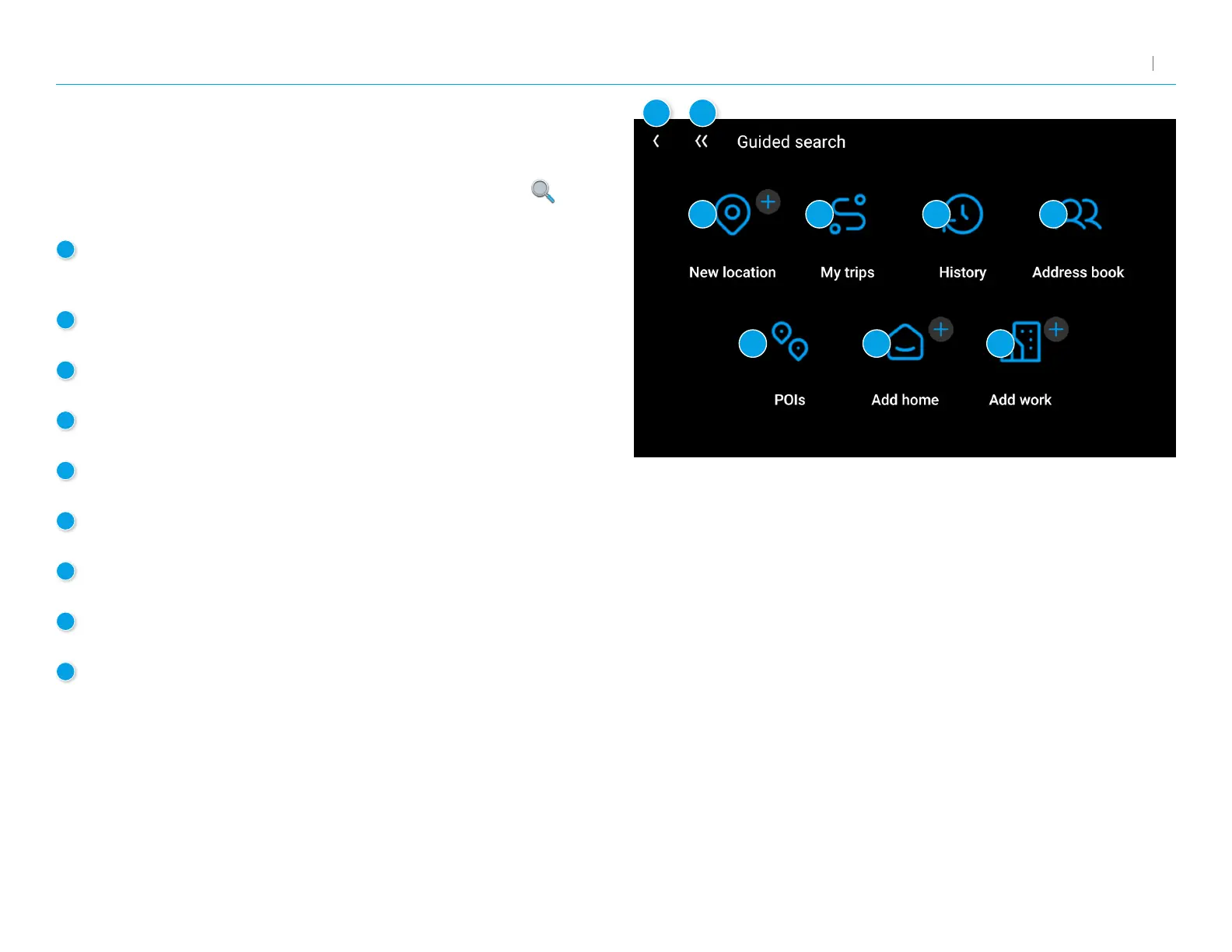
Guided Search
To access Guided Search, either tap Guided Search from the top-right
of the Single-line Search screen, or tap the magnifying glass icon
from the Main Menu.
3. Rand Navigation 2.0
7
1
New Location
Tap to route to a destination by address, city center, intersection,
or latitude and longitude coordinates.
2
My Trips
Tap to review your saved trips.
3
History
Tap to review your recent destinations.
4
Address Book
Tap to select a destination from your Address Book.
5
POIs
Tap to begin a point of interest search.
6
Add Home
Tap to route to your stored Home location.
7
Add Work
Tap to route to your stored Work location.
8
Back
Tap to return to the previous screen.
9
Go to Map
Tap to return to the navigation screen.
1
2 3
4
5
6
7
8
9



 To Next Page