Rand Tablet User Manual 15
7
3. Rand Navigation 2.0
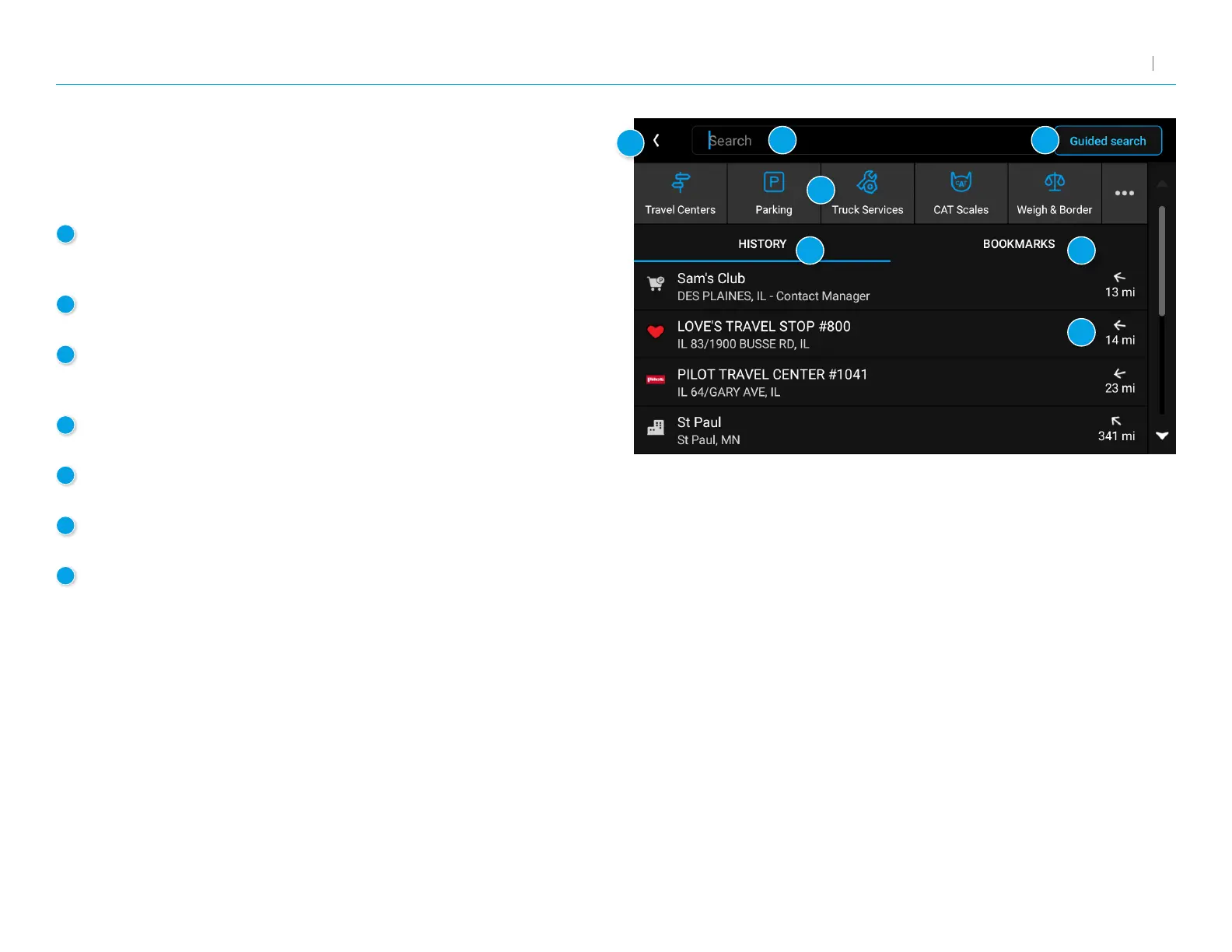
Destination Search
To access this window from the Rand Navigation Home Screen,
tap Where to?
1
Single-line Search
Tap here to bring up a keyboard and start typing to search
for a destination.
2
Guided Search
Tap to access the guided search options.
3
Points of Interest
Tap to search for a point of interest (POI),
such as a travel center, restaurant, etc.
4
History
Tap to route to a recently entered location.
5
Bookmarks
Tap to view a list of saved locations.
6
Distance
Displays the distance to each destination in the list.
7
Back
Tap to return to the navigation screen.
1
2
3
4
5
6
7



 To Next Page