3. Rand Navigation 2.0
Rand Tablet User Manual 44
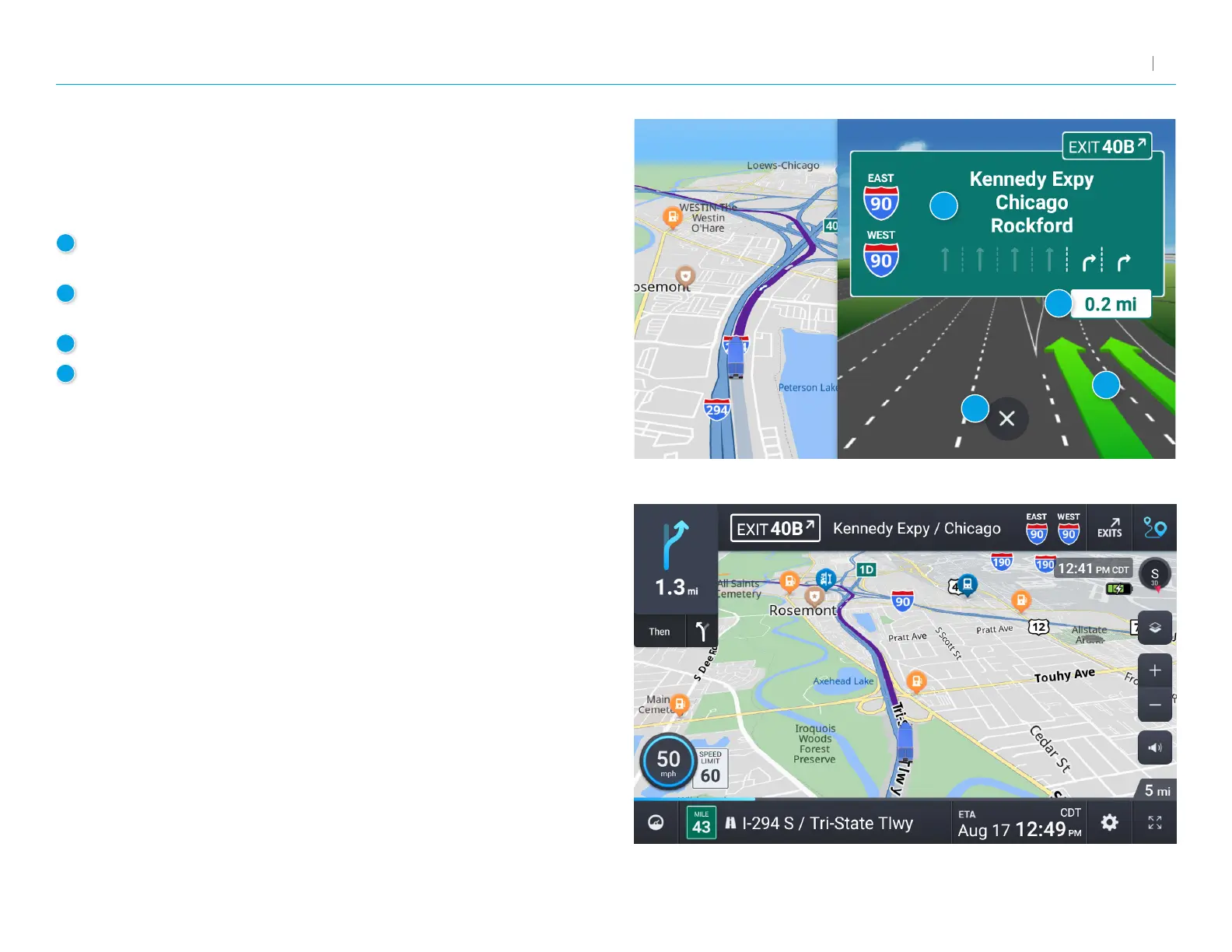
Junction View
When on a route, Junction View displays when you have an upcoming
maneuver. Set distance in Settings > Route. Once past the maneuver,
Junction View closes and the previous window displays.
1
Signs to follow for the next maneuver. Includes exit number and
highway name/number if applicable.
2
Distance to the upcoming maneuver. Distance decreases
as you approach.
3
Lane assist arrow.
4
Return to previous window.
Turn View
Displays for upcoming turns. Set distance in Settings > Route.
4
1
2
3



 To Next Page