3. Rand Navigation 2.0
Rand Tablet User Manual 41
Fuel
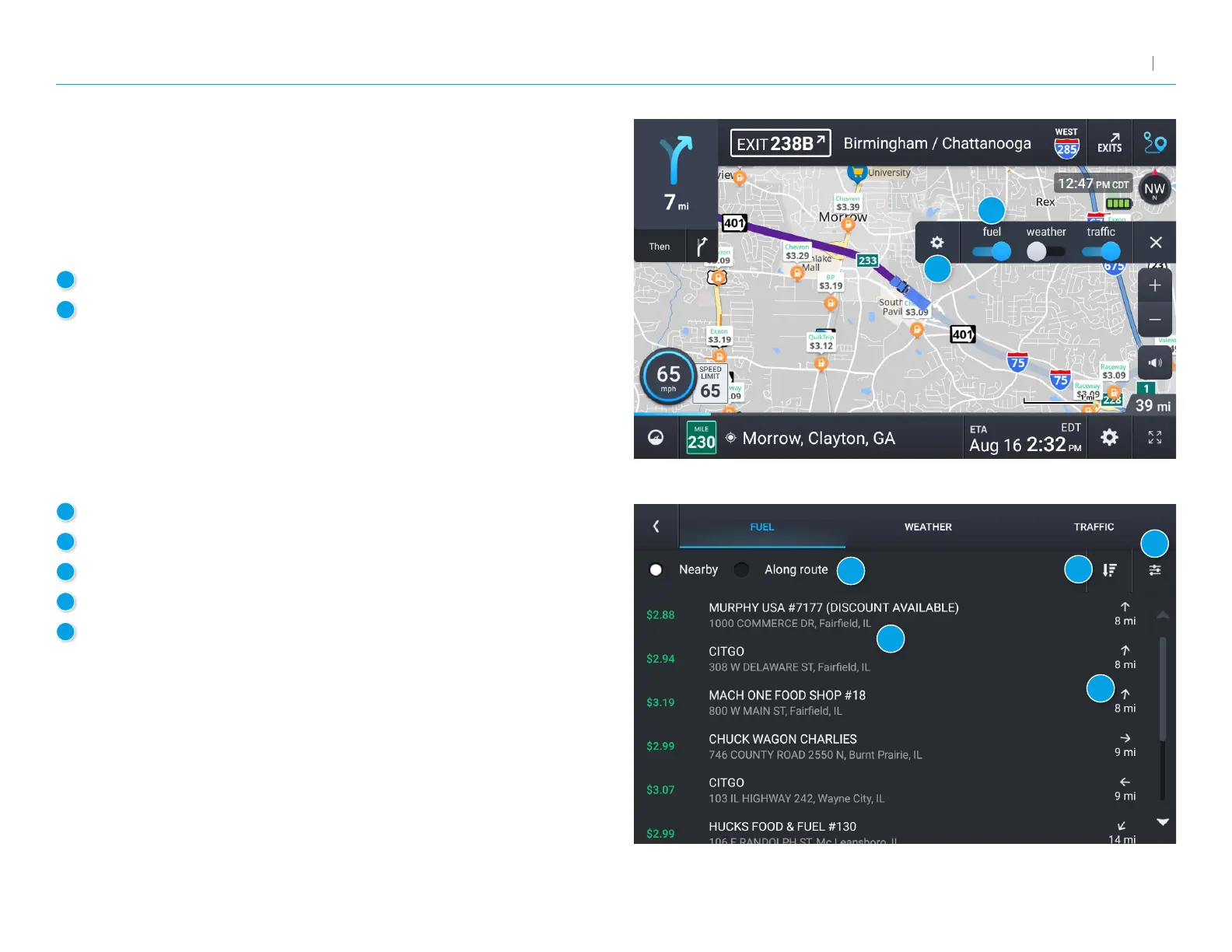
To view fuel price information, tap gear icon on the map screen and
then the Fuel slider. Current fuel prices will overlay on the map at various
stations when enabled and available.
Note: RequiresaWi-Ficonnection.
1
Tap to enable fuel prices.
2
Tap to view details and enter settings.
3
Select to view fuel prices either nearby or along your route.
4
Displays the fuel stations based on the criteria you selected.
5
Displays the distance to each station.
6
Sort by distance or price.
7
View and change fuel preferences such as fuel types and stations
to display on the map.
1
2
3
4
5
6
7



 To Next Page