Rand Tablet User Manual 26
1
2
3
4
5
3. Rand Navigation 2.0
1
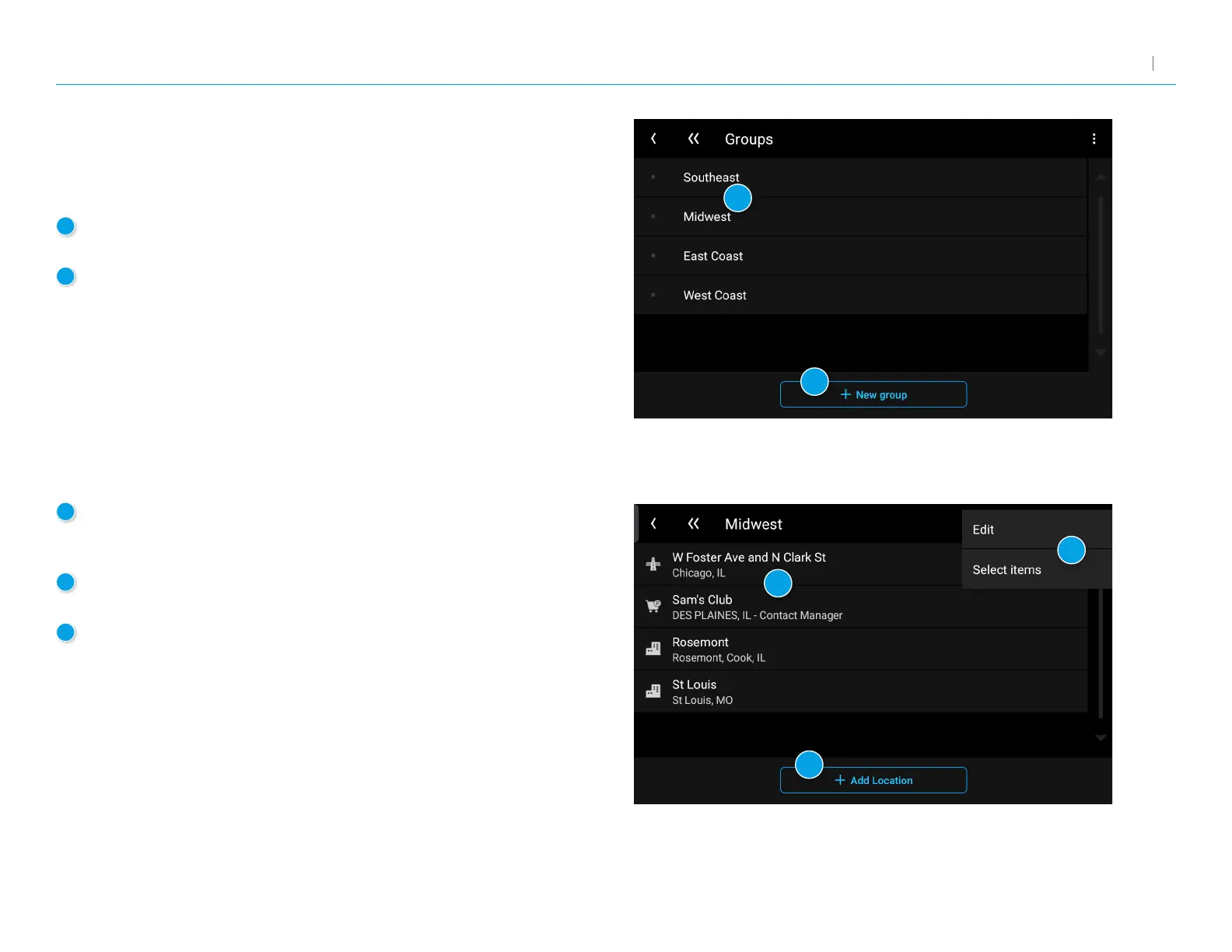
Groups
Displays groups you have created.
2
New Group
Tap to create a new group.
3
Group Destinations
Displays the destinations stored in the selected group.
Tap a destination to begin navigation.
4
Group Options
Tap in the corner to edit or delete destinations in a group.
5
Add Location
Tap to add a new location to the group.
You can add a new address or select from your history,
bookmarks, or POIs.
Address Book: Groups
Use Groups to organize your contacts and destinations into categories
for easier searching.



 To Next Page