Rand Tablet User Manual 27
3. Rand Navigation 2.0
1
2 3
4
5
6
7
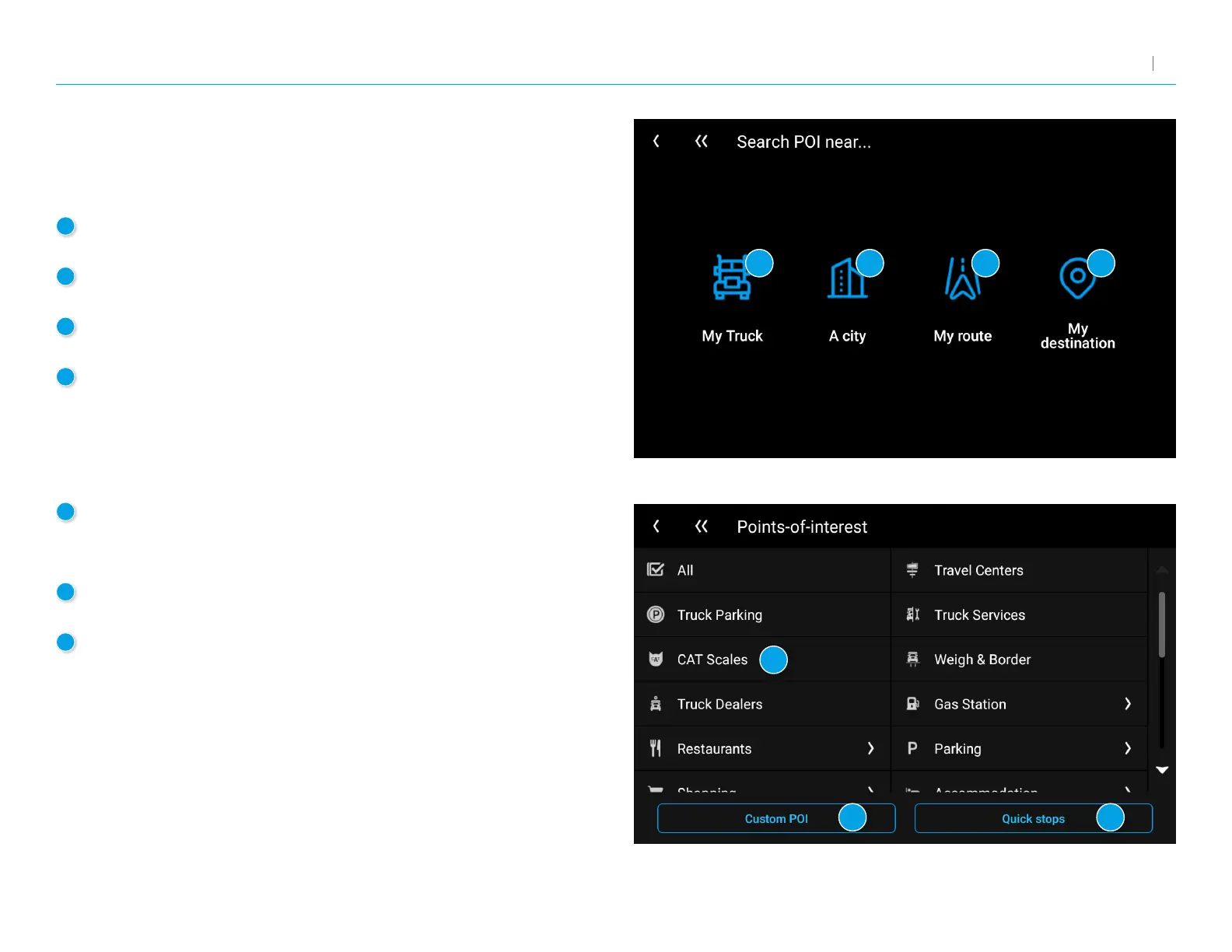
1
My Truck
Tap to display POIs near your current location.
2
A city
Tap to display POIs near a specic city.
3
My route
Tap to display POIs along your route if you have one set.
4
My destination
Tap to display POIs near your destination if you have one set.
POIs
Displays Points of Interest (POIs) near your current location, near a specic
location, along your intended travel route, or near your destination.
5
POI Categories
Tap to select the POI category.
Note: Some categories may have multiple subcategories.
6
Custom POI
Tap to display custom POIs from an import.
7
Quick Stops
Displays a list of commonly-searched POI categories.



 To Next Page