Rand Tablet User Manual 29
1
2
3
5
6
7
1
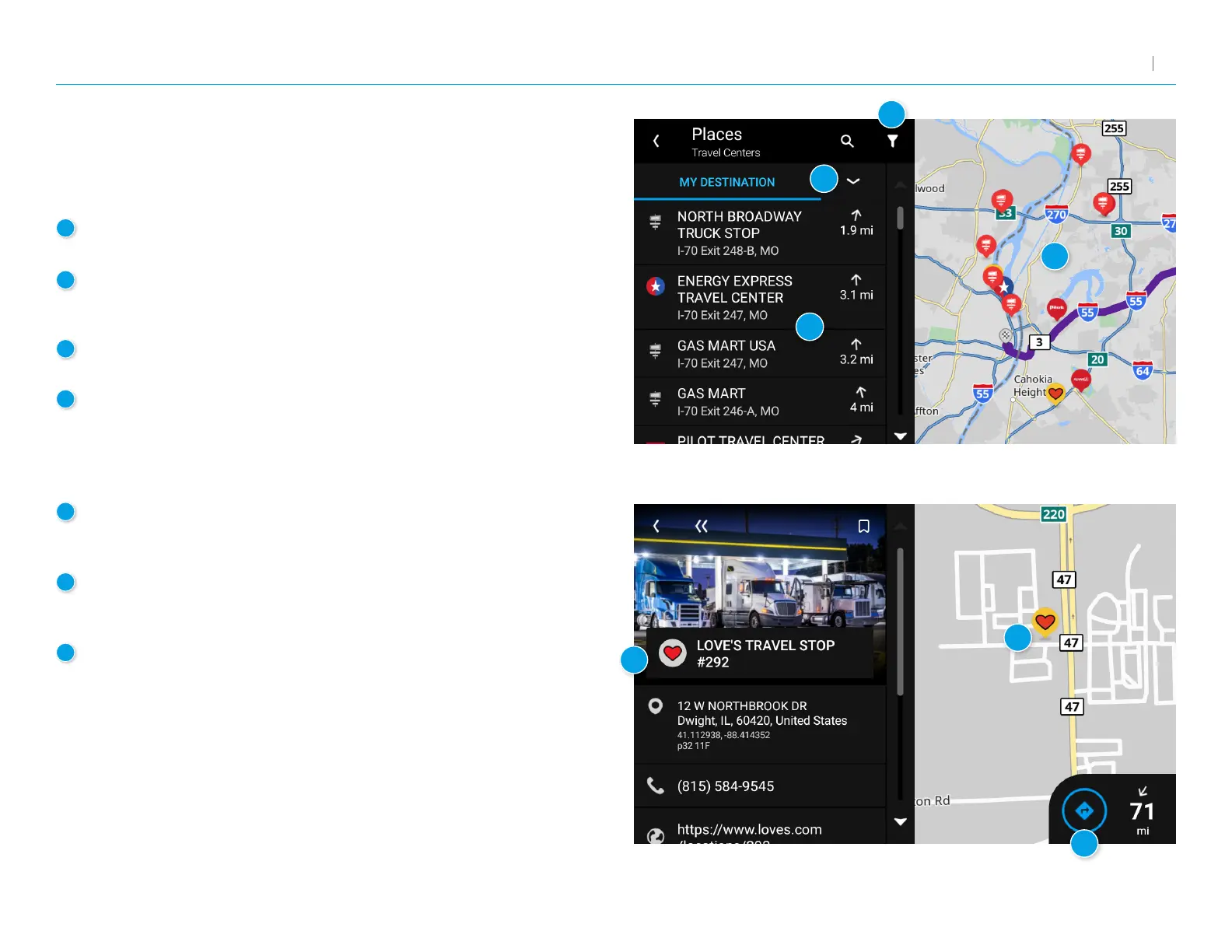
Tap the arrow to change between Along Route, Nearby,
or My Destination.
2
Displays matching POIs near the location specied along with the
distance to each destination. Tap a destination to view additional
information and begin navigation.
3
Filter
Based on available amenities.
4
Map
Displays POIs near your truck, a city, your route, or your destination.
5
More information
Displays additional information about the POI including address, phone
number, and any available amenities.
6
POI Destination
Displays the selected POI on the map, along with the locations
of other nearby places.
7
Navigate
Tap to begin navigation to the selected POI.
POIs, continued
When you select a POI category, the system will display POIs for that
category nearby.
3. Rand Navigation 2.0
4



 To Next Page