3. Rand Navigation 2.0
Rand Tablet User Manual 34
1
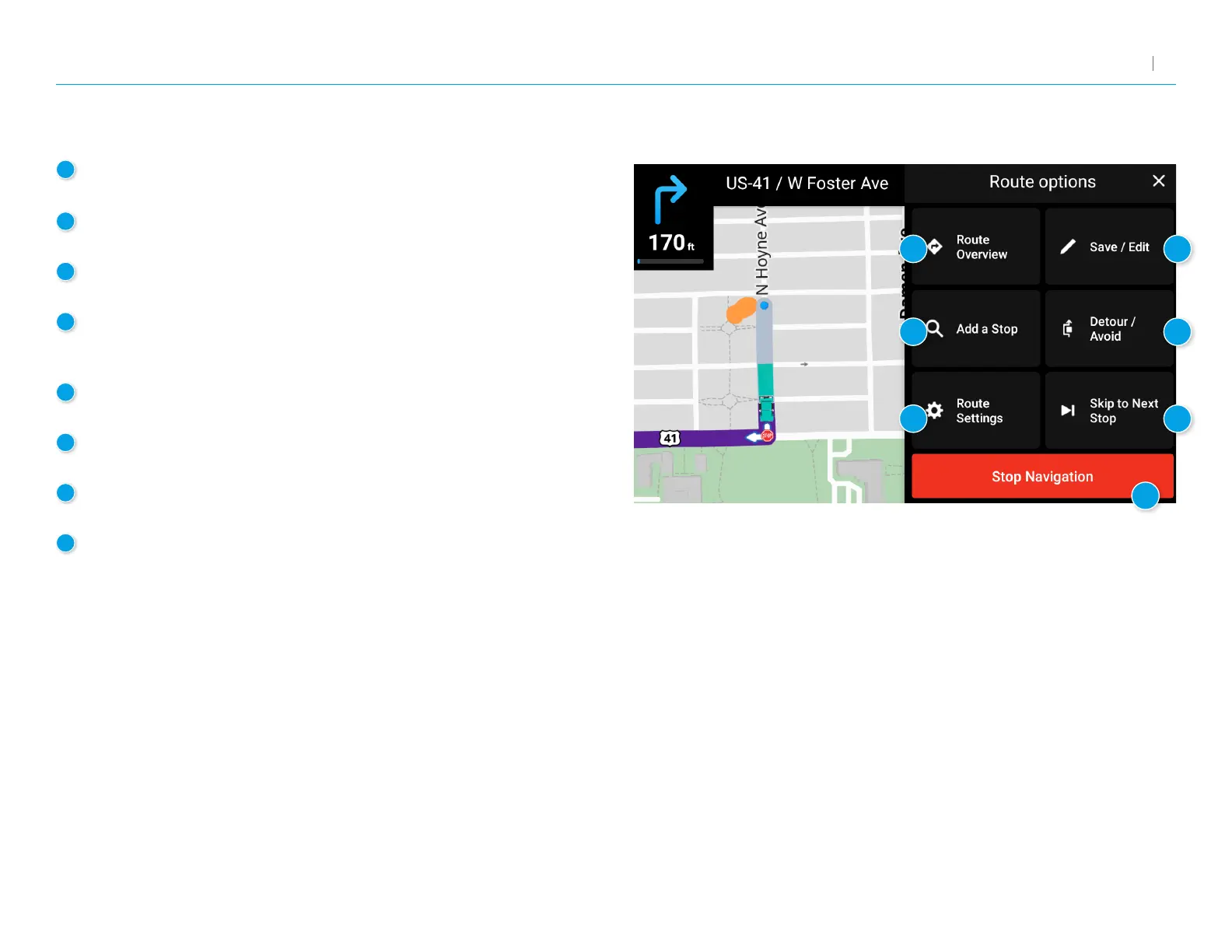
Route Overview
Displays the directions, highways, and summary of your trip.
2
Save or Edit a Trip
Tap to save a new trip or edit your existing trip.
3
Add Stop
Tap to add additional destinations to your route.
4
Detour/Avoid
Tap to manage locations to avoid on the route and automatically
calculate detours around them.
5
Route Settings
Tap to open the Route tab of the Settings screen.
6
Skip to Next Stop
Tap to skip the next destination in your route and continue.
7
Stop Navigation
Tap to cancel the current route and return to the home screen.
8
Exit
Tap to close Route Options and resume navigation.
Route Options
1
3
5
6
2
4
7



 To Next Page